


1.What is Custom Combined Indicator?
Custom Indicator Strategy gives users the freedom to combine their preferred indicators to generate their own customized bots. A custom indicator bot will enter running after a successful backtest.
2.Custom Combined Indicator Parameters Explanation
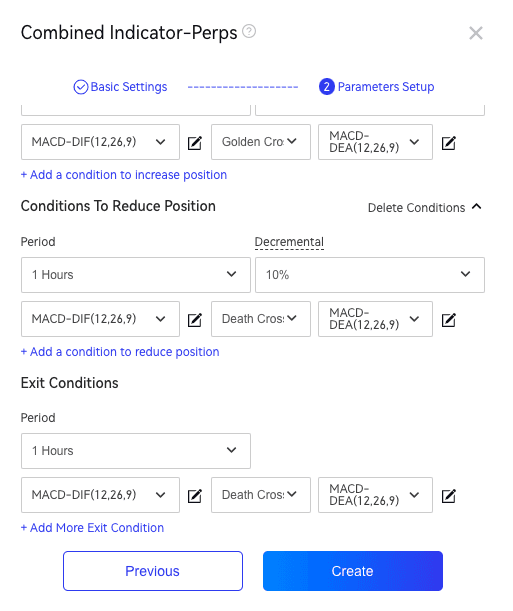
2.1.Indicator Parameter Setup
The configuration of indicator parameters mainly involves setting the K-line period, operation direction (long, short), entry conditions, and exit conditions.
2.2. Entry Condition
There are 3 parameters to be set for the entry condition. Two are technical indicators and one left is inequality direction, as shown below:

2.2.1 Technical indicators
Currently, the available technical indicators are MA, MACD, KDJ, number, RSI, ROC, MFI, WILLER, CCI, ATR, etc.
When the technical indicator is chosen, you can adjust the parameters to change, for example, the period of the indicator, by clicking the icon right to the input box and inputting numerical values.
[Number] refers to a numerical value that users can enter freely. It is used as a comparative condition by connecting with indicator parameters through connectors. For example, in the entry condition settings:
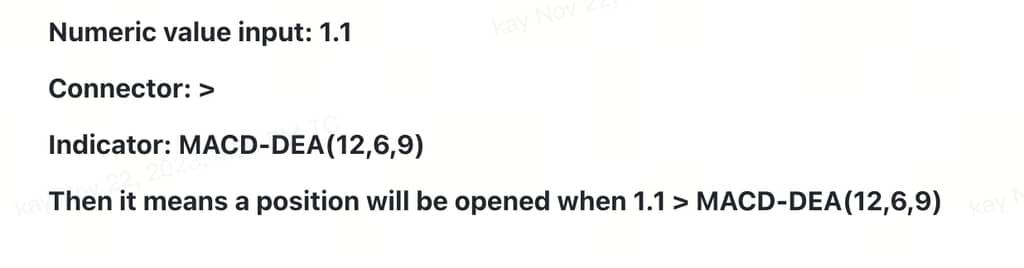
2.2.2 Inequality directions
The currently available inequality directions are golden cross, death cross, greater than, less than, greater than or equal to, less than or equal to, and equal to. During the bot's run, the result of technical indicator 1 will be compared to the result of technical indicator 2.
2.2.3 Multiple Entry Conditions
Click "+ Add More Entry Conditions" to add more entry conditions.
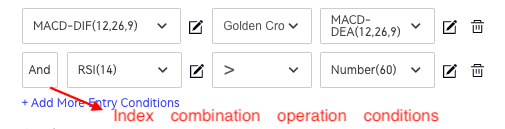
2.2.4 Logical Conjunctions of Indicators
When multiple indicators form an utable bot, the indicators are connected by logical conjunctions - "and" and "or". If "and" is chosen, only when the former indicator is used and found to follow the inequality direction will the latter indicator be used. The position will be opened when both indicators follow their own inequality direction. If the indicator before "or" doesn't obey the chosen inequality direction but the indicator after "or" does, the position will still be opened.
"and": when all indicators follow the chosen inequality direction, a position will be opened/closed.
"or": when at least one of all indicators follows the chosen inequality direction, a position will be opened/closed.
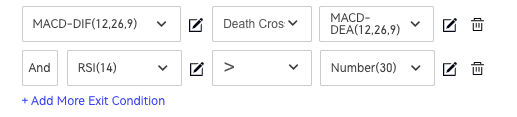
2.3 Exit Condition Setup
Same as the setup of entry condition. Please refer to 2.1.
3.How to Create A Combined Indicator Bot?
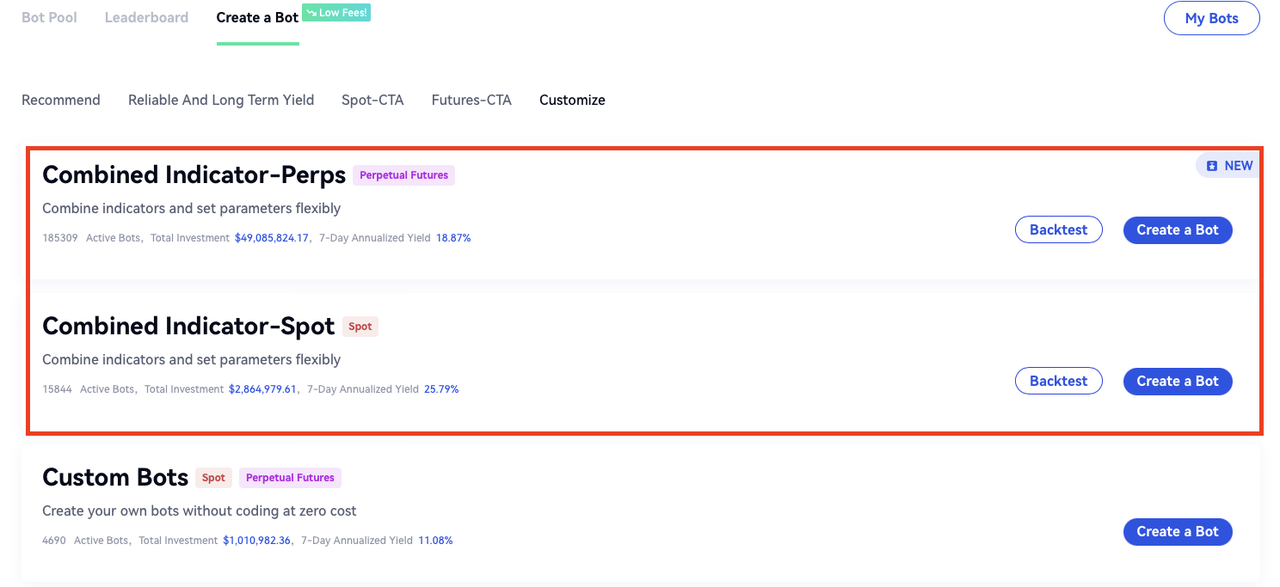
WEB:
Bots - Create A Bot - Custom - Combined Indicator(Spot/Futures) - Backtest - Set Parameters -Create
Backtesting Process: Click the "Backtest" button, enter the expected parameters, and click "Backtest" again. The system will automatically backtest the data (within one month by default) and generate a backtest record in the "Backtest Records" section for reference.

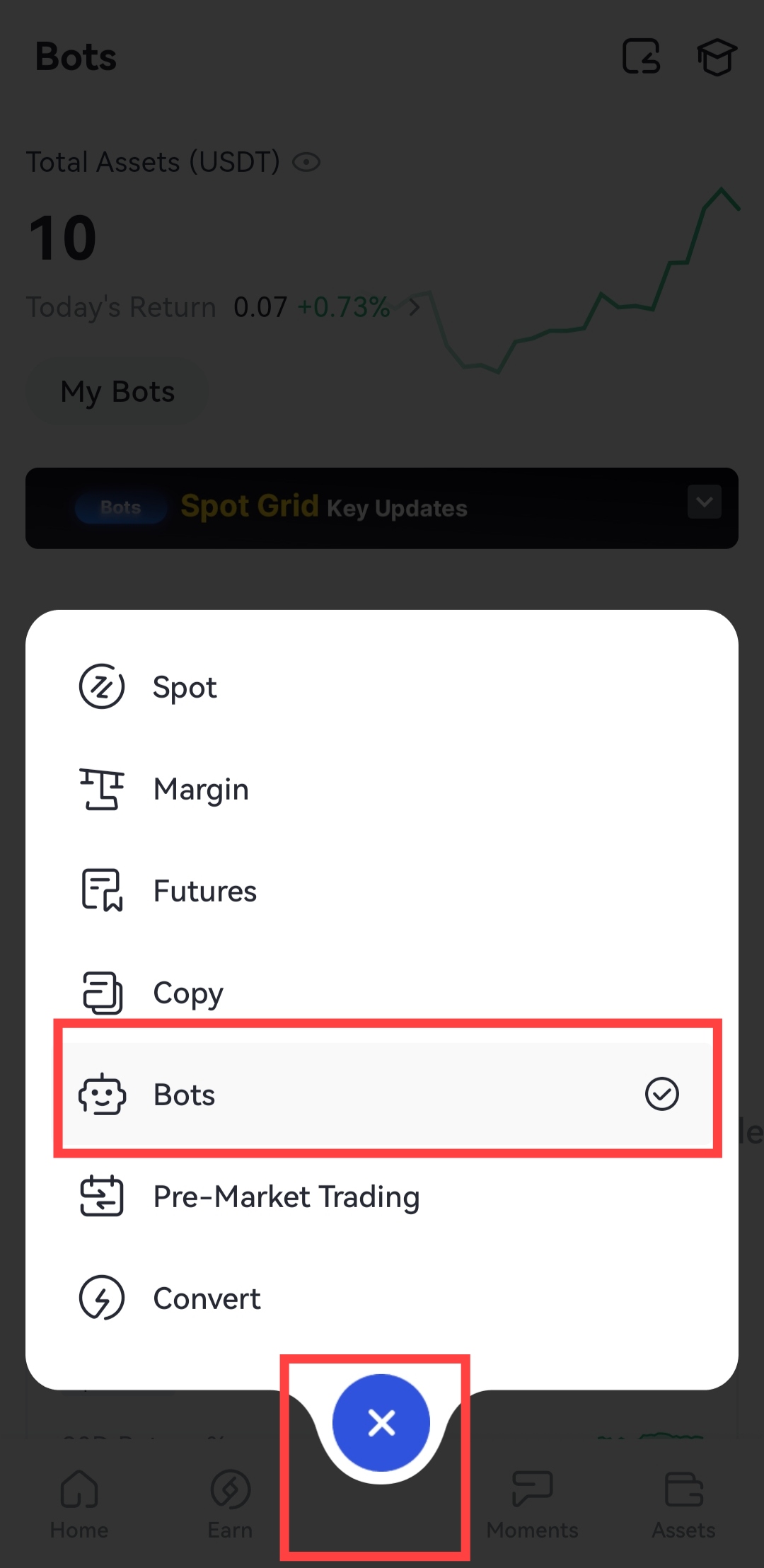
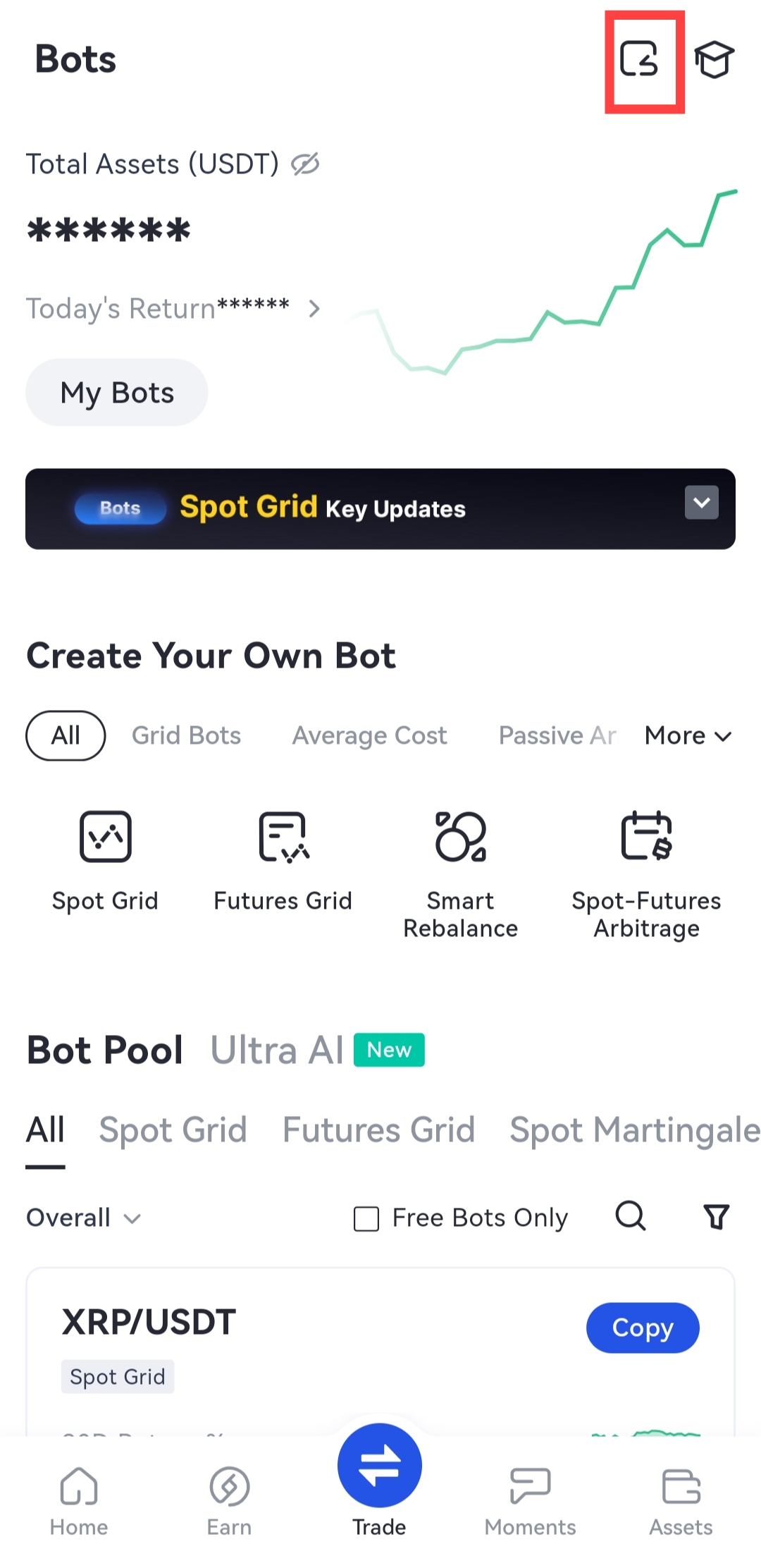
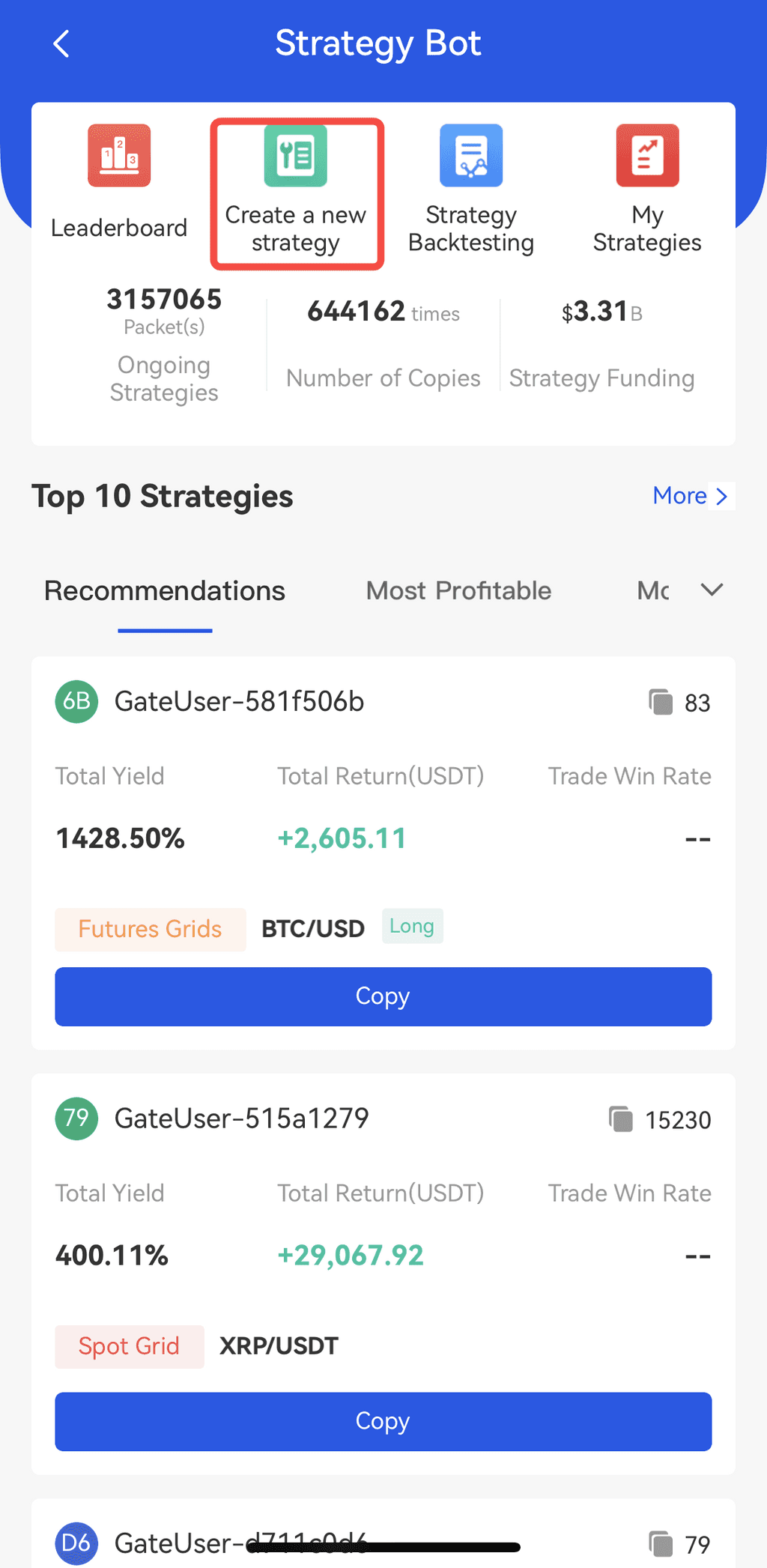
APP:
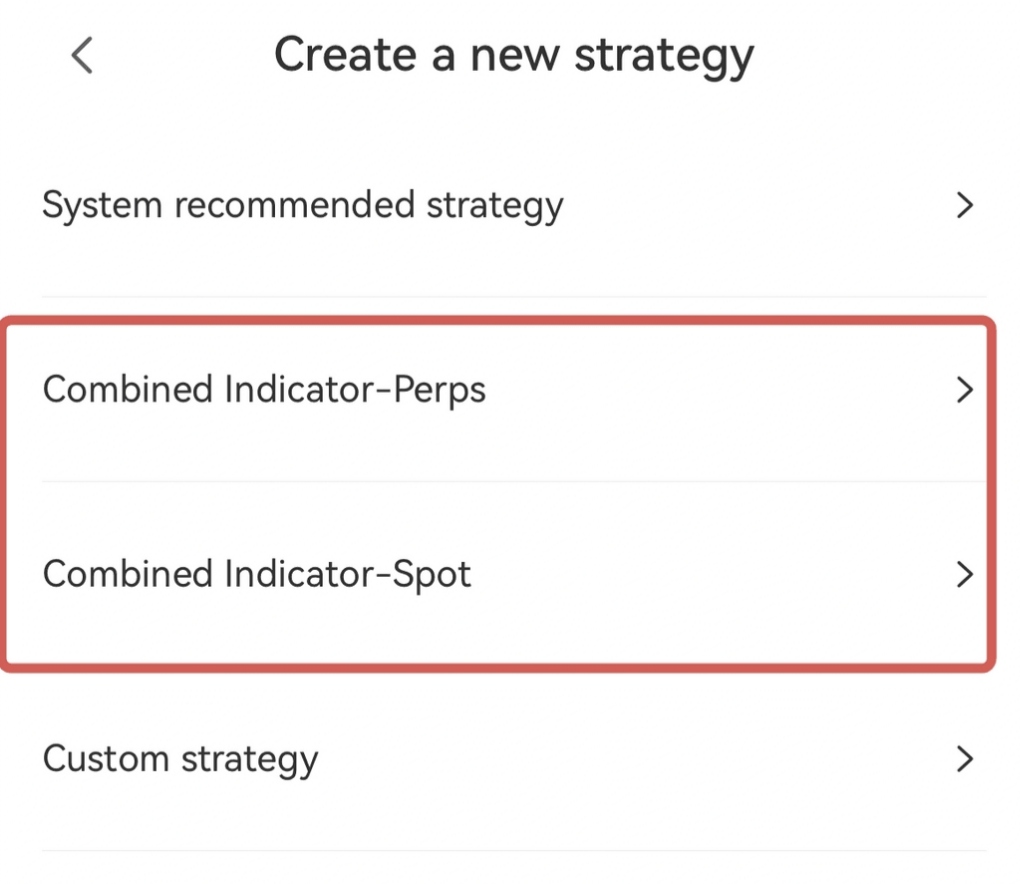
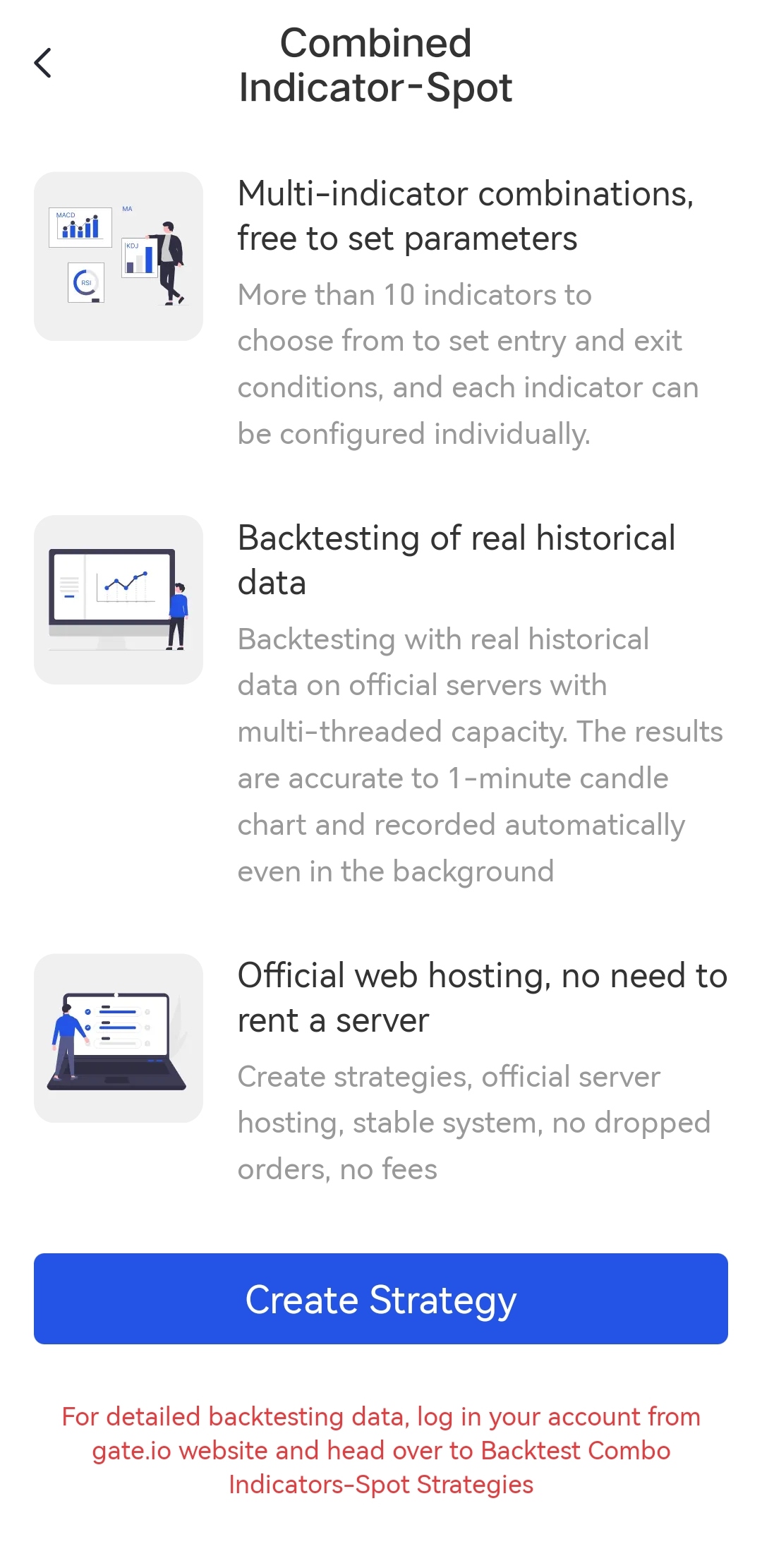
Trade - Bots - Return icon on the upper right side - Create a new strategy - Combined Indicator (Spot/Perps) - Backtest - Create
 ## 4.How to Check Running Status of a Combined Indicator Bot?
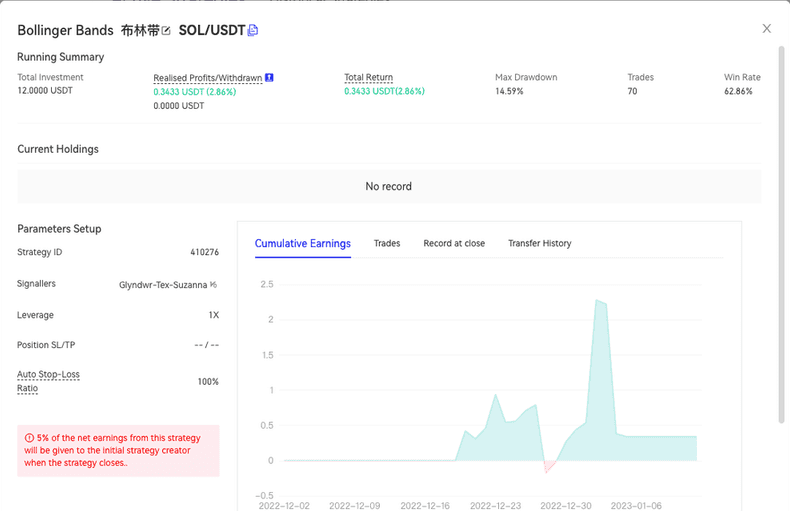
When bots are created, you can find them in "Active Bots" under "My Bots," where you can check the entry and exit conditions.
## 4.How to Check Running Status of a Combined Indicator Bot?
When bots are created, you can find them in "Active Bots" under "My Bots," where you can check the entry and exit conditions.

Gate reserves the final right to interpret the product.
For further assistance, please visit the Gate official support page or contact our customer support team.
