


Gate Pay is a convenient payment and spending tool launched by Gate. It supports crypto asset transfers, payments, and spending at Gate Pay partner merchants, enabling users to seamlessly use digital assets in everyday scenarios.
Below is an overview of the main features and usage of the Gate Pay App.
I. Home
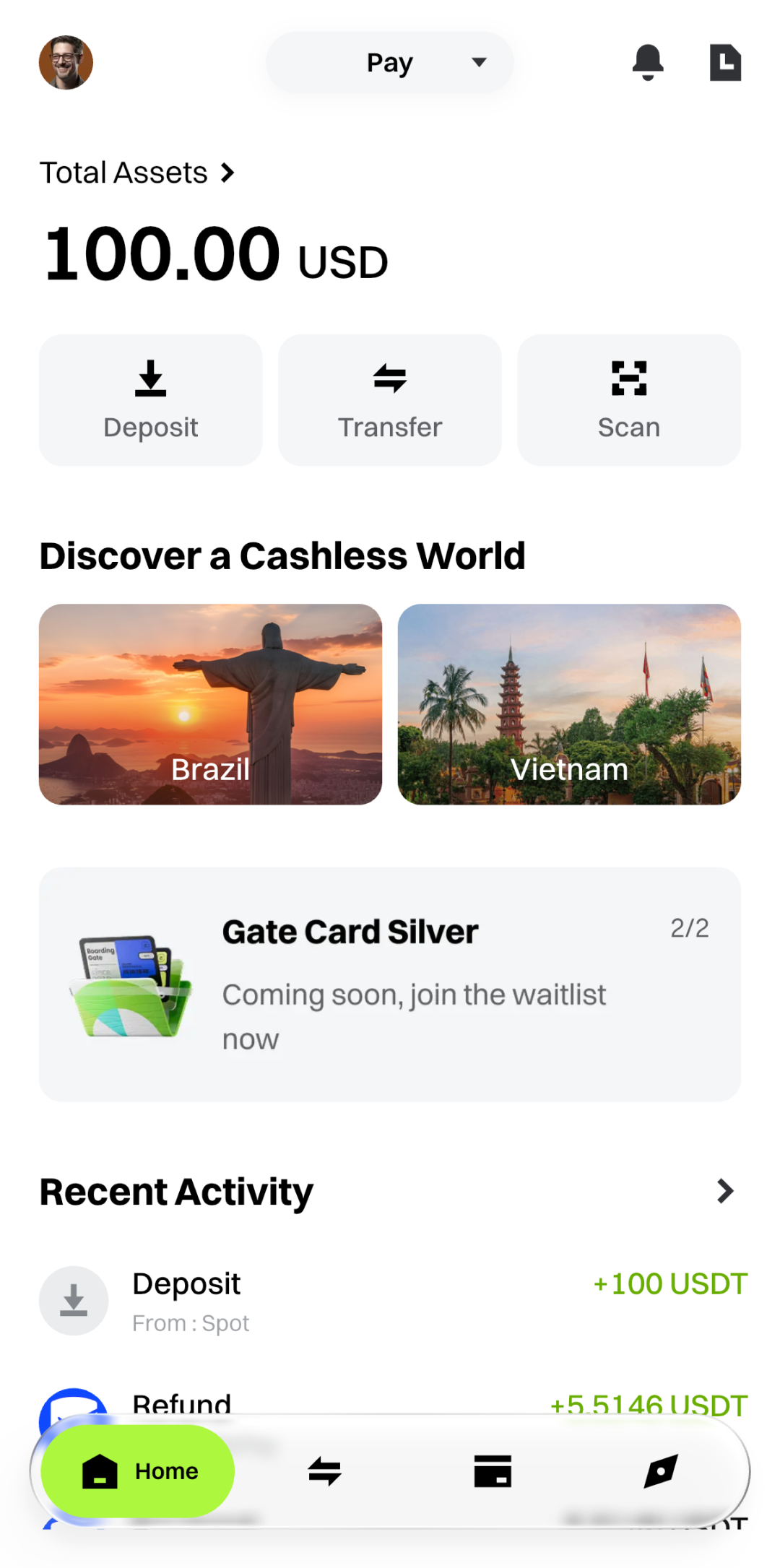
The [Home] page serves as the central hub of Gate Pay, providing quick access to account information and commonly used features.
1. Asset Overview
- Displays the total balance of your Gate payment account.
2. Quick Actions
- Deposit: Transfer funds from your Gate spot account to your payment account.
- Transfer: Send funds to other Gate users.
- Scan: Scan a merchant or personal QR code to complete a payment.
3. Local Payments
- Aggregates local payment entrances for different countries or regions.
- Tap on a country card to view travel-related information for that location.
- Supports QR code payments using mainstream local payment methods.
4. Recent Activity
- Displays recent transactions such as payments and transfers.
- Tap any record to view detailed transaction information.
II. Send & Receive
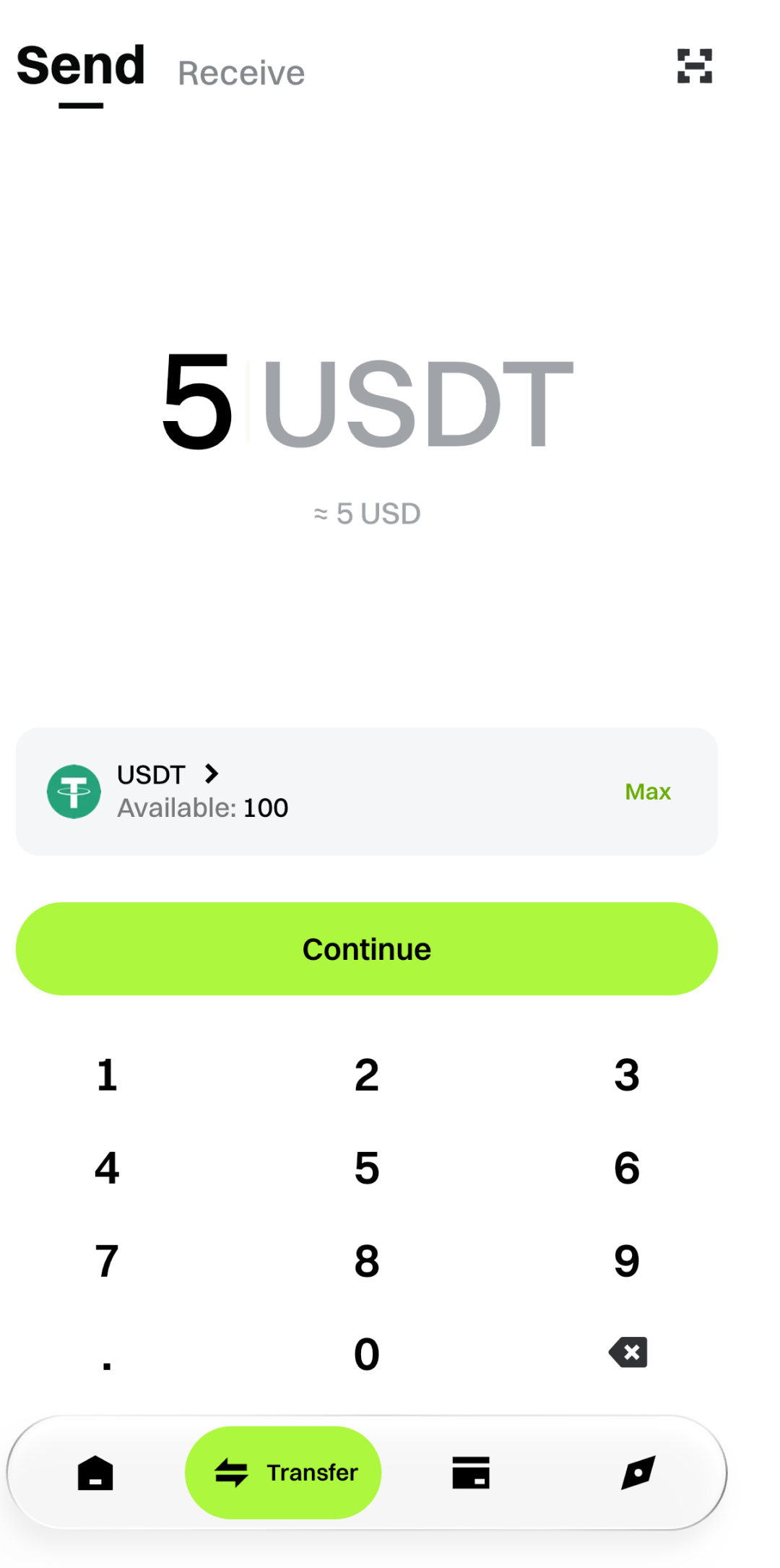
This page is used for fund transfers between Gate users.
Functions
- Send: Send funds to other Gate users.
- Receive: Display your receiving page or QR code to allow others to transfer funds to you.
- Internal Transfer: Transfer funds from your payment account to spot account for flexible asset management.
III. Gate Card
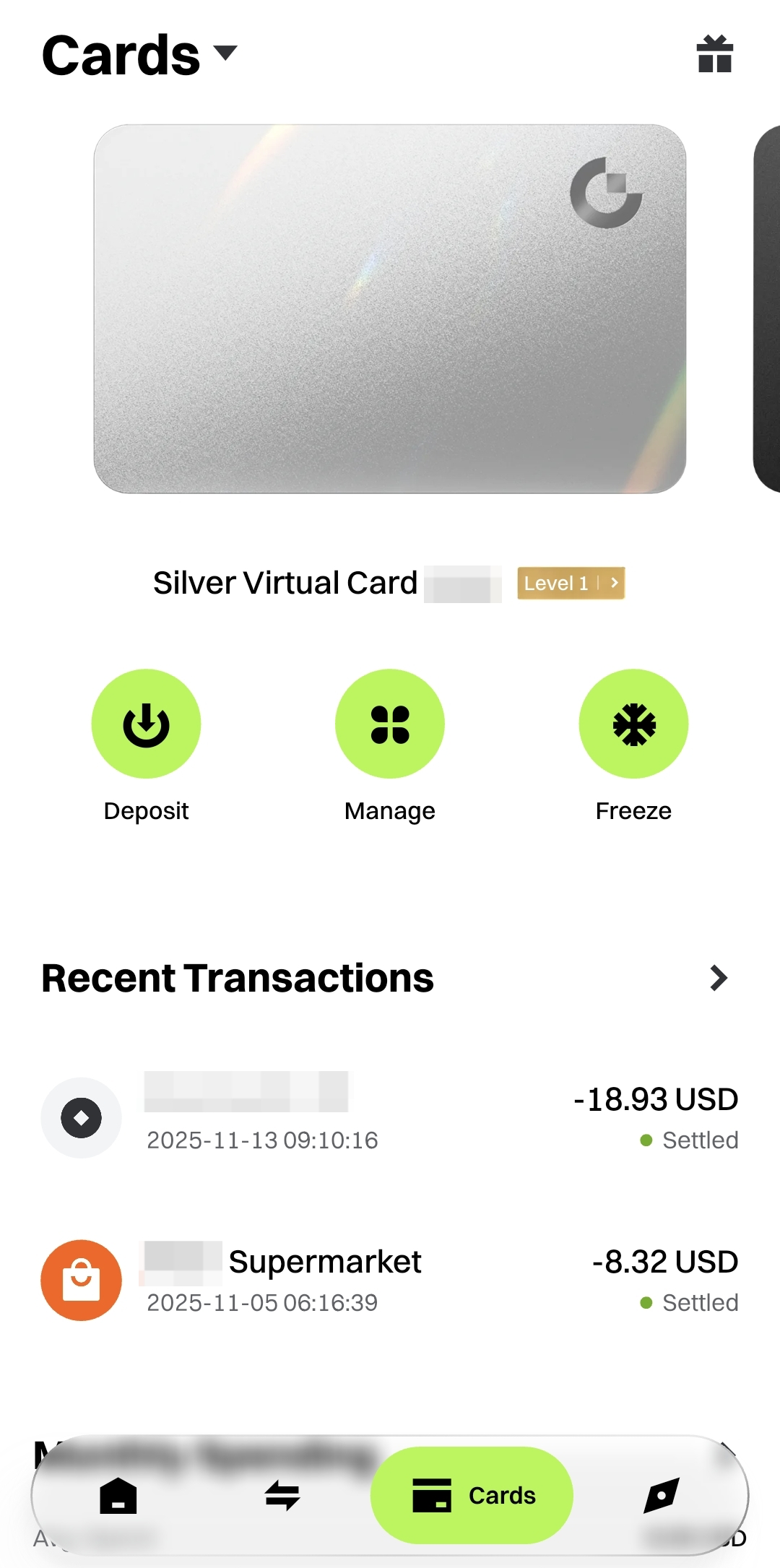
Gate Card is a card product launched by Gate, offering users more spending scenarios.
Features
- Displays your activated Gate Cards (such as the Silver Virtual Card), including card type and tier.
- Provides quick card actions: Deposit / Manage / Freeze.
- Shows recent card transactions, including merchant name, amount, time, and settlement status.
- Supports tapping a transaction to view full details.
IV. Explore
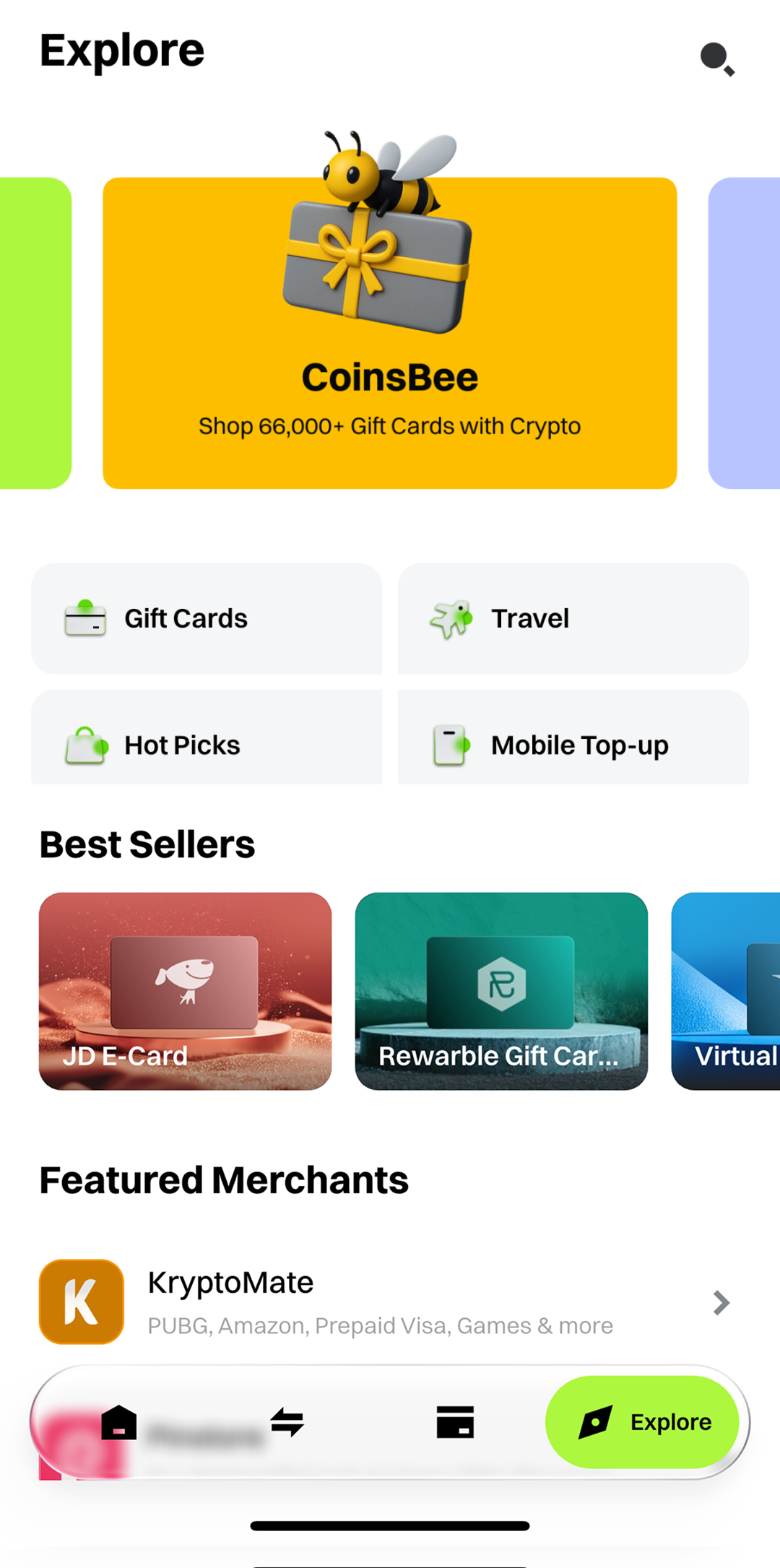
The [Explore] page features selected products and partner merchants, allowing users to spend directly with Gate Pay.
Main Content
- Best Sellers: Browse popular recommended products.
- Featured Merchants: Instantly access partner merchant platforms.
V. Paying with Gate Pay Account
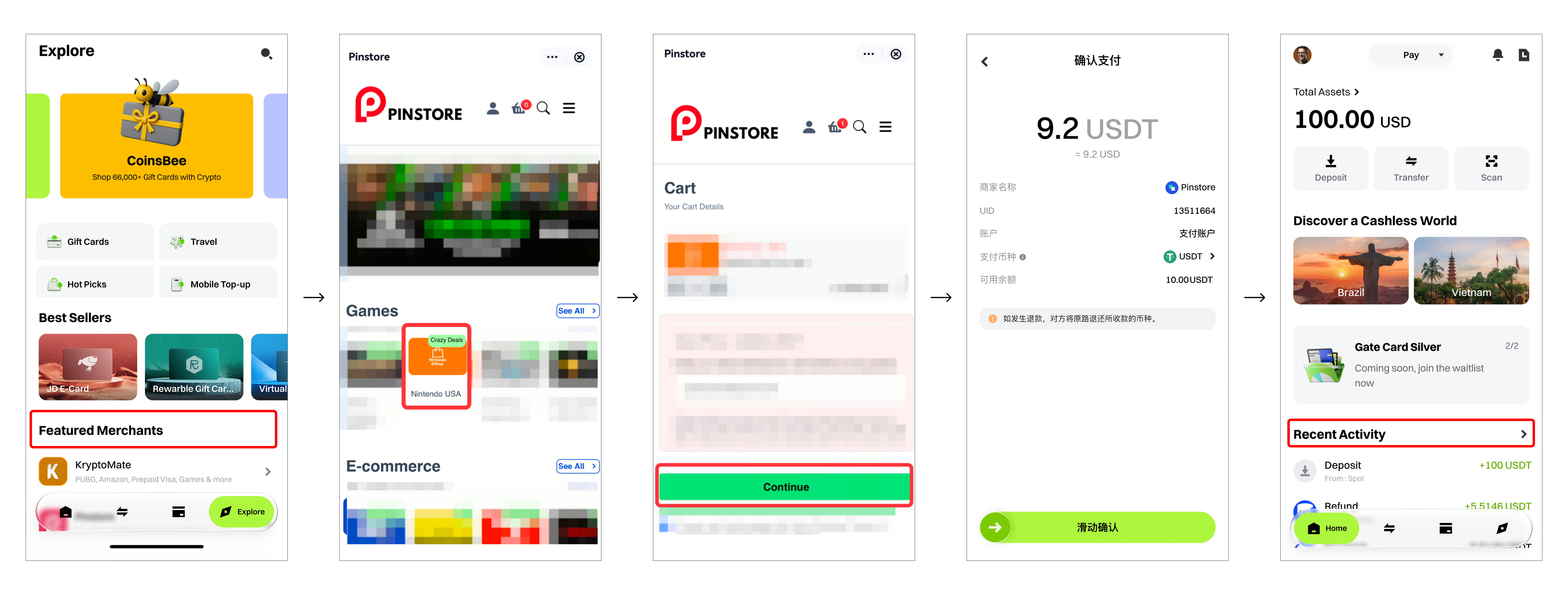
- Select a merchant or product from the [Explore] page or other entry points.
- You will be redirected to the merchant's platform and proceed to checkout.
- The Gate Pay payment module will be automatically triggered to confirm the amount and complete the payment.
- After payment, the order details can be viewed in the [Recent Activity] on the [Home] page.
Disclaimer
The content provided herein is for reference and educational purposes only and does not constitute any financial, investment, trading, or legal advice, nor does it constitute an offer or solicitation to buy or sell any digital assets. Gate makes no express or implied representations or warranties regarding the accuracy, completeness, or timeliness of the information contained herein. Product features, interfaces, rules, and fee structures may be updated or adjusted at any time. Please refer to the latest announcements and the actual information displayed on the Gate platform for the most accurate details.
Digital asset investments involve significant risk, and prices may fluctuate substantially. You may lose the entire amount of your investment. Please make decisions cautiously based on your own financial situation and risk tolerance after fully understanding the associated risks. If necessary, you are advised to consult an independent professional financial or legal advisor.
For more information about potential risks, please refer to Gate's Risk Disclosure and User Agreement.
