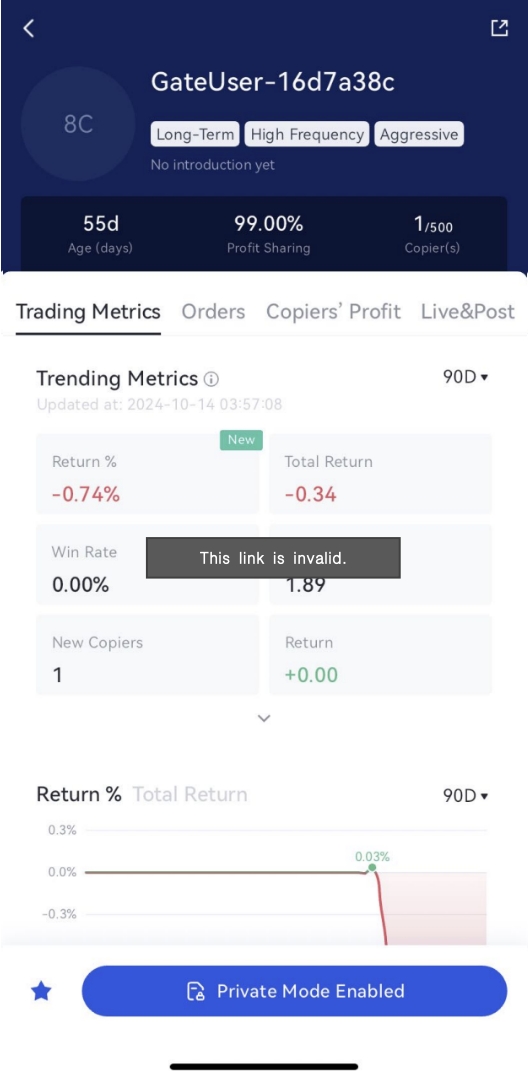
Gate has introduced the brand-new “Private Mode Copy Trading” feature. This feature offers traders more flexibility and enhanced privacy in their operations. With this tool, you can set your profit-sharing ratio from as low as 1% to as high as 99%, maximizing your earning potential. Additionally, your copy trading projects will only be available to invited users, allowing your copiers to exclusively enjoy high copy trading profits. This feature also significantly enhances the efficiency and convenience of community management.
What is Private Mode Copy Trading?
Private Mode Copy Trading is a new copy trading mode launched by Gate, where traders can selectively invite users to establish a copy trading relationship via an invitation link. Non-invited users will not be able to copy your trades, and Private Mode traders will not appear in the public copy trading square or search results, further protecting trader privacy. Users who already have a copy trading relationship with a trader will not be affected and can continue copying the trader’s operations.
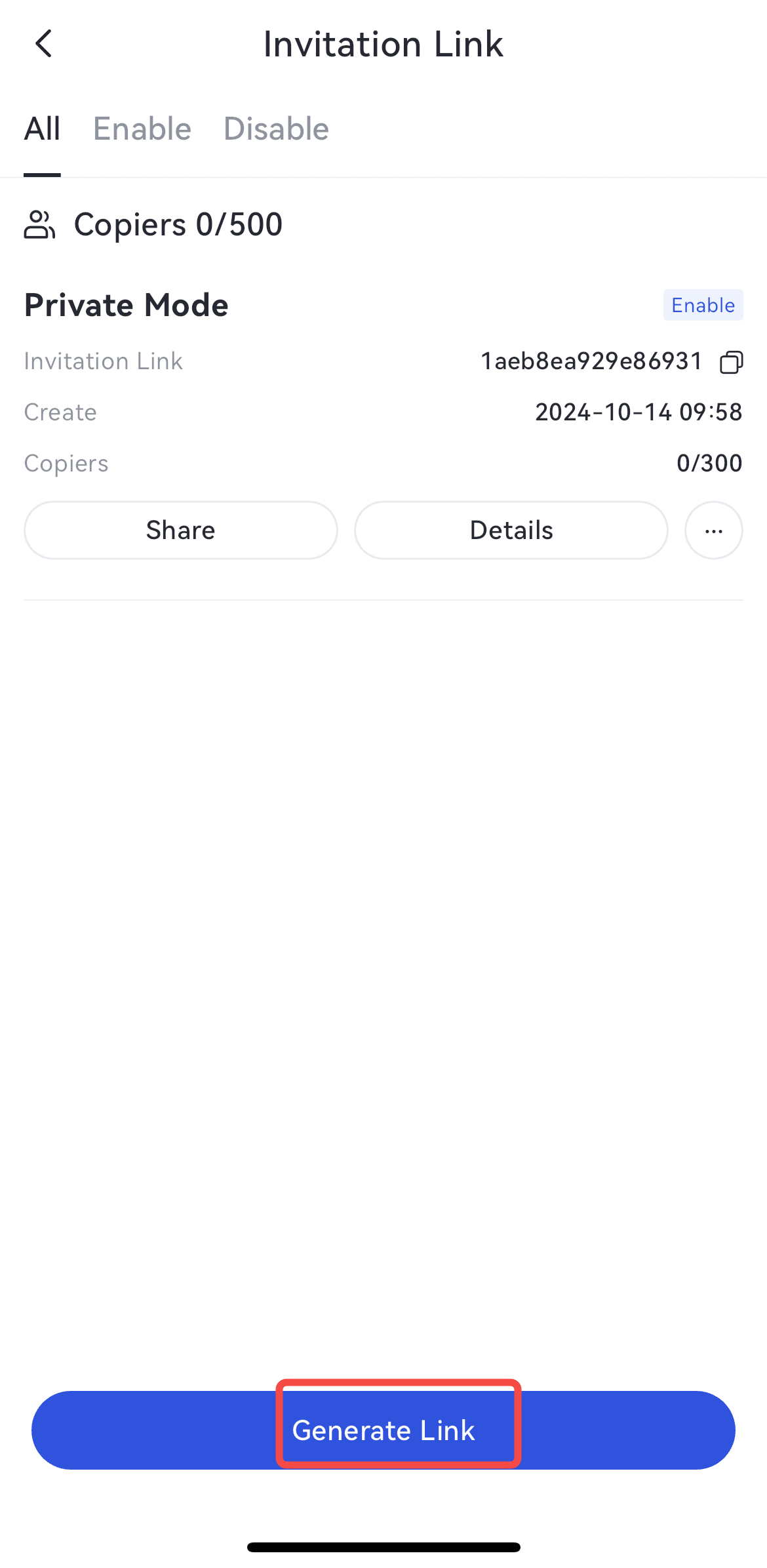
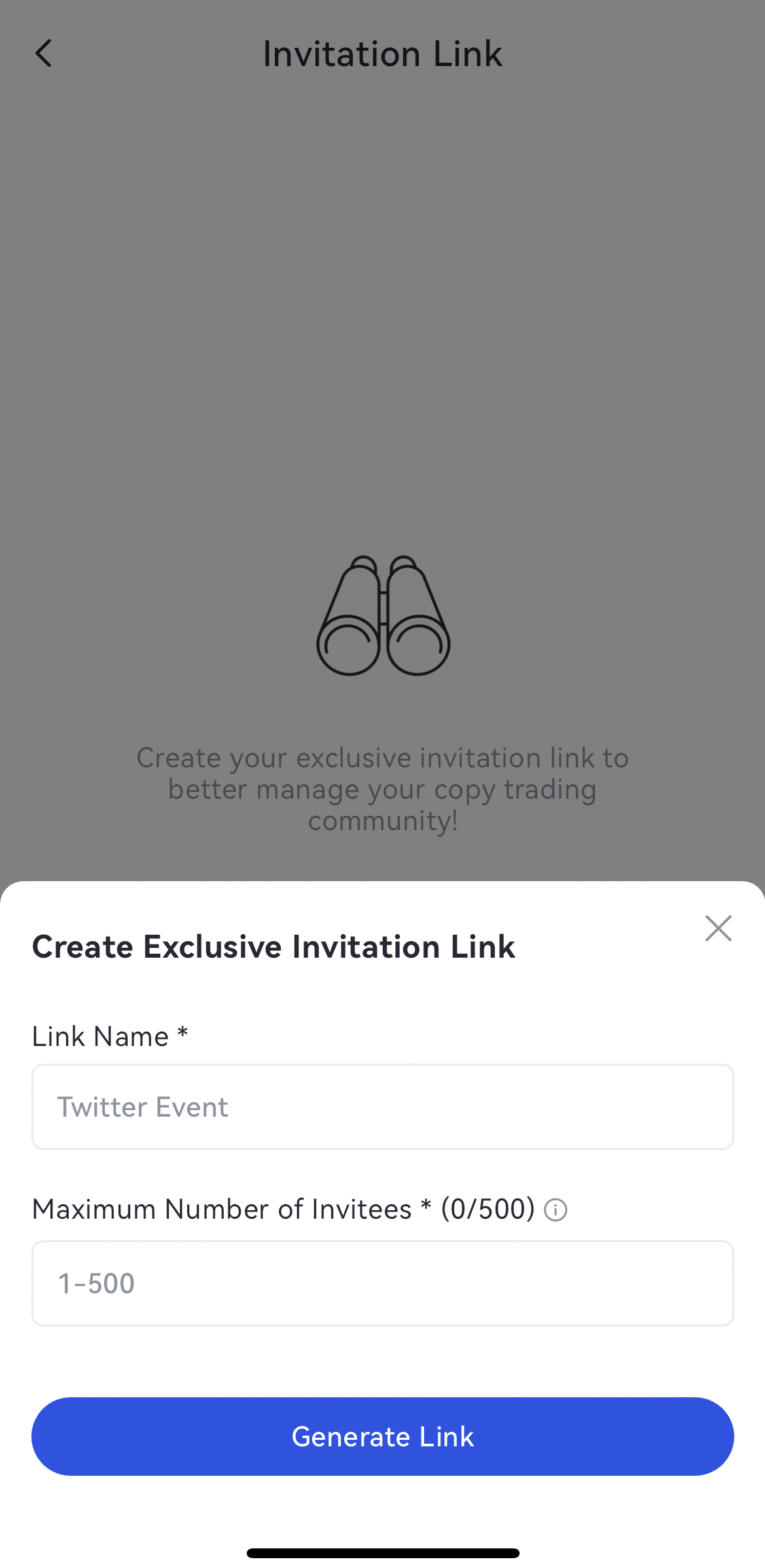
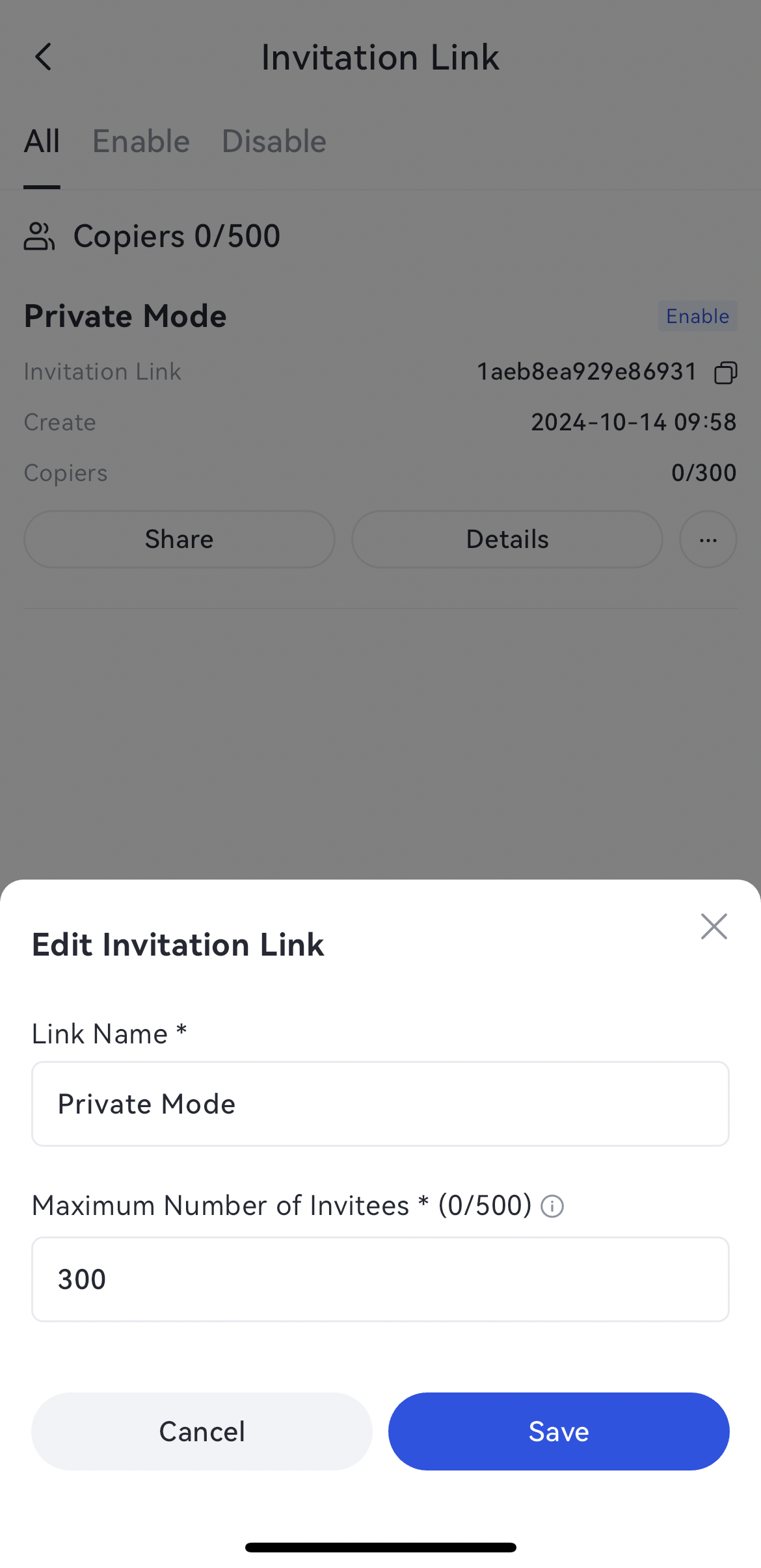
Traders can generate a new invitation link by clicking on the “Generate Link” button, setting the link name and the number of invitees, and managing their copy trading users flexibly.
Advantages of the Private Mode Copy Trading Feature
-Customizable Profit Sharing Ratio: Traders can flexibly set the profit-sharing ratio, from as low as 1% to as high as 99%;
-Expanded User Base: Increase your copy trading copiers without waiting for account upgrades;
-Flexible Private Mode Switching: Enable or disable the Private Mode Copy Trading feature at any time, controlling your copy trading mode freely.
-Precision Community Management: Monitor the performance of various communities to pinpoint the most valuable ones, enhancing overall management effectiveness.
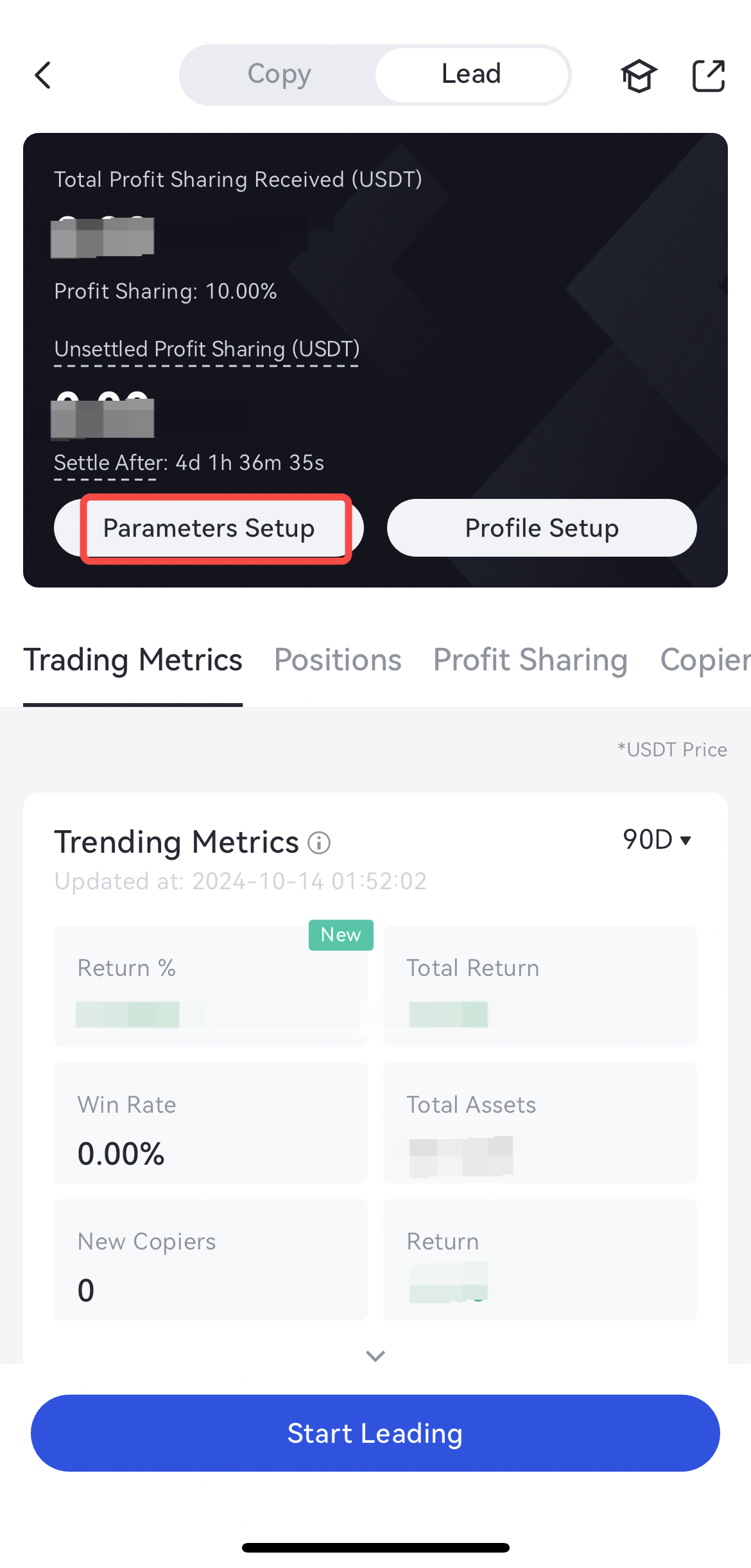
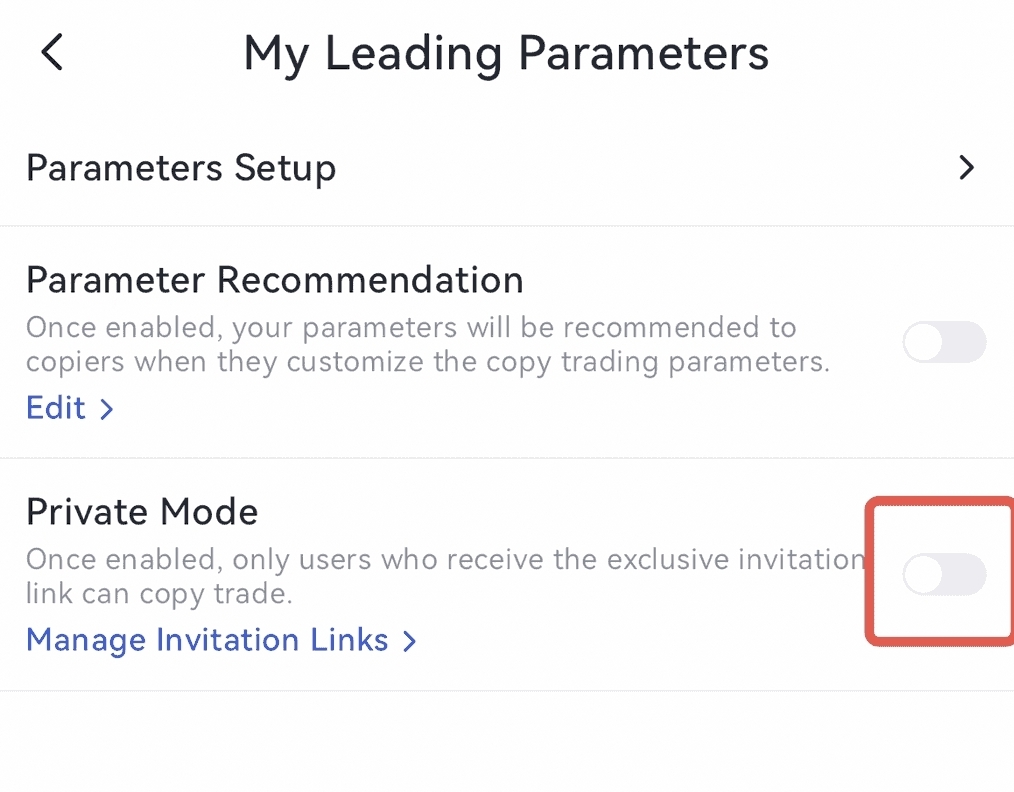
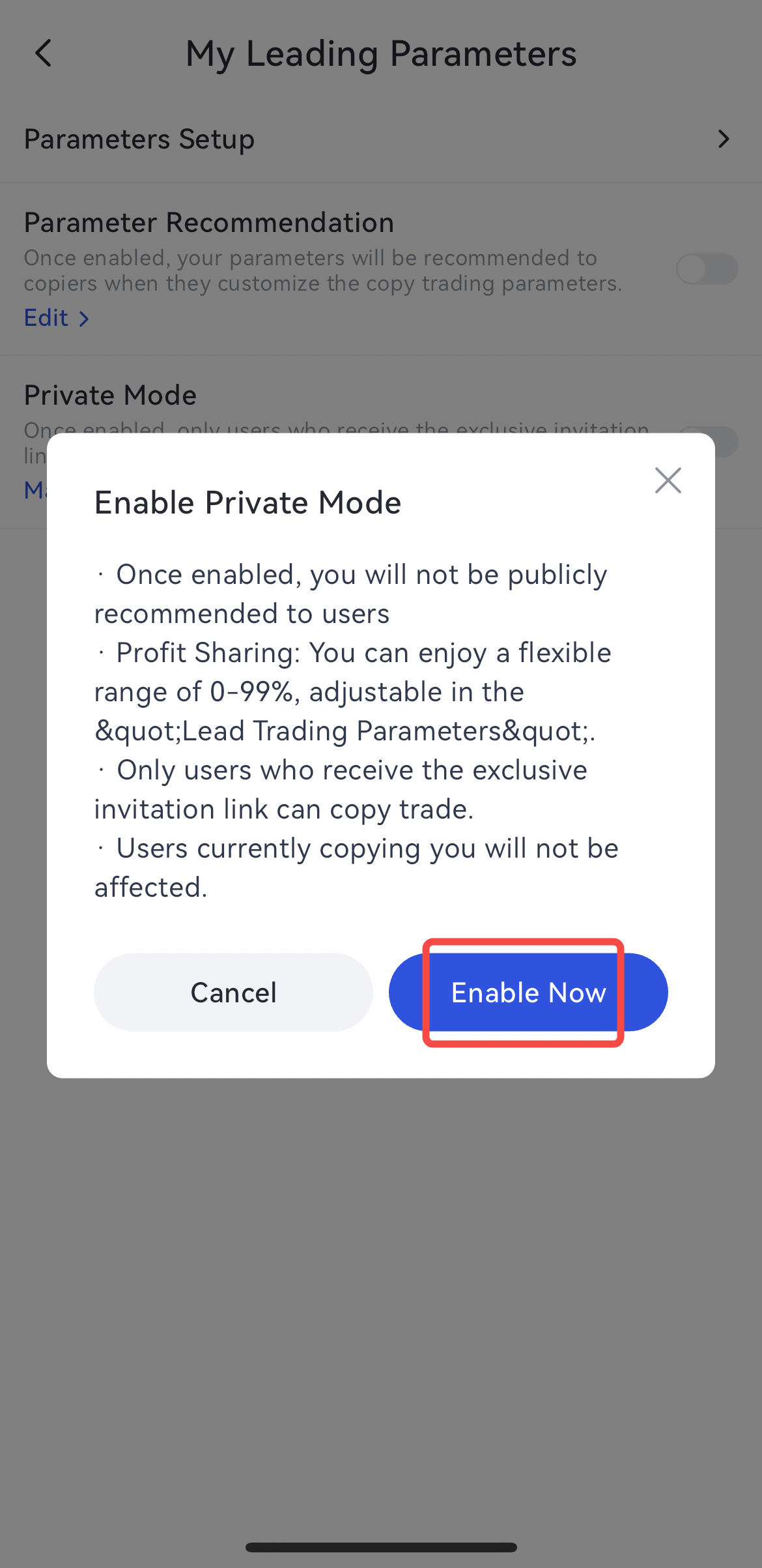
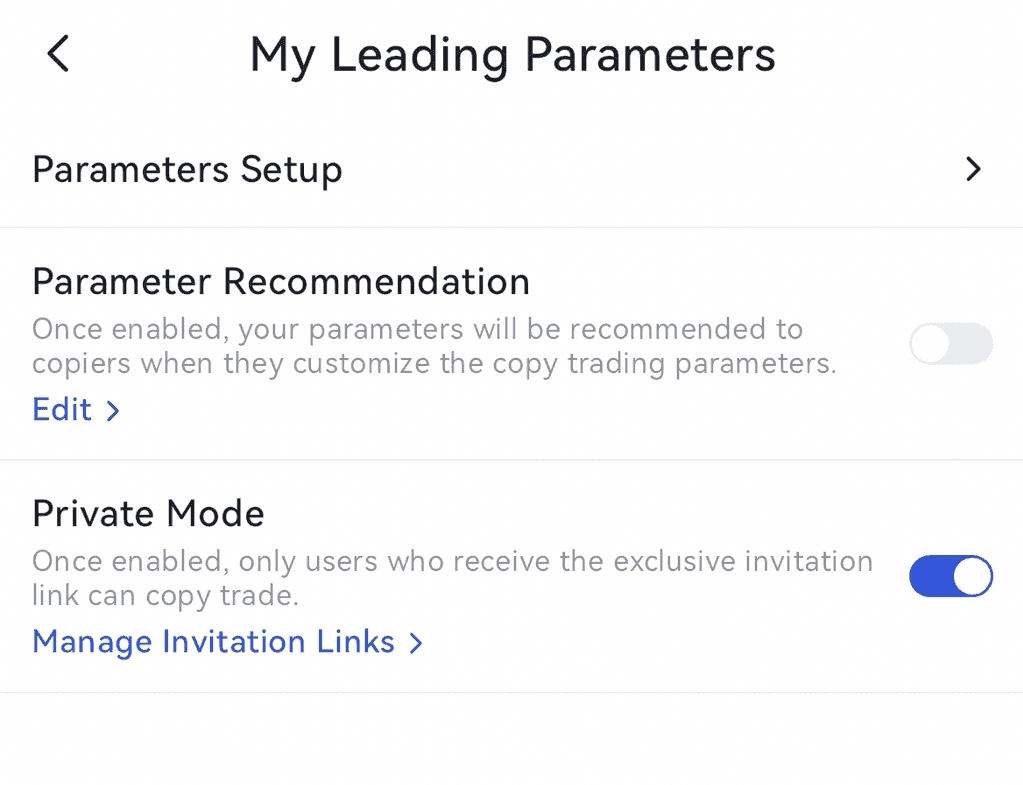
1.How to Enable Private Mode Copy Trading?
Click「Parameters Setup- Enable "Private Mode" - Click "Enable Now" - Successfully Enabled
2.How to Generate an Invitation Link?
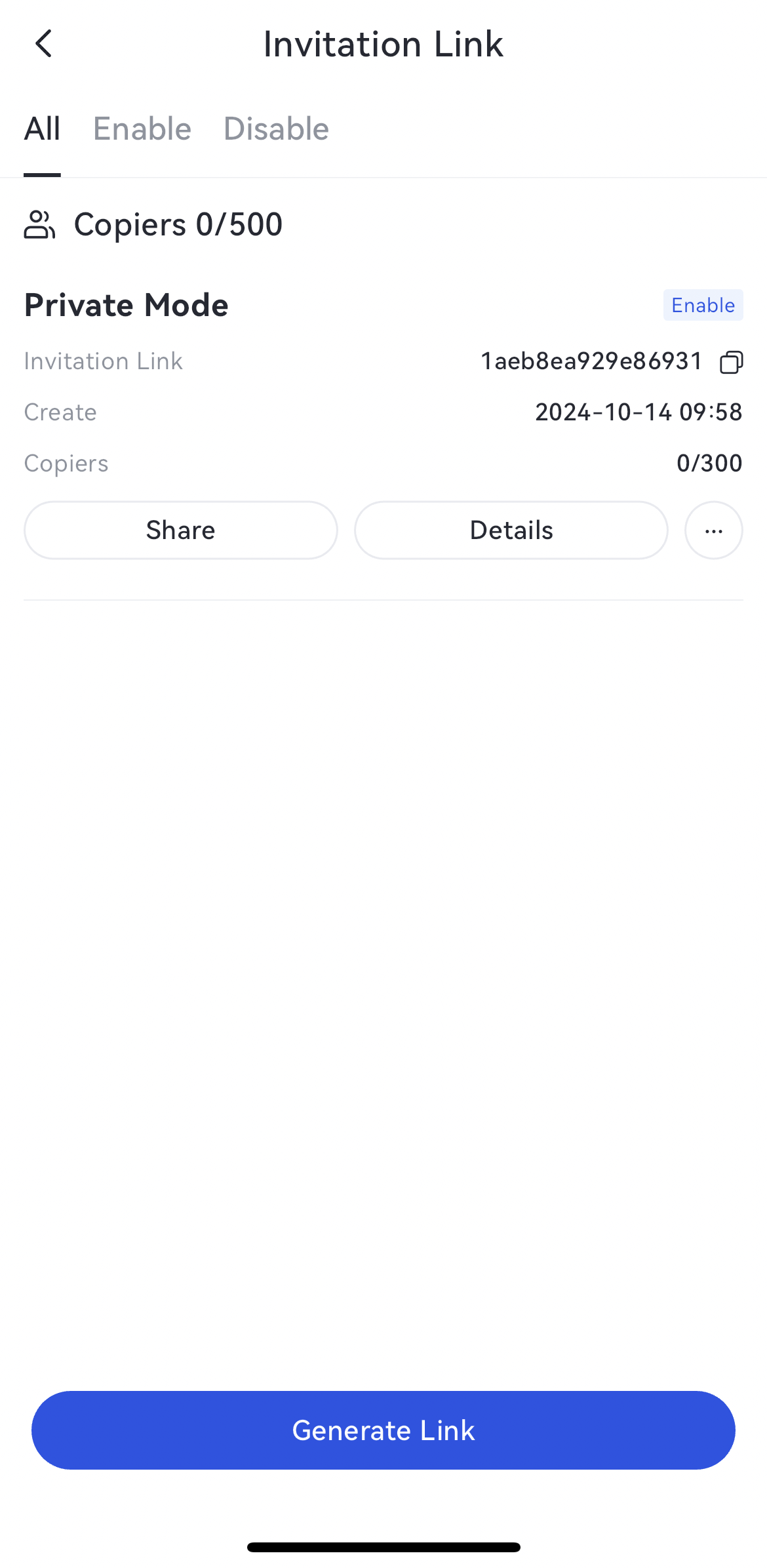
Click「Generate Link」- Input「Link Name」、「Maximum Number of Invitees」- Link Created
3.Share, Edit & Disable Invitation Link
3.1 Share Invitation Link
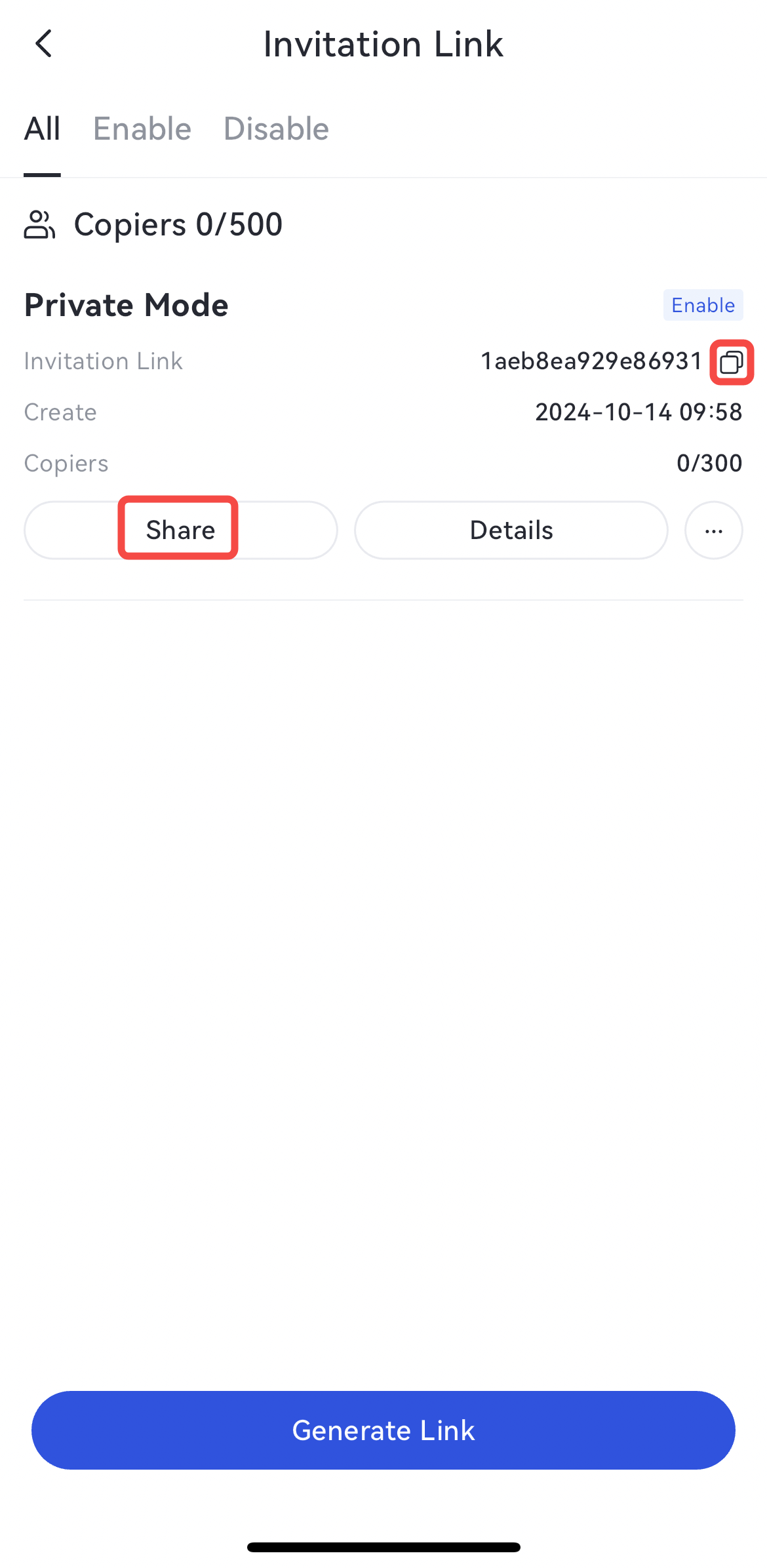
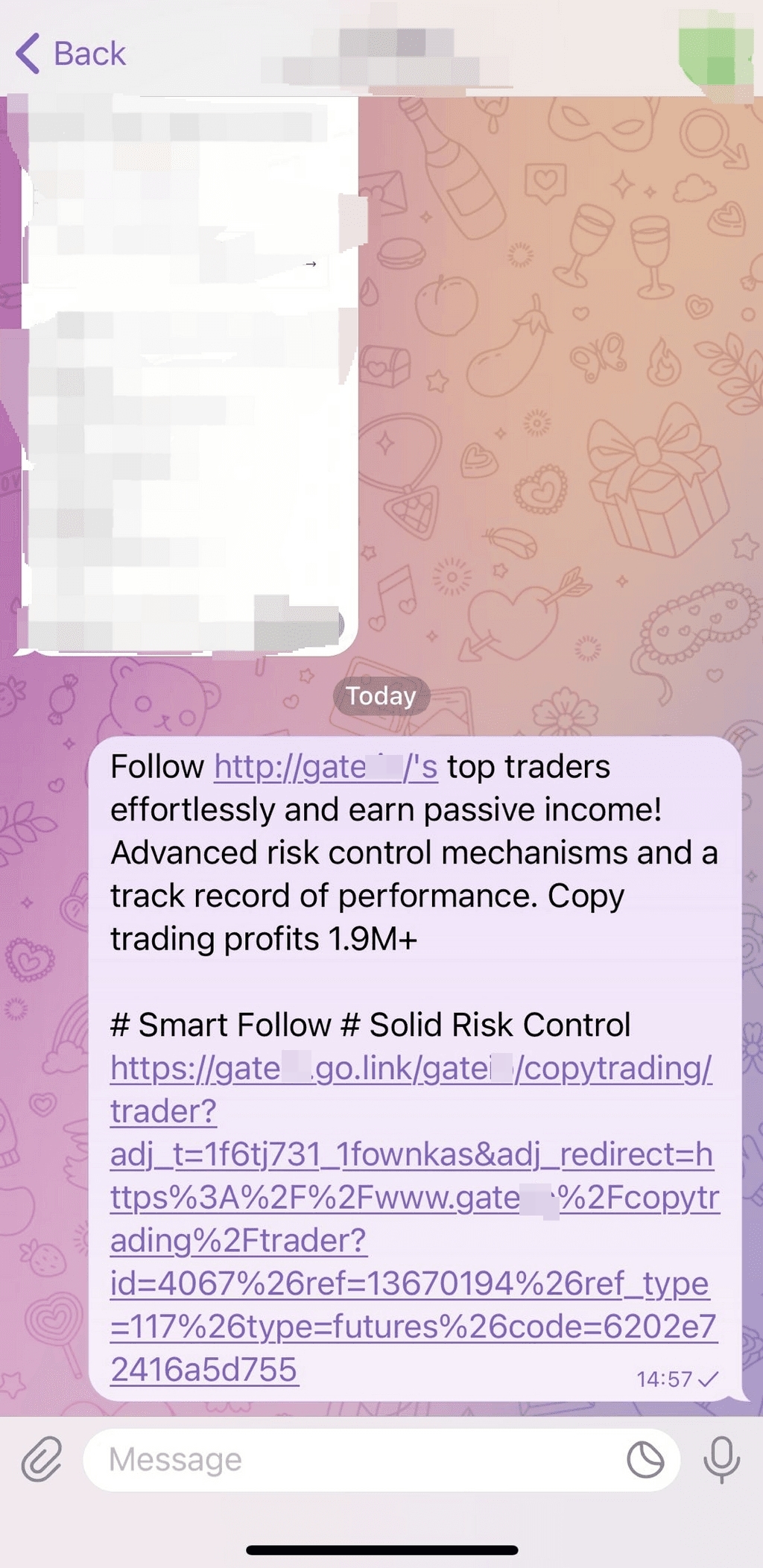
Click "Share" and the link will be automatically copied to the clipboard, allowing traders to copy and paste it into target communities easily. When the link is shared to external apps, clicking on it will launch it. If the app cannot be launched, please advise users to copy the link and open it in the system's default browser.
Click「Share」or the icon on the right side
3.2 Edit Invitation Link
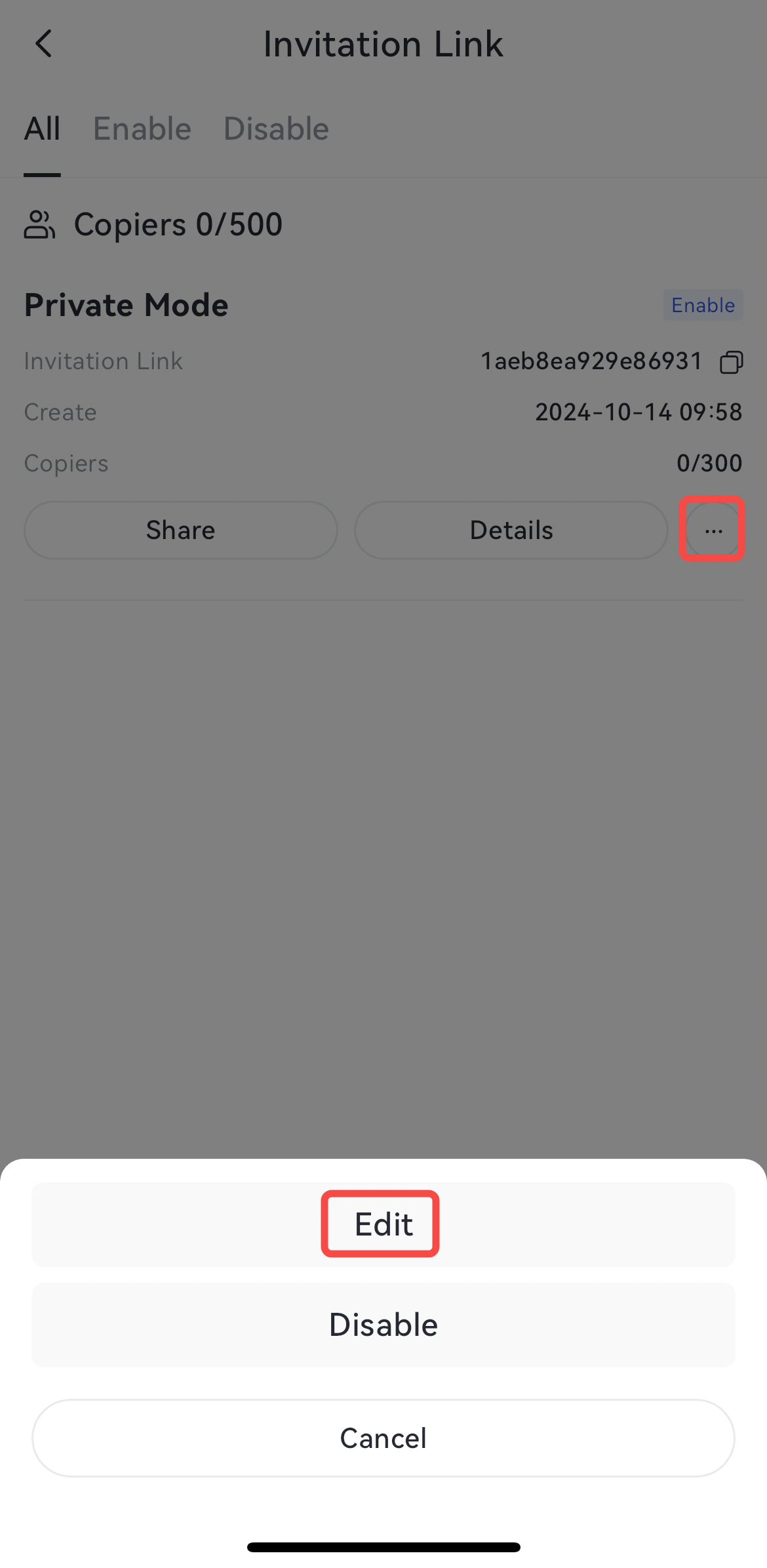
If the number of users invited after editing is less than those who have already used the link, you cannot continue inviting new users.
Click「...」and choose「Edit」- Launch Pop-up
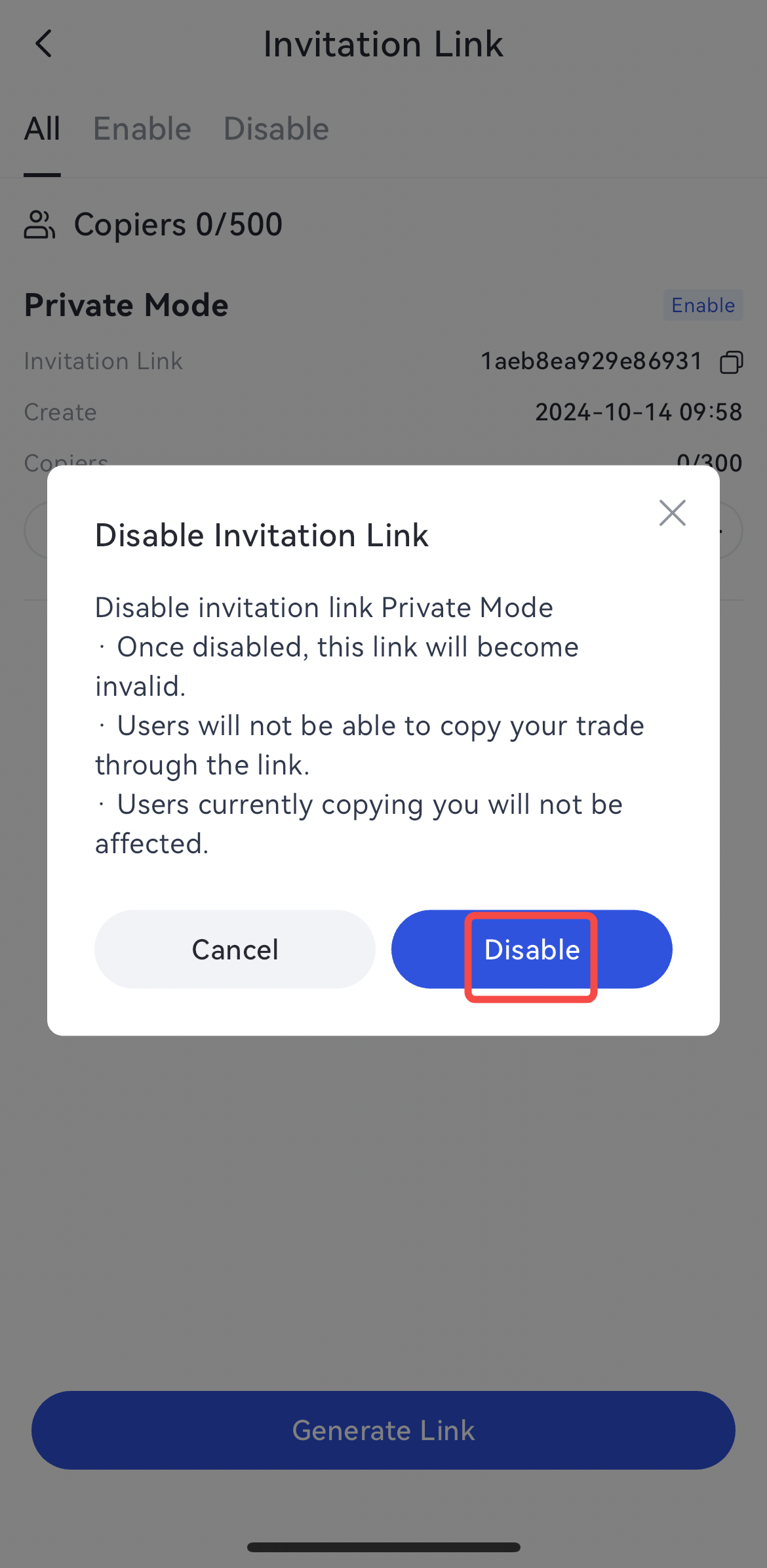
3.3 Disable Invitation Link
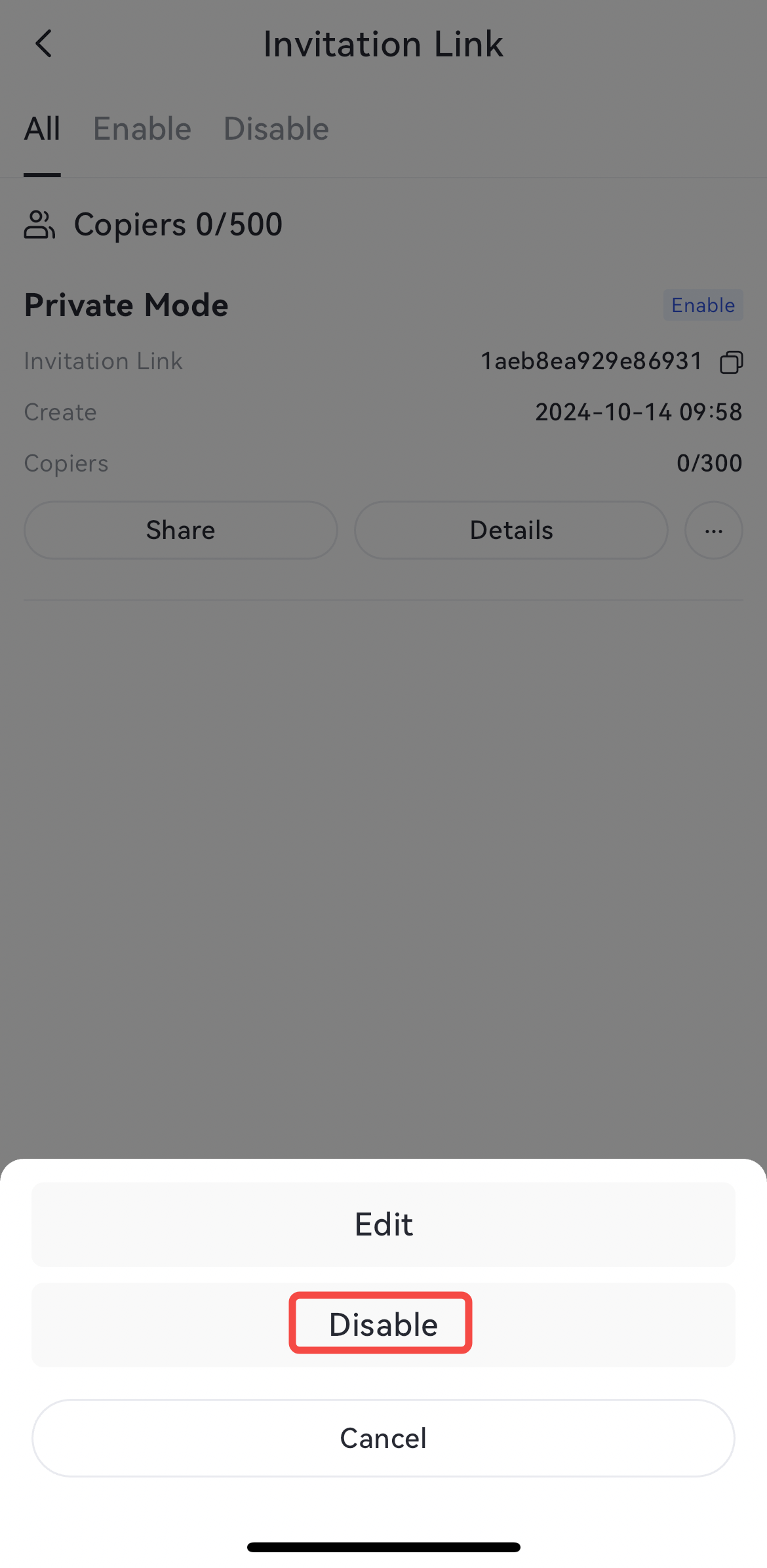
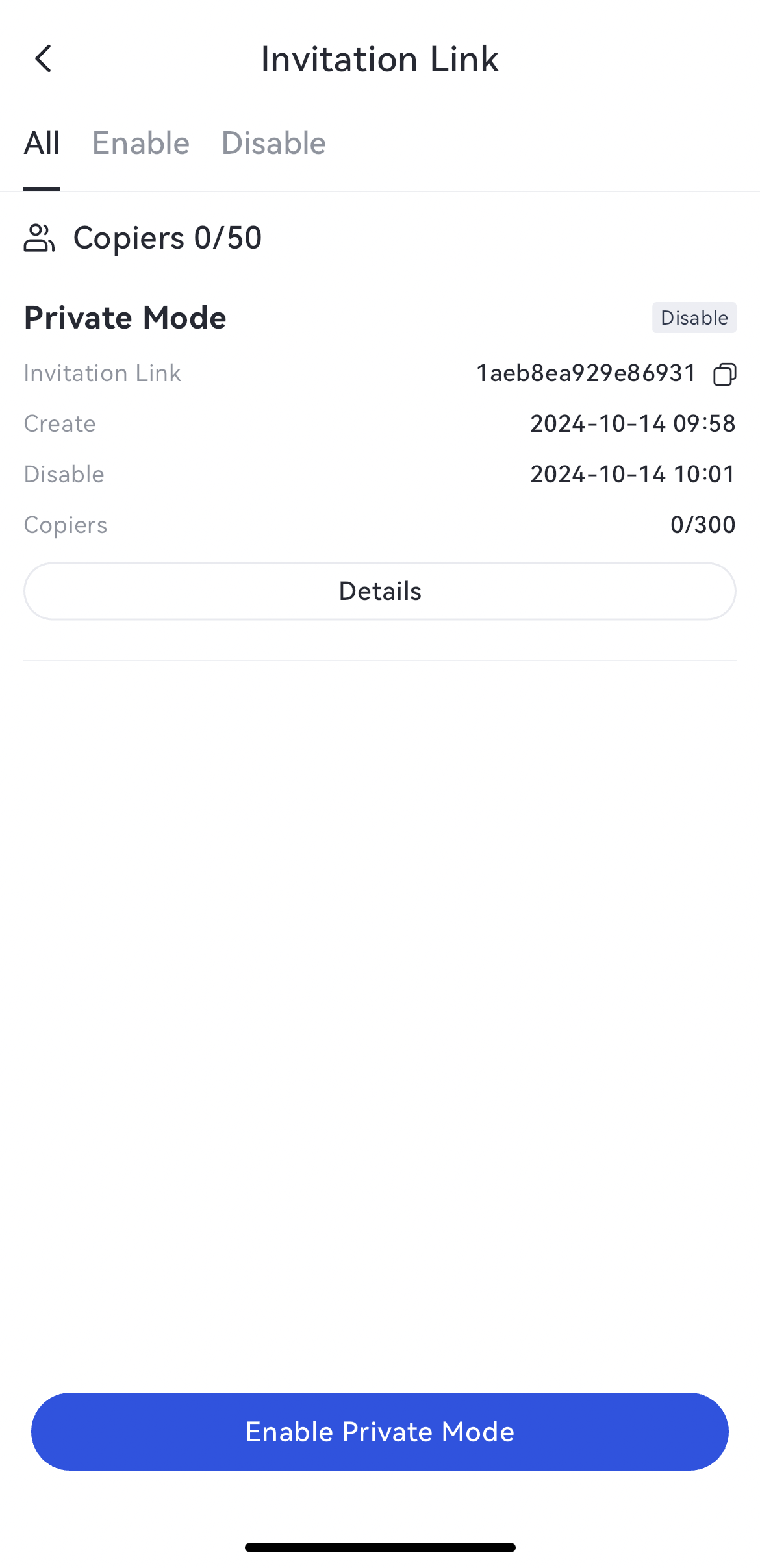
Disabling the invitation link will not affect users who have already copied using that link.
Click「...」and select「Disable」- Click「Disable」- Successfully Disabled
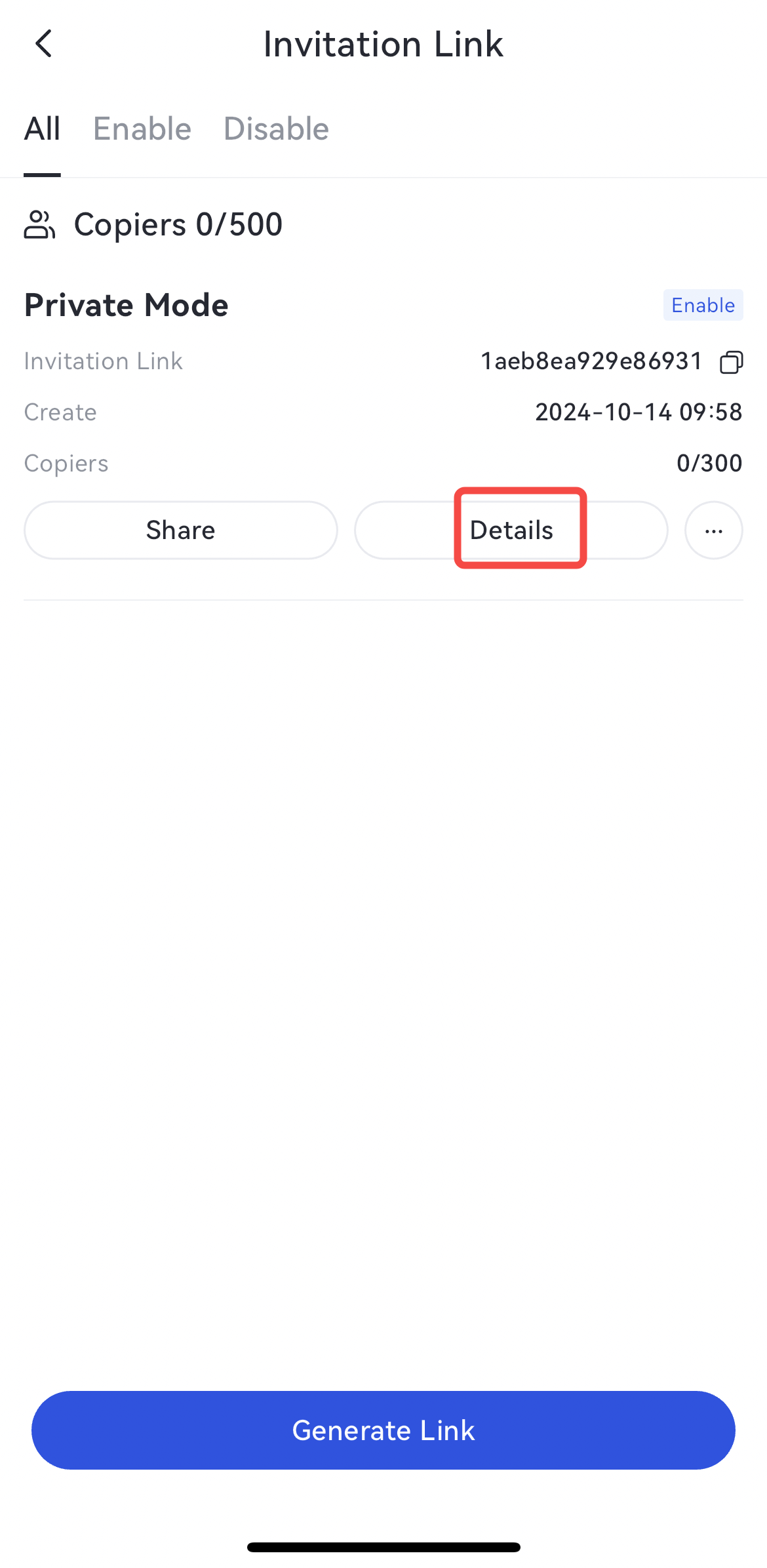
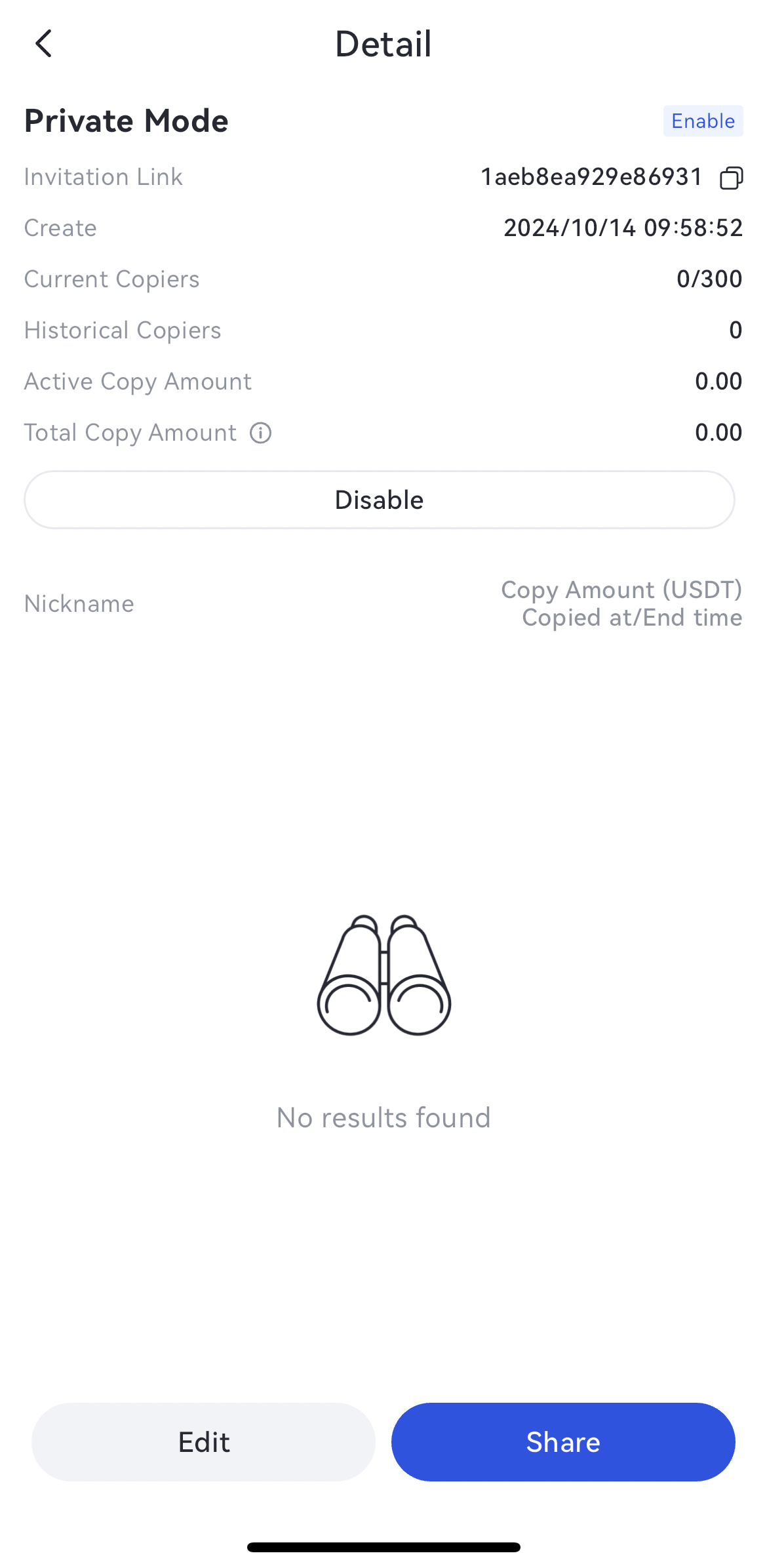
4.Check Details of Invitation Link
Click「Details」- Check copiers info
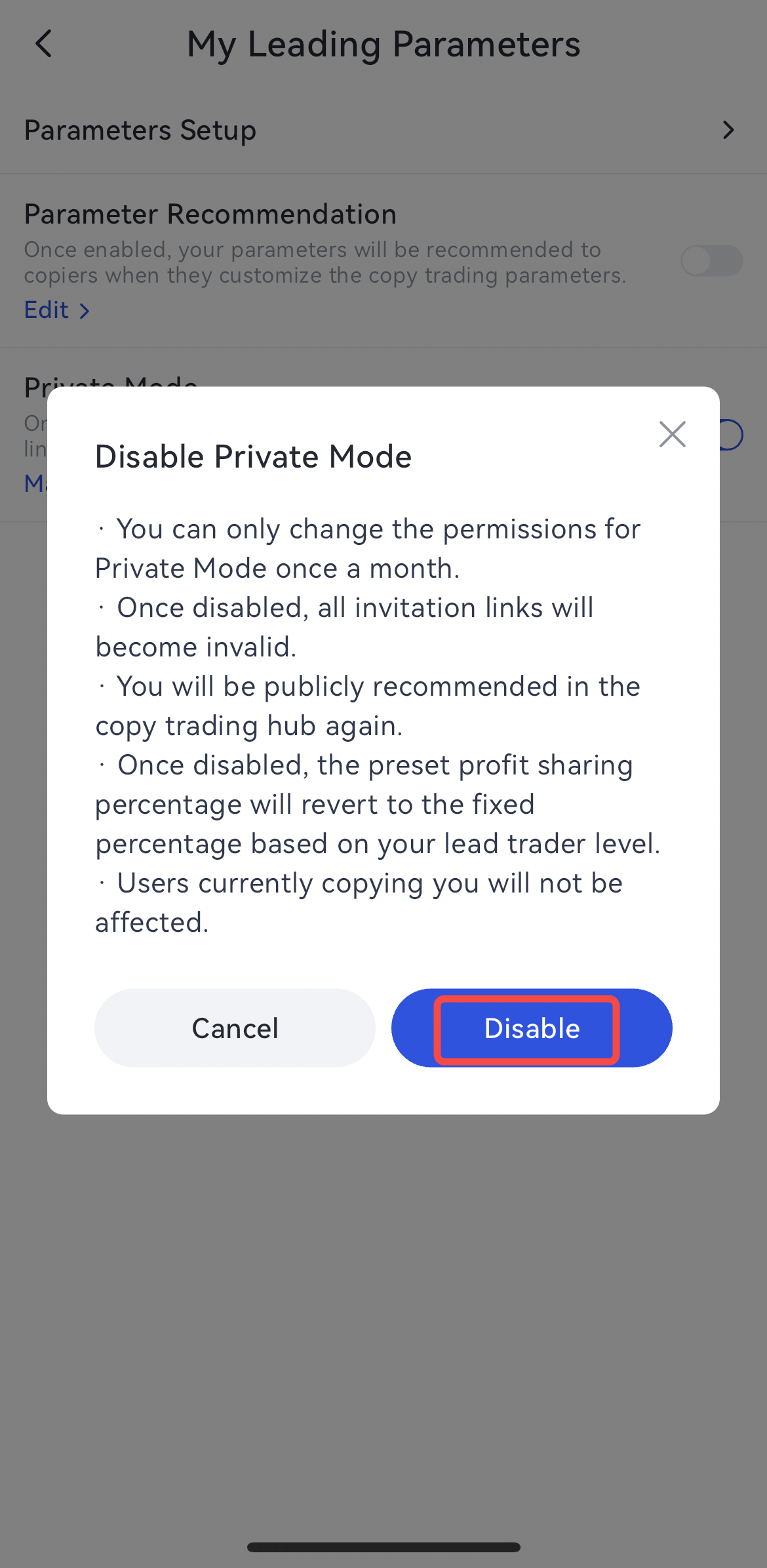
5.Disable Private Mode
Notice:
1.If the leading mode is not enabled, adjustments to Private Mode cannot be made.
2.Disabling Private Mode will not affect the visibility of the invitation data for links already created, but the invitation links will become invalid.
3.According to Gate's profit-sharing rules, lowering the profit-sharing ratio will take effect immediately. Therefore, after disabling Private Mode, if the set profit-sharing ratio is higher than the current level's profit-sharing ratio, the profit-sharing ratio for users who have copied before will automatically be reduced to the current level's default profit-sharing ratio.
Disable "Private Mode" - Click「Disable」
6.Link Style & Redirect Interface/ 7. Status Explanation from the Perspective of Copiers
Sharing links to exterior communities.
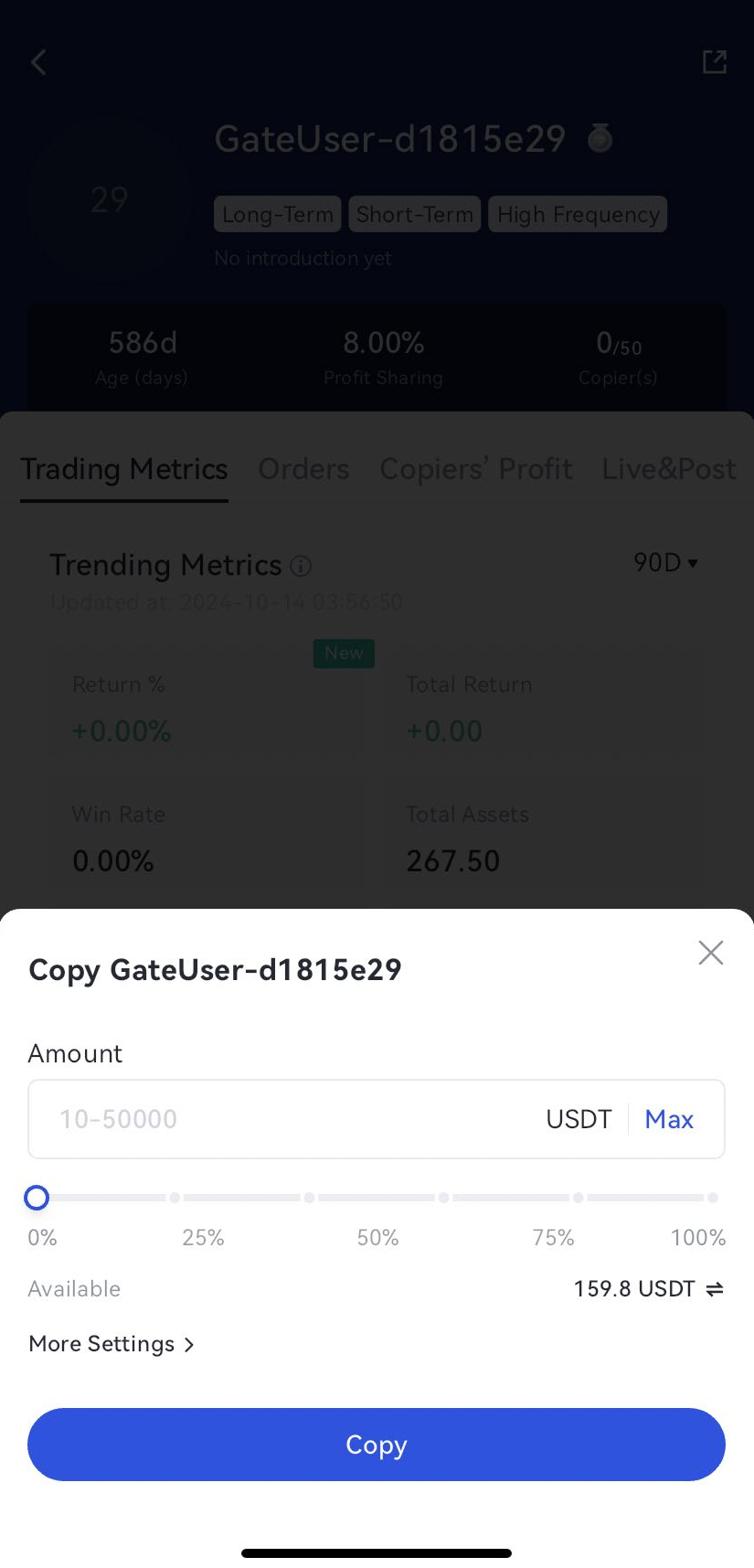
Copy via the effective link.
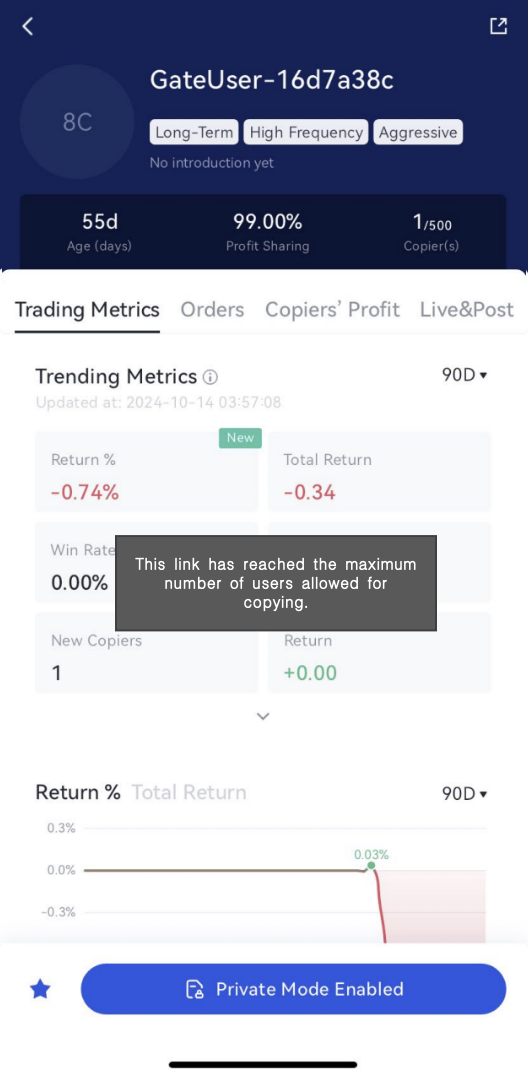
「This link has reached the maximum number of users allowed for copying.」
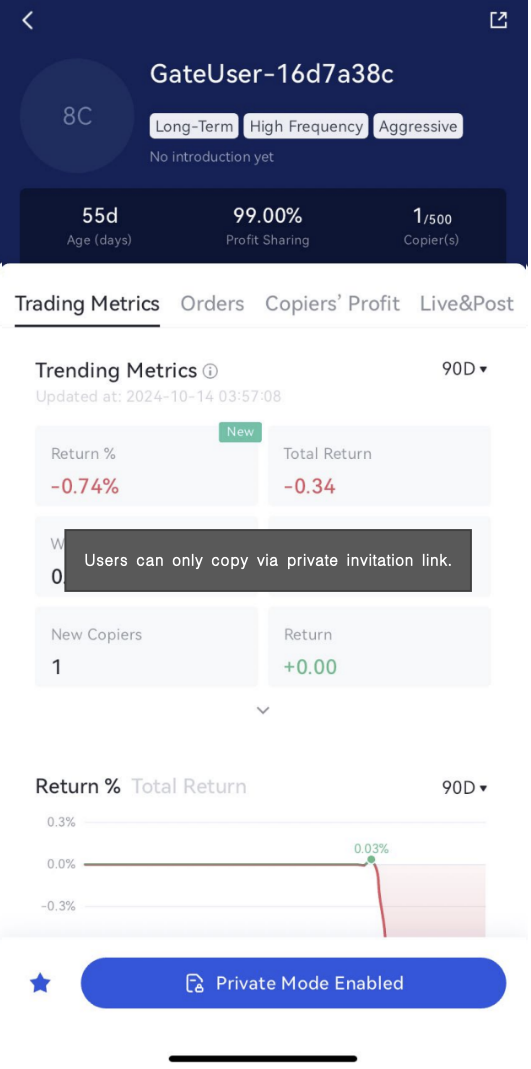
「Users can only copy via a private invitation link.」
「This link is invalid.」