


Use Deposit Not Received - Recovery Request when:
- Your chain deposit was not received due to the incorrect Memo/Tag;
- You deposit into the platform's coin distribution address.
This guidance is about how to fill out a refund application form when TON chain deposits have not been received. Please note that when filling out an application form for TON chain, fill in the short hash value, not the long one.
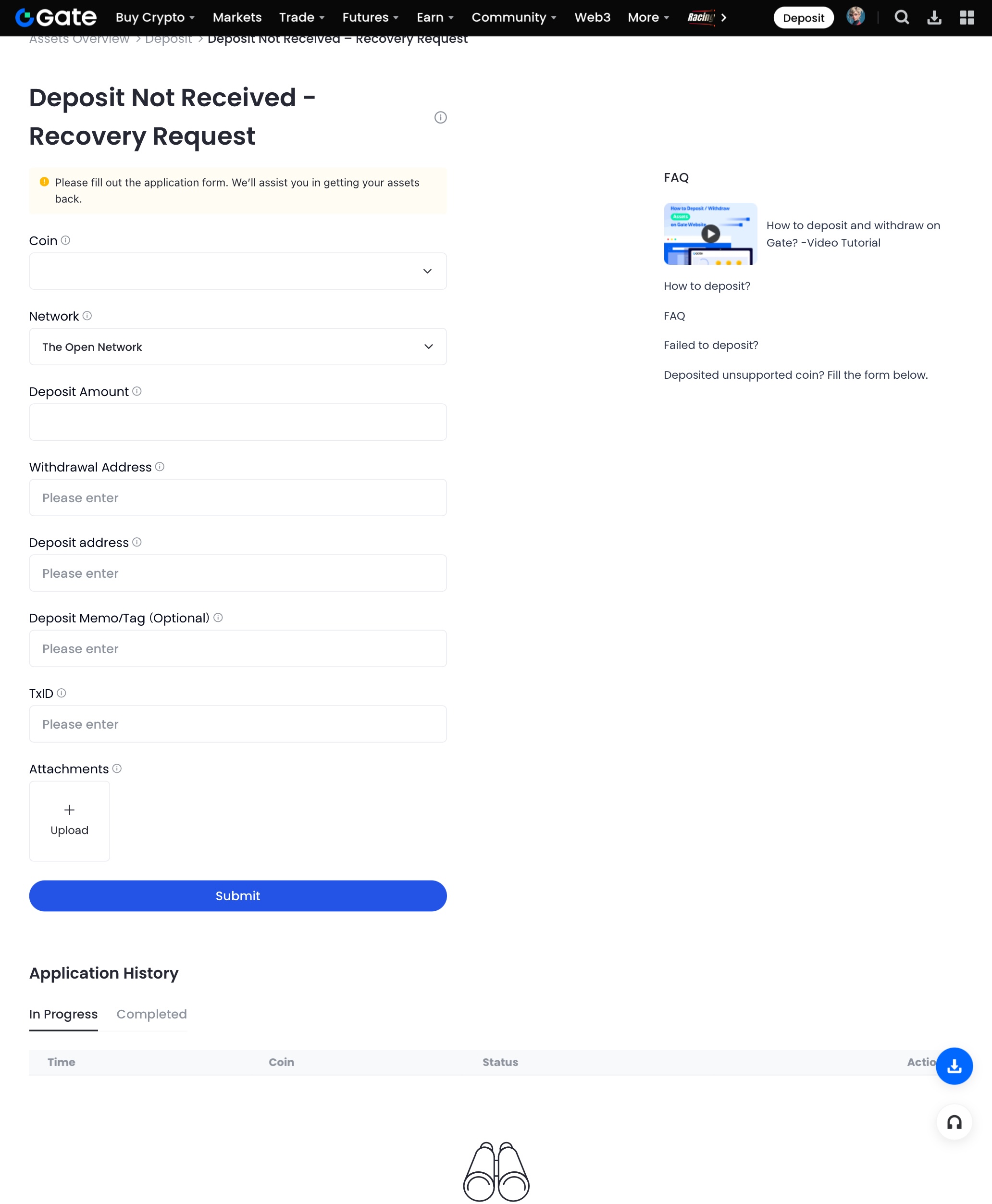
Information Filling Specifications
1. Addresses
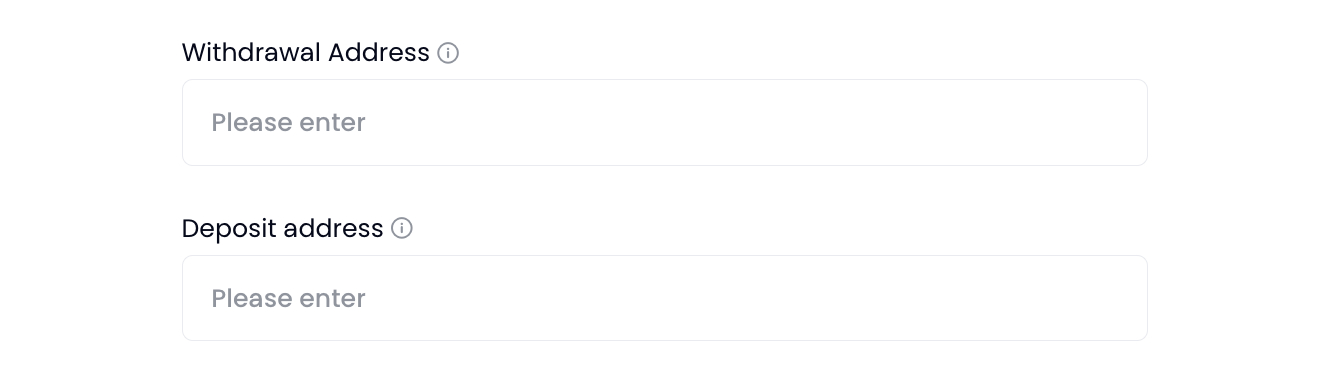
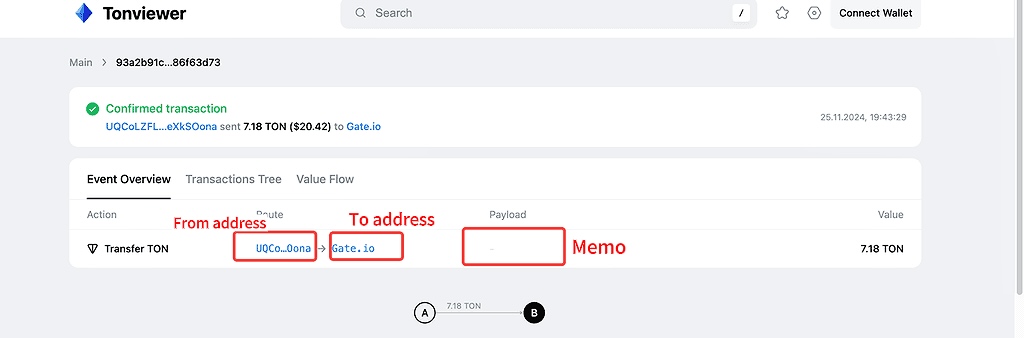
- Withdrawal Address : Please fill in the original sending address of the assets, that is, the "From" address in the block. Because the fund can be returned only through the original address now.
- Deposit address : Please fill in the address used for the original deposit, which should be the Gate wallet address, also the "To" address or "Receiver" address in the block , because the funds are deposited to Gate. Please ensure to fill it out based on the transaction information.
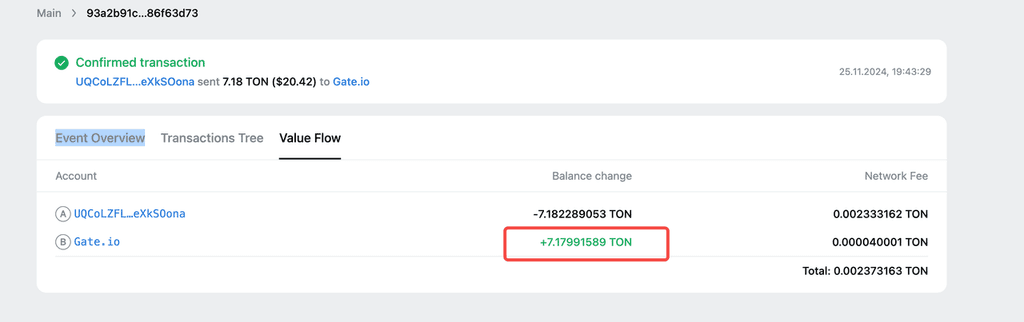
The “From” address and “To” address must be obtained through the TON block website:
- Visit: https://tonviewer.com/
- Enter the transaction hash value, and view the addresses under "Event Overview".
2. Deposit Amount
- Because block fees are deducted, the amount received should be less than the amount sent. Please fill in the actual amount received .
- View the “Value Flow” value at https://tonviewer.com/
- The amount filled in must not exceed the platform acceptance amount shown in the block.
3. Hash Filling Instructions (Choose One of the Two)
Solution A: Obtain the Short Hash Value Copy your long hash value, paste it into https://tonscan.org/ , click the recipient address (Gate address), scroll down to the bottom of the page, and copy the short hash value.
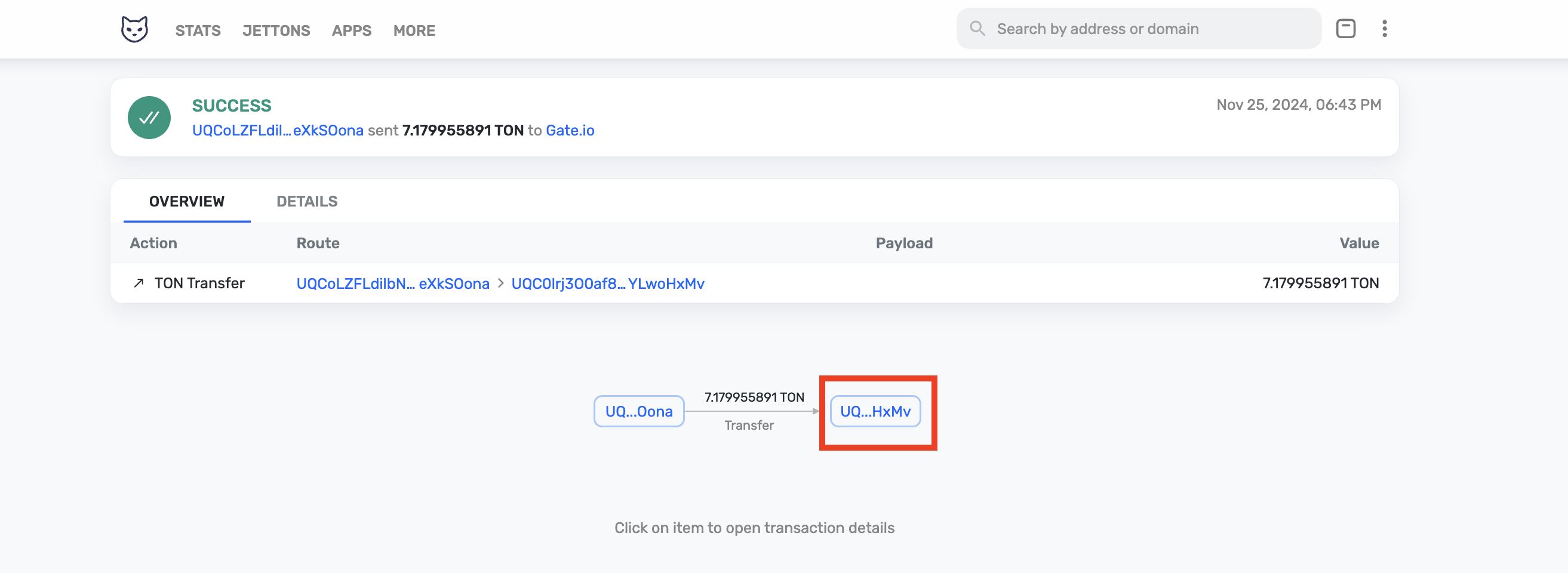
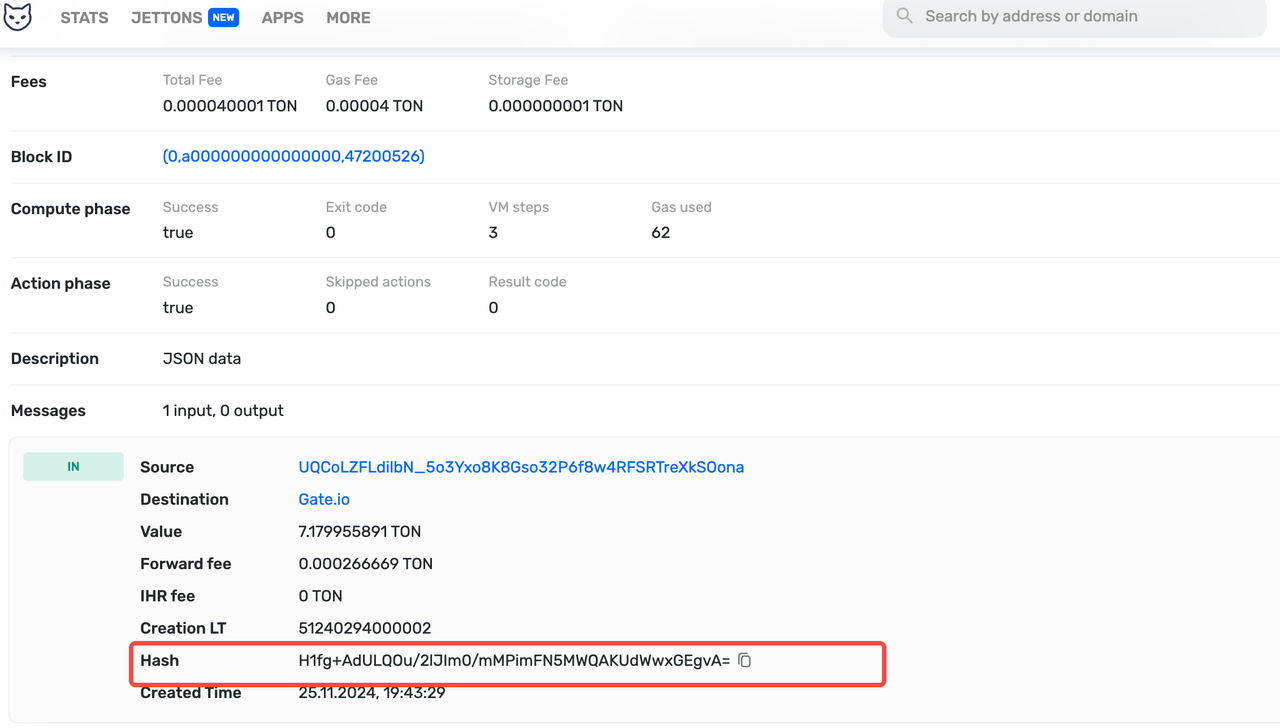
Solution B: Obtain the "In Message" Hash Value
(1) On the Tonviewer page, hover over the record of deposit to Gate, and the corresponding tree diagram below will be highlighted.
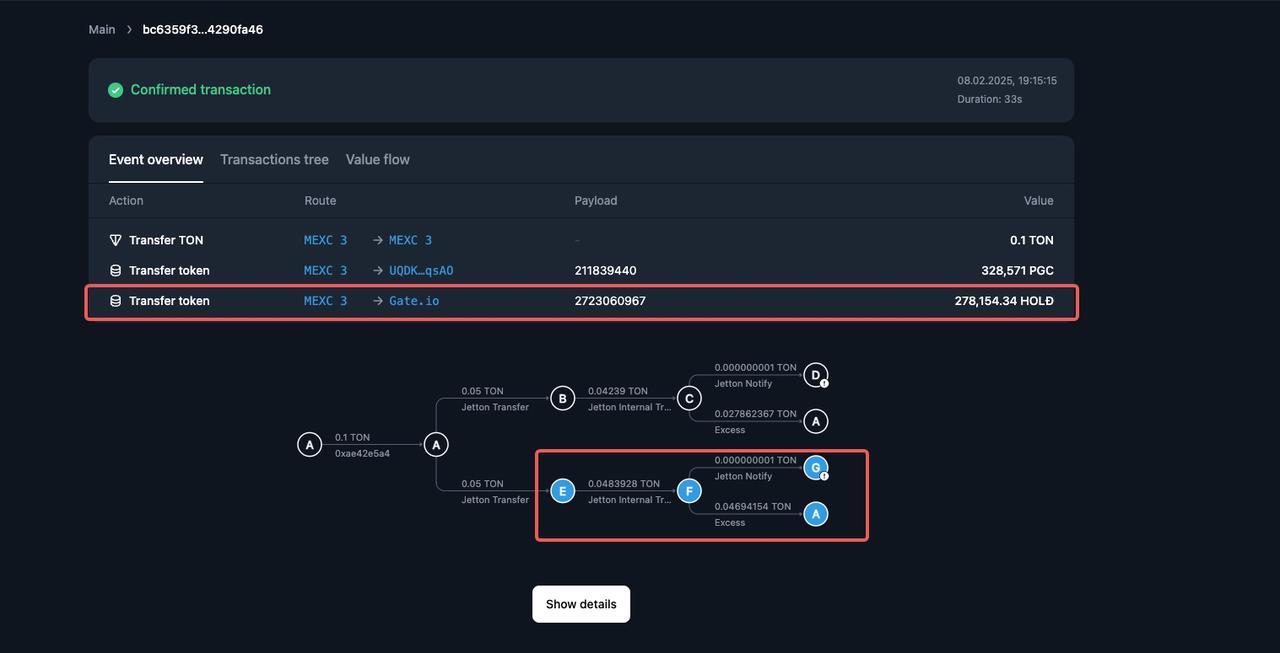
(2) Click the branch point where "Address" is "Gate". In the upper right corner of the transaction information area below, click toncoin.org .
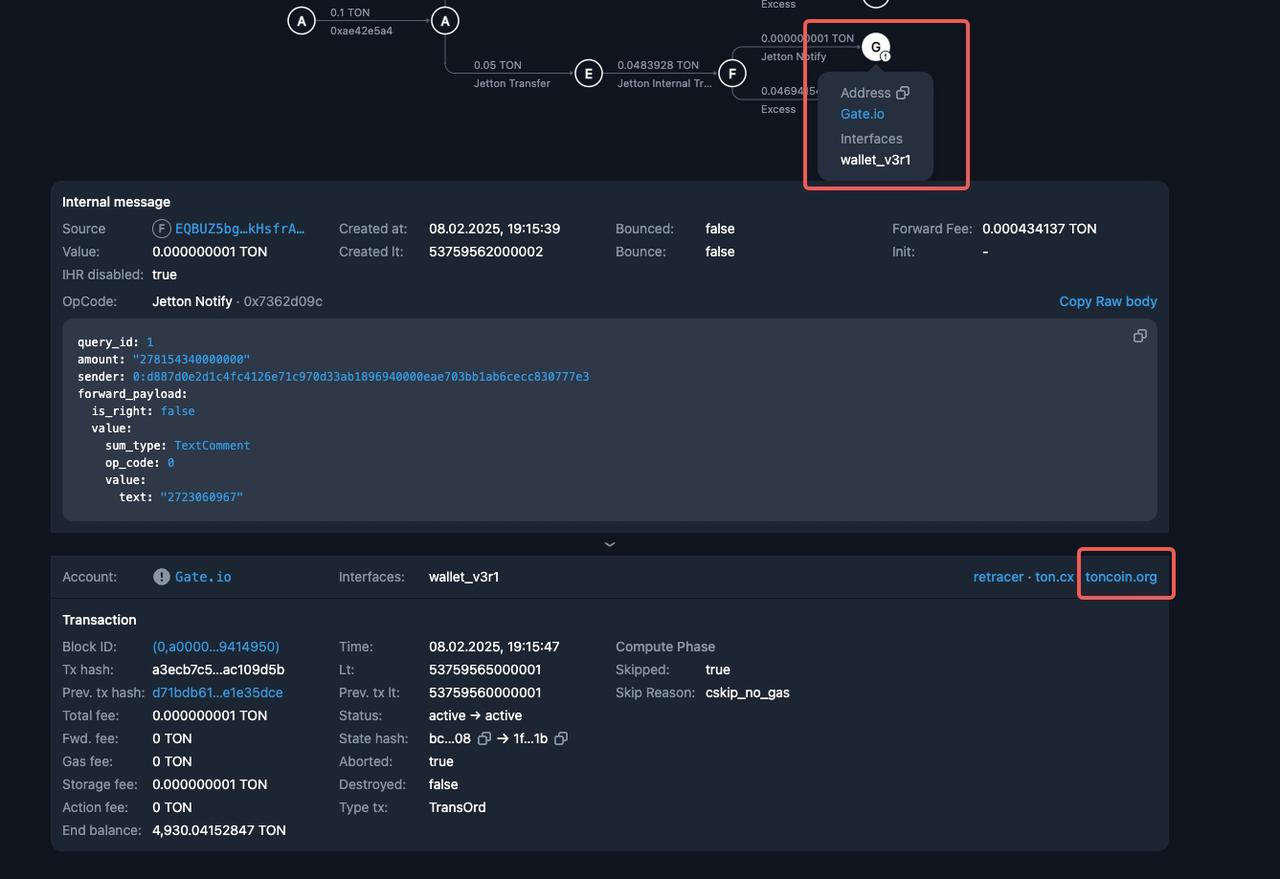
(3) On the displayed page http://toncoin.org/ , copy the value after "in message".
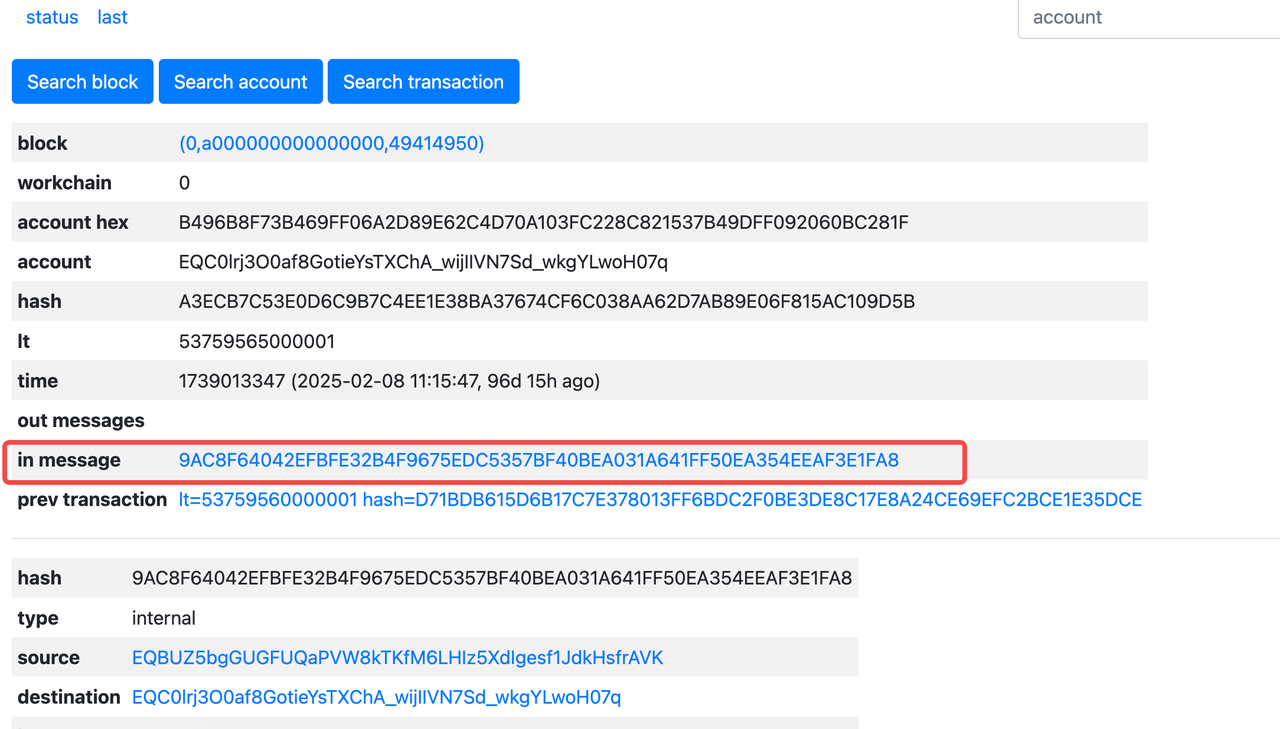
4. Memo/Tag Filling Instructions
-
If you have filled in the wrong Memo/Tag before, please fill in the "Memo/Tag" field in the application form.
-
If not, do not fill in this field.
Requirements for Large Amount Refunds (>100 USDT)
Please provide complete screen recording materials:
- Start recording from logging into the withdrawal platform account.
- Make a full recording of the account login process, withdrawal order list, order details page (including all key information).
- Requirements: The picture must be clear and identifiable, the operation process must be complete and uninterrupted, and verification elements such as timestamps must be included.
For more guidance, please go to How to Use the “Deposit Not Received - Recovery Request” Feature .
The content provided herein is for reference and educational purposes only and does not constitute any financial, investment, trading, or legal advice, nor does it constitute an offer or solicitation to buy or sell any digital assets. Gate makes no express or implied representations or warranties regarding the accuracy, completeness, or timeliness of the information contained herein. Product features, interfaces, rules, and fee structures may be updated or adjusted at any time. Please refer to the latest announcements and the actual information displayed on the Gate platform for the most accurate details.
Digital asset investments involve significant risk, and prices may fluctuate substantially. You may lose the entire amount of your investment. Please make decisions cautiously based on your own financial situation and risk tolerance after fully understanding the associated risks. If necessary, you are advised to consult an independent professional financial or legal advisor.
For more information about potential risks, please refer to Gate's Risk Disclosure and User Agreement.
