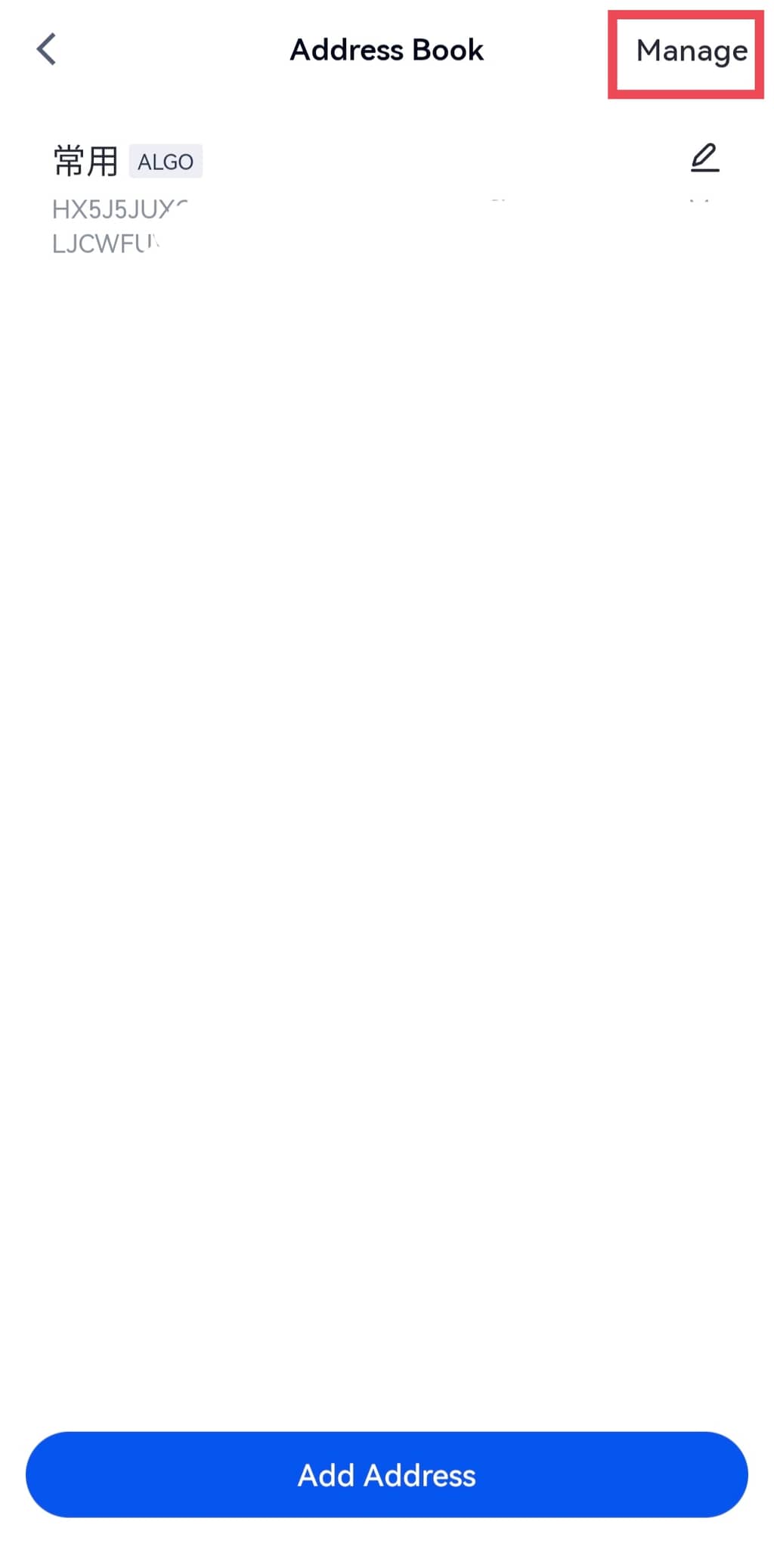
Güvenilir adres defteri:
Güvenilir adresler yapılandırıldıktan sonra, kullanıcıların SMS doğrulama kodu, e-posta doğrulama kodu, Google/Gate authenticator kodu ve fon şifresini içeren normal doğrulama sürecinden geçmeleri gerekmez. Lütfen adres defterine eklemeden önce adreslerin kesinlikle güvenli olduğundan emin olun.
Uygulamada para çekme adresleri nasıl whitelist yapılır:
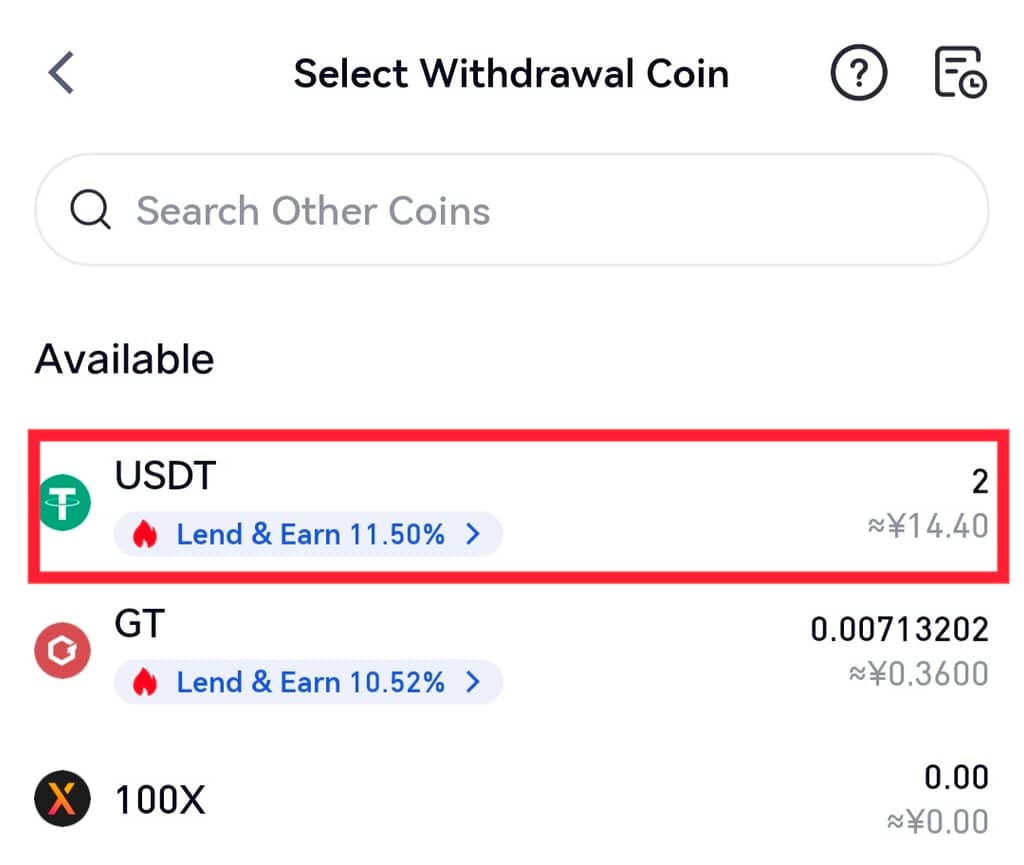
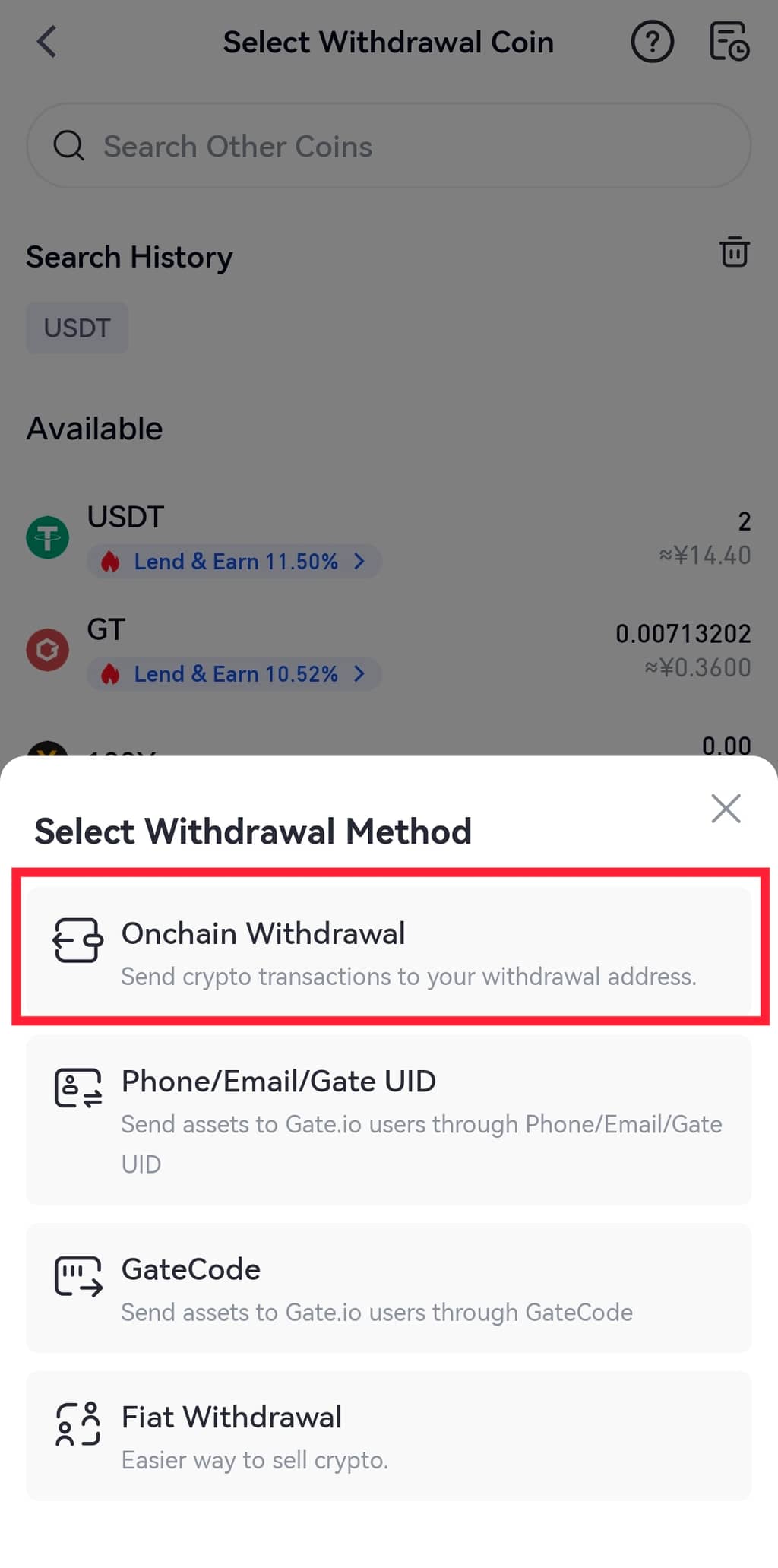
Adım 1: Gate mobil uygulamasını açın ve hesabınıza giriş yapın. “Varlıklar” - ‘Para Çekme’ bölümüne gidin ve bir coin seçin.
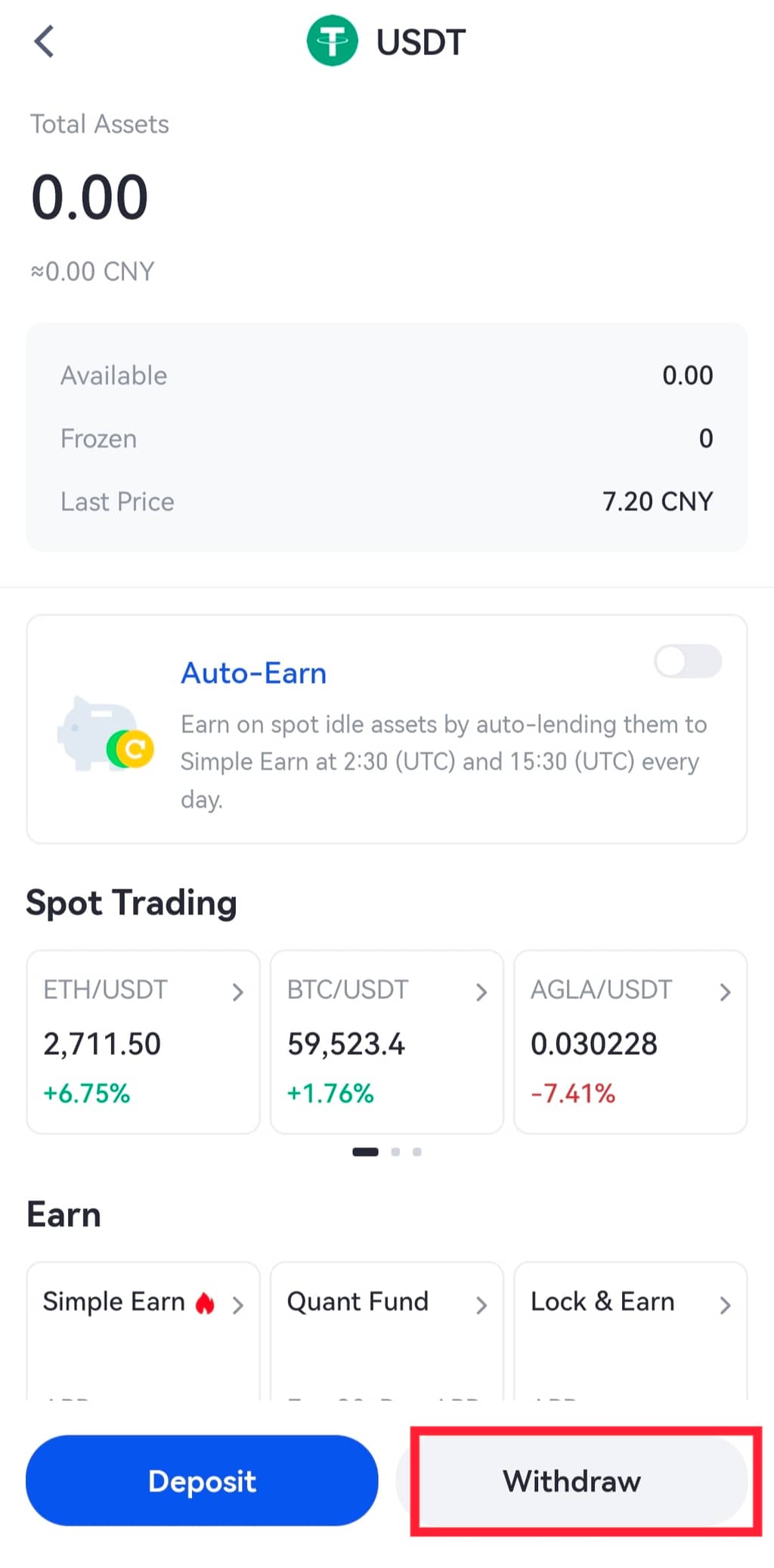
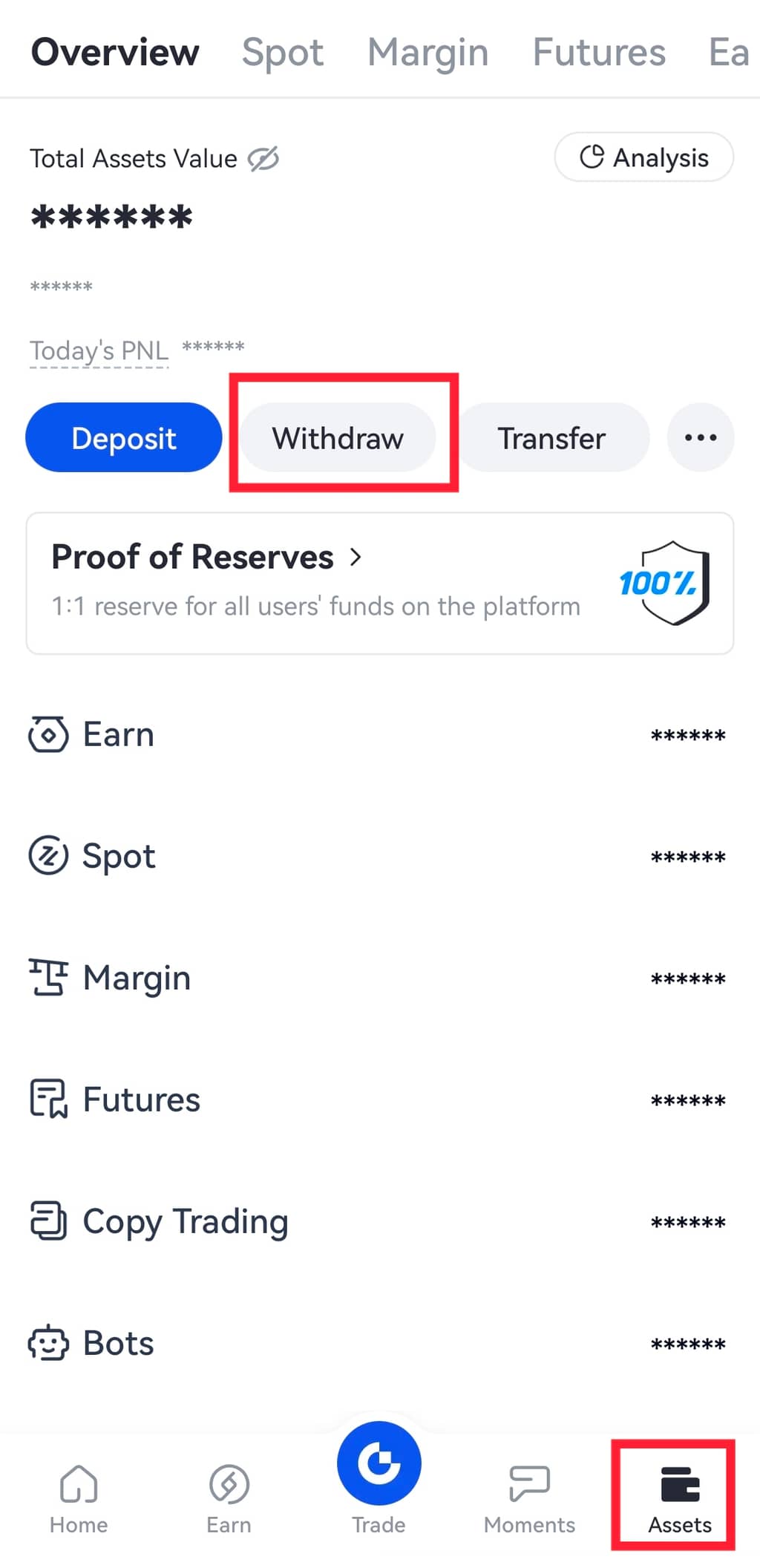 Alternatif olarak, "Spot Hesap" a gidebilir, çekmek istediğiniz tokeni arama kutusunda arayabilir ve ardından coinin altındaki "Para Çek" seçeneğine tıklayabilirsiniz.
 Adım 2: "Onchain Para Çekme" seçeneğini seçin, ardından bir ağ seçin.
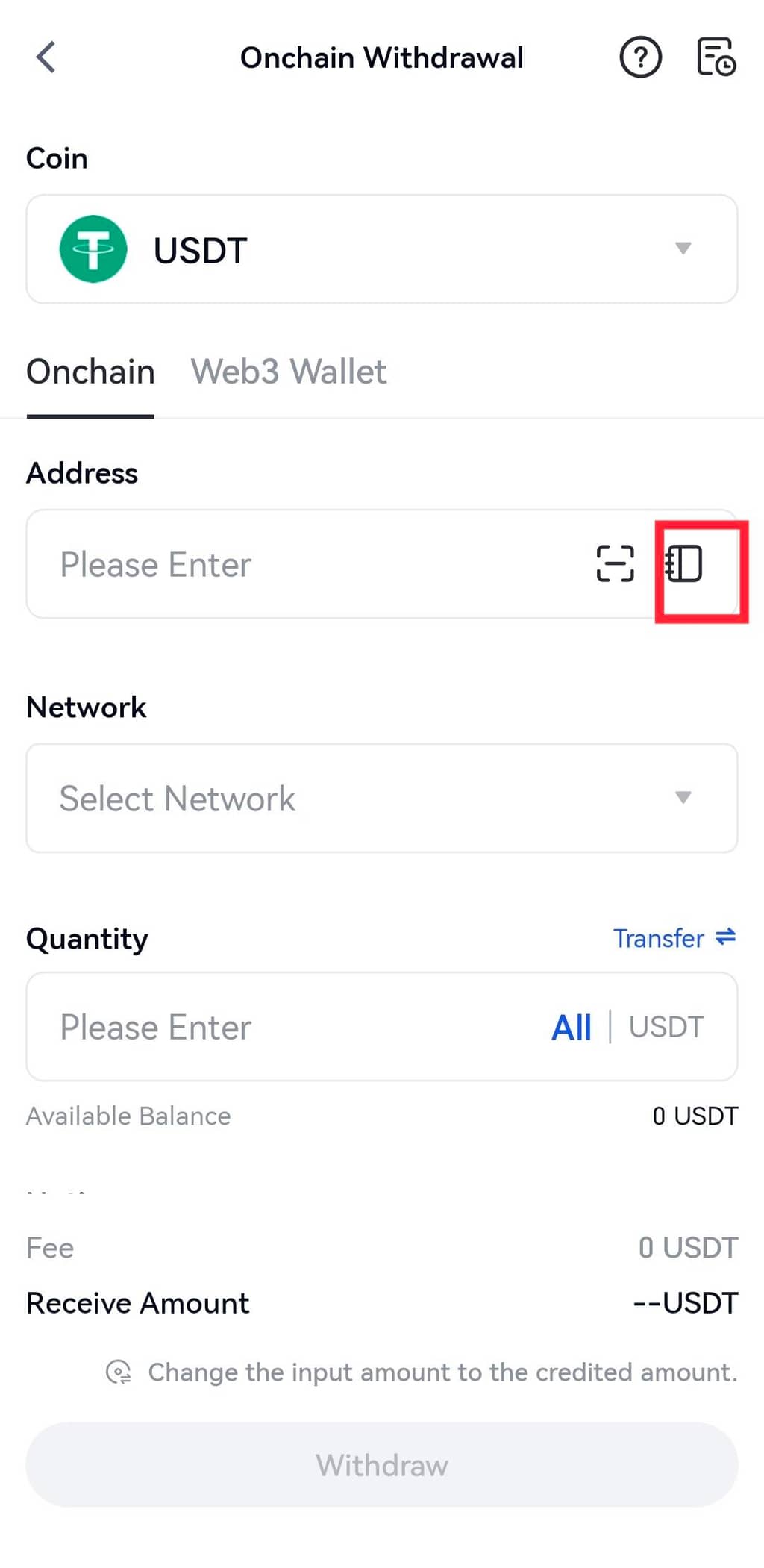
3.Adım: “Adres Defteri ”ne tıklayın.
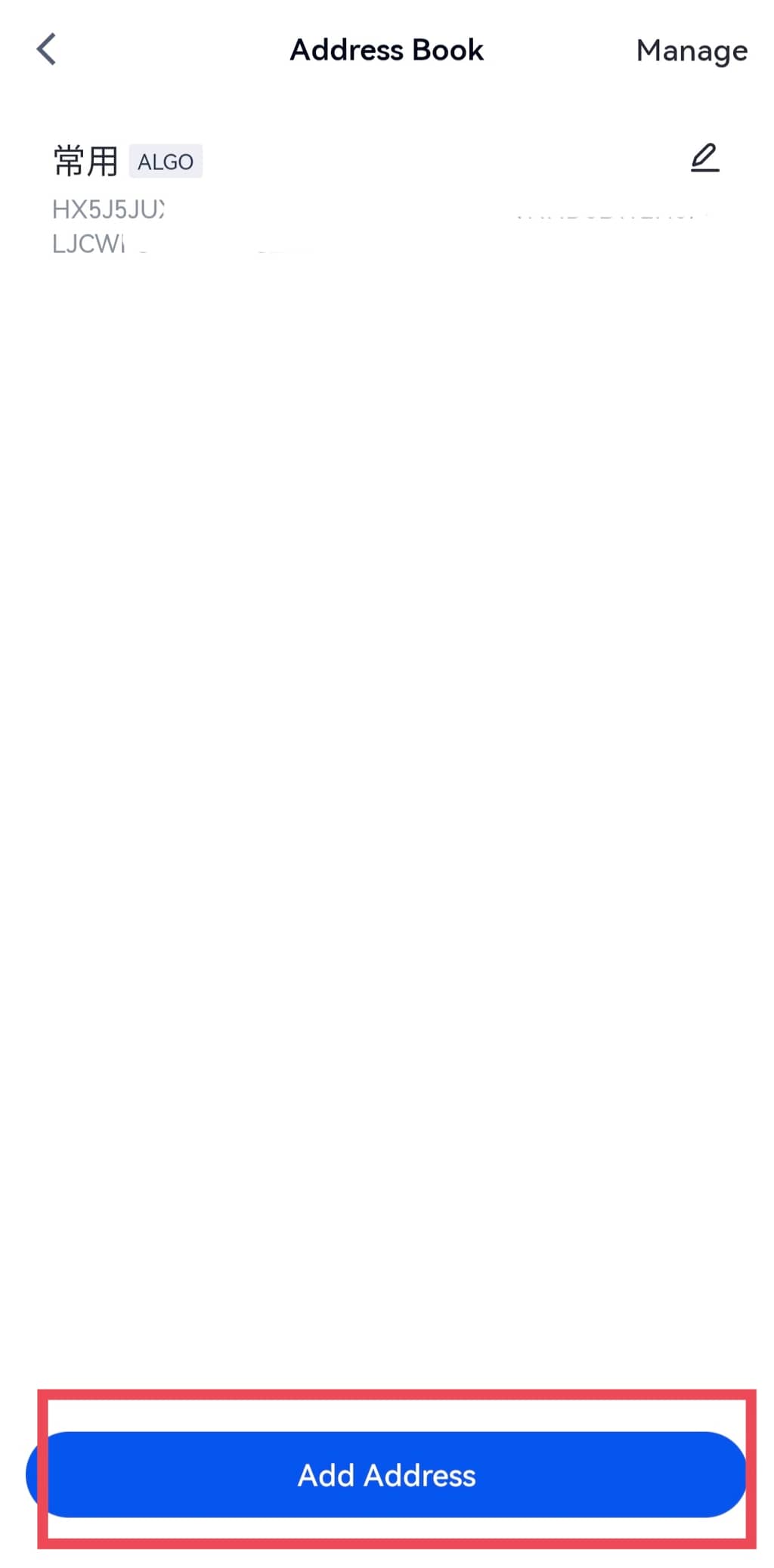
 4. Adım: “Adres Defteri” sayfasında “Adres ekle” seçeneğine tıklayın.
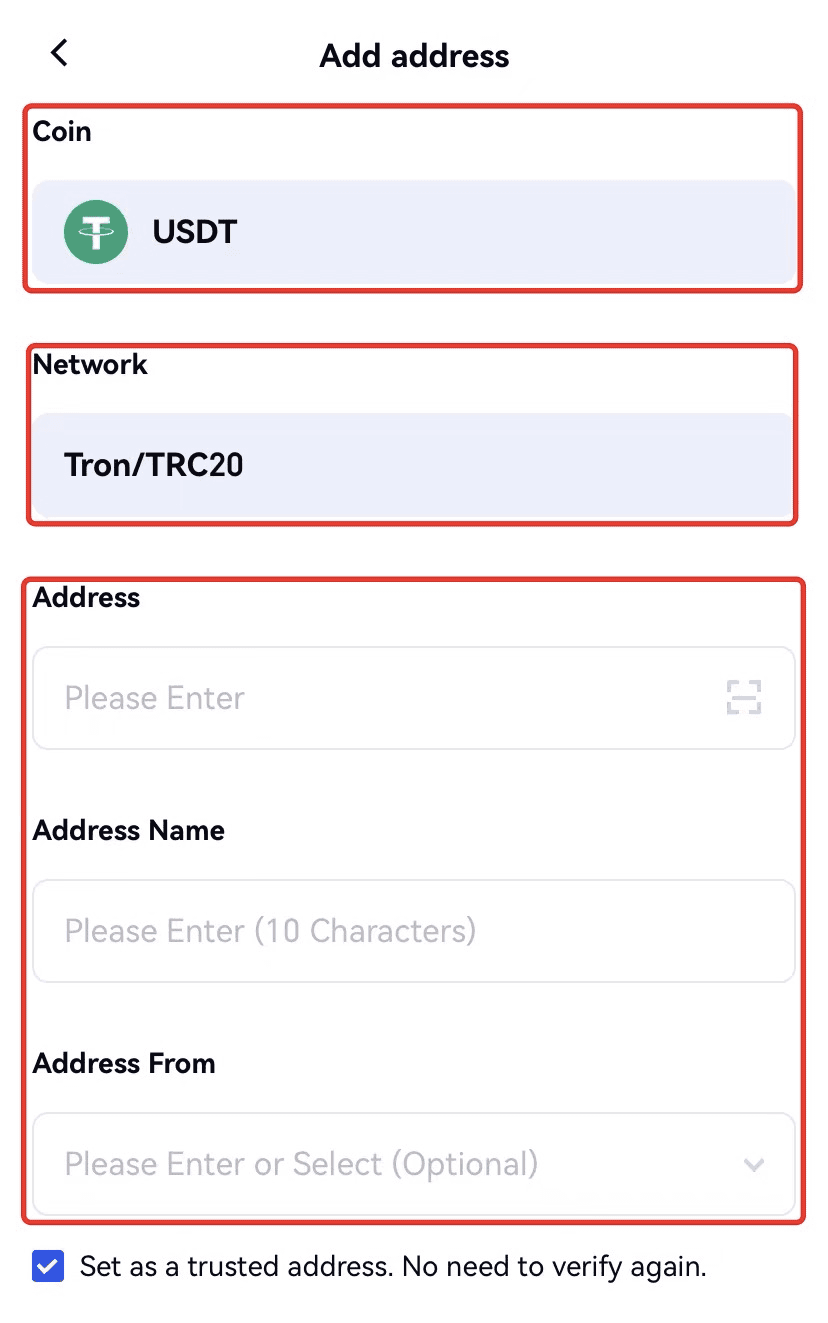
 Adım 5: Doğru coin ve ağı seçip seçmediğinizi iki kez kontrol edin. Ardından adresi, adres adını, Google authenticator kodunu vb. girin. “Güvenilir bir adres olarak ayarla. Tekrar doğrulamaya gerek yok” kutusunu işaretleyin ve ‘Onayla ’ya tıklayın.
 Adım 6: Adres başarıyla eklendiğinde adres defterinde görüntüleyebilirsiniz. Bir adresi silmek istiyorsanız sağ üst köşedeki Yönet'e tıklamanız yeterlidir. Daha fazla adres eklemek isterseniz yukarıdaki adımları bir kez daha takip edebilirsiniz.