
GateCode viene utilizzato per trasferire asset tra account Gate in modo rapido e gratuito. Inserendo il codice nella pagina “Riscatta GateCode”, l’asset verrà accreditato istantaneamente. Se prelevi asset tramite GateCode, puoi anche restituirli al saldo del tuo account Gate inserendo il codice nella pagina "Riscatta GateCode": https://eu.gate.com/myaccount/withdraw_gatecode/USDC .
Cosa deve fare ciascuna parte:
Per chi effettua il prelievo: ottenere il GateCode nella pagina di prelievo GateCode.
Per chi effettua il deposito: riscattare il GateCode nella pagina di deposito GateCode.
Come ottenere un GateCode
-
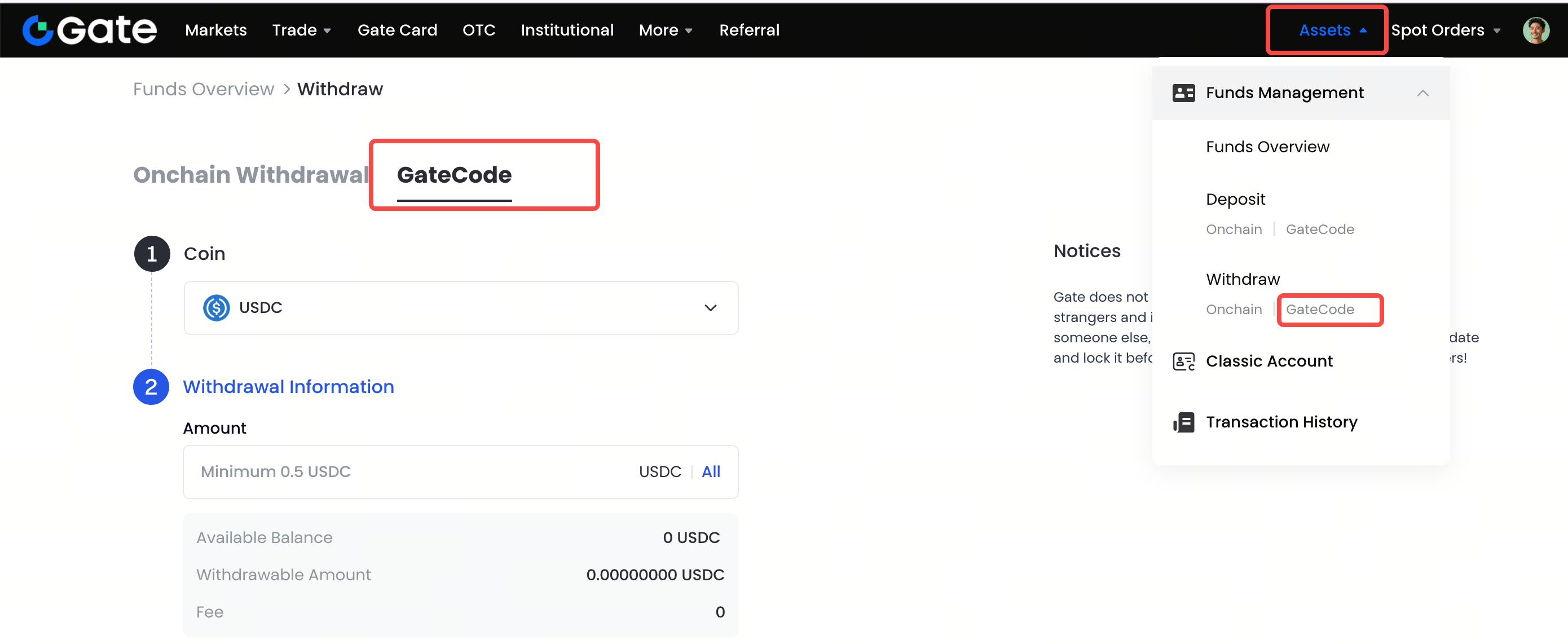
Accedi al tuo account Gate. Clicca su "Asset" - "Gestione fondi" - "Preleva" - "Interno" - "GateCode".
-
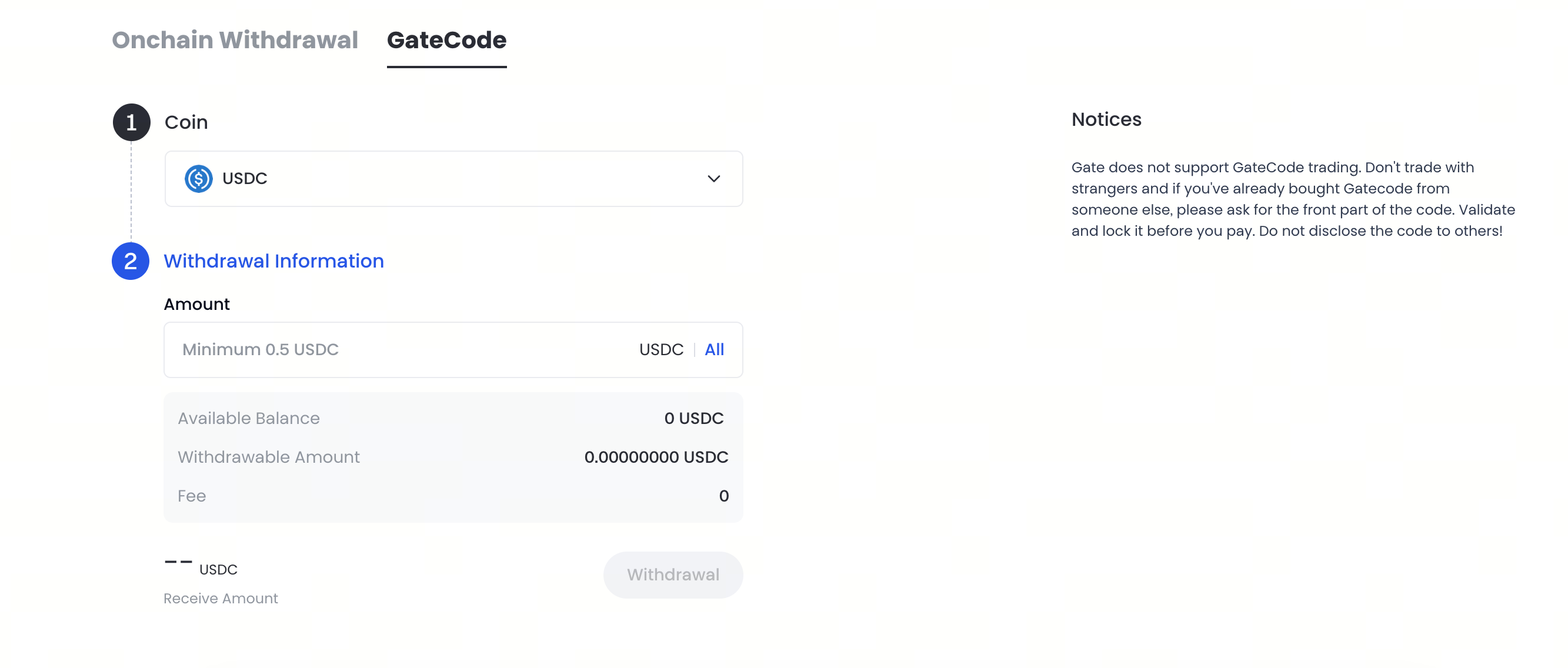
Inserisci la quantità da prelevare e clicca su "Avanti" - "Conferma".
-
Ricontrolla le informazioni prima di inserire la password dei fondi, il codice SMS e il codice Google Authenticator, poi clicca su "Conferma".

-
Una volta completato il prelievo, apparirà una finestra pop-up dove potrai salvare il GateCode come immagine QR code oppure cliccare sull’icona di copia per copiarlo.

-
In alternativa, puoi visualizzare il GateCode completo nella pagina "Prelievi recenti" cliccando sull’icona visualizza accanto all’indirizzo della registrazione di prelievo. Ti verrà richiesto di inserire la password dei fondi per procedere.

Come utilizzare un GateCode
-
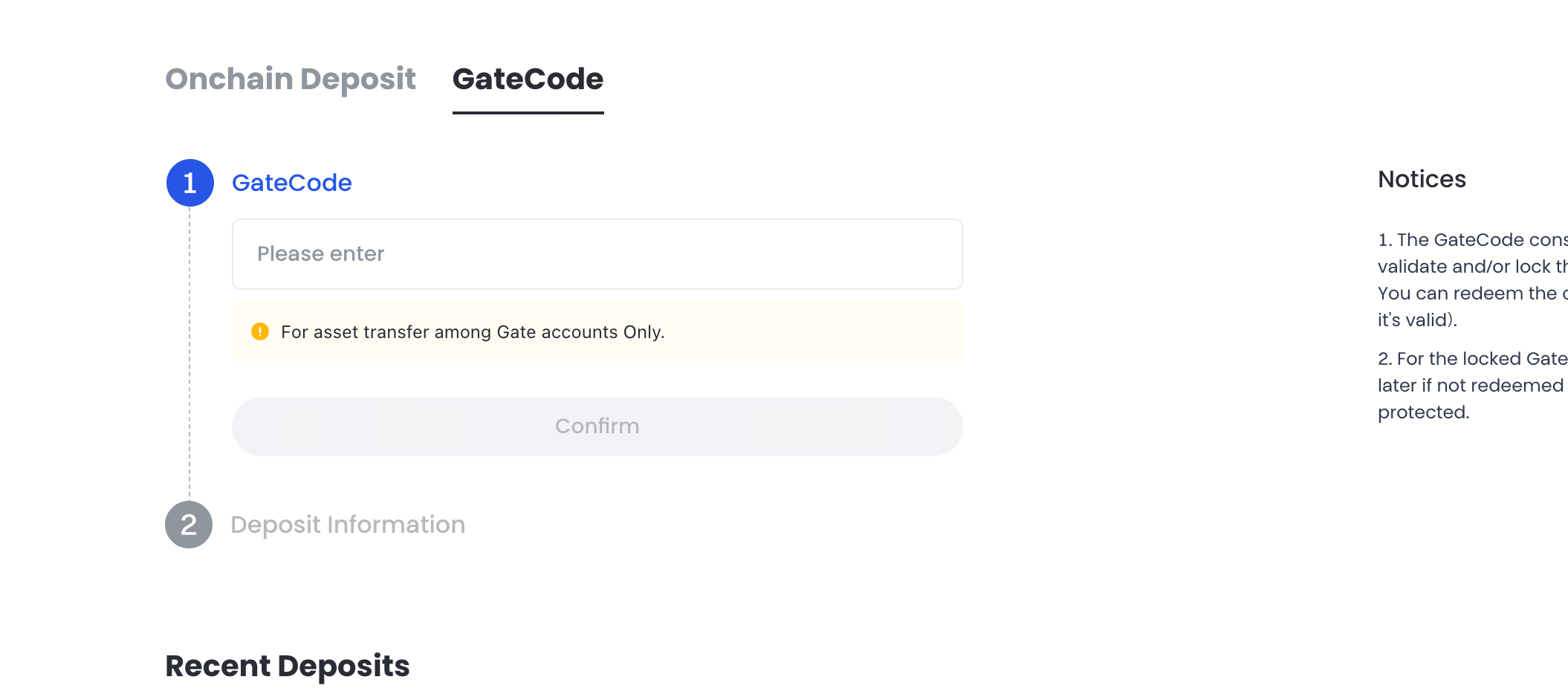
Accedi al tuo account Gate. Clicca su "Asset" - "Gestione fondi" - "Deposita" - "GateCode".

-
Vedrai quindi i dettagli del deposito come mostrato di seguito. Puoi scegliere se tornare alla pagina precedente o effettuare un nuovo deposito.
Nota
- Prima di condividere il tuo GateCode con altri, assicurati di verificarne l’identità. Non condividere mai il tuo GateCode con sconosciuti.
- Gate non fornisce canali di trading per i GateCode. Presta attenzione quando acquisti GateCode da altri utenti. Non è mai consigliato scambiare GateCode con sconosciuti.
- Un GateCode è composto da 2 parti unite da un trattino. La prima parte può essere utilizzata per verificare il valore nominale del GateCode o per bloccare il GateCode. Il pagamento può essere effettuato dopo che il GateCode è stato bloccato. È necessario il GateCode completo per completare il deposito. Assicurati che i GateCode che intendi acquistare da altri utenti siano validi. Puoi verificare e bloccare i GateCode inviando la loro prima parte. Per evitare truffe, il pagamento deve essere effettuato solo dopo che i GateCode sono stati bloccati.
- Se un GateCode non viene depositato entro 2 ore dal blocco, verrà automaticamente sbloccato e non sarà più protetto.
