
| Deposito e Prelievo
-
· Gate ha introdotto una funzione di "auto-accelerazione" per migliorare l’esperienza utente e risolvere il problema dei tempi di deposito prolungati causati da congestione della blockchain o altri fattori.
-
· Se hai effettuato un deposito ma sta impiegando più tempo del solito per essere completato o non riesci a trovare la registrazione del deposito, puoi utilizzare la funzione di "auto-accelerazione" per velocizzare il processo.
-
· Per verificare se il deposito è stato accreditato correttamente, attendi 5-30 minuti dopo aver inviato la richiesta di accelerazione.
-
· Se il deposito non è ancora stato accreditato, puoi attendere ulteriori 60 minuti oppure inviare una e-mail al nostro servizio clienti all’indirizzo support_eu@gate.com per assistenza.
-
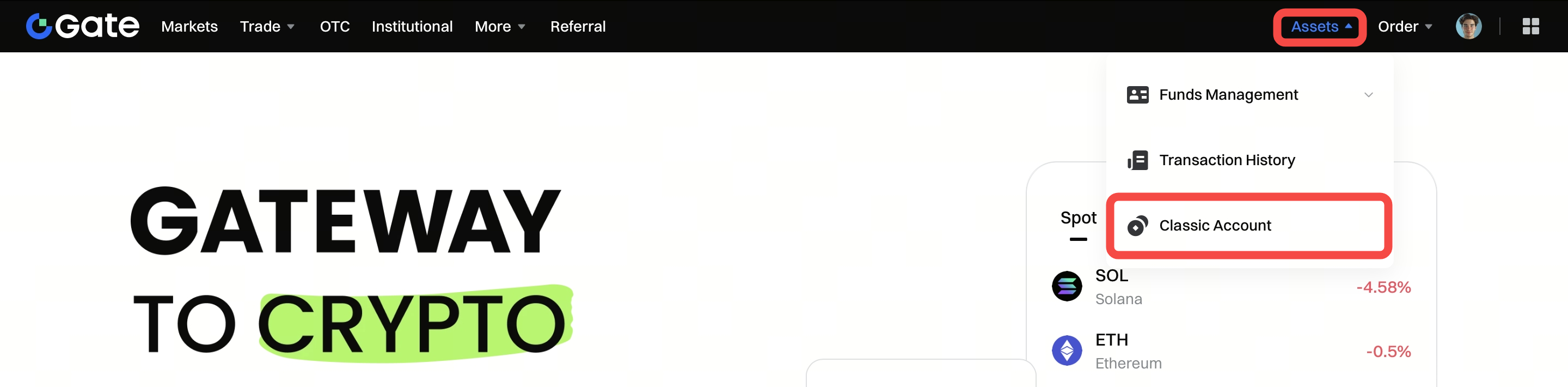
Passo 1: Accedi al tuo account Gate. Clicca su "Assets" - "Classic Account".
-
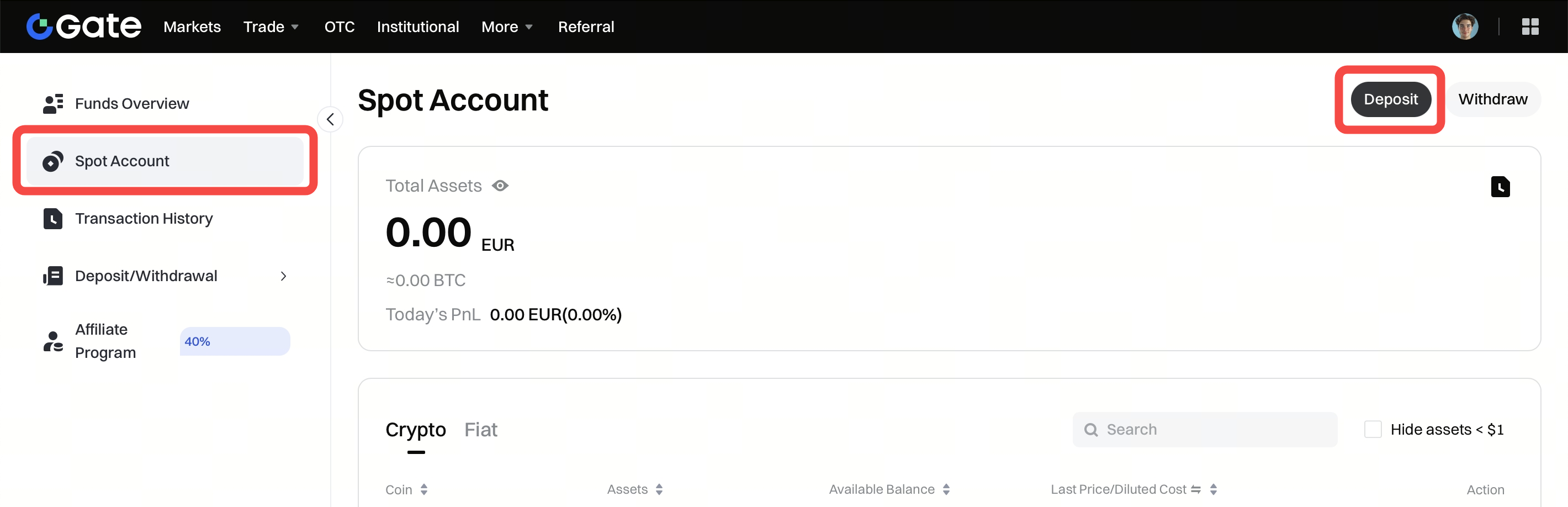
Passo 2: Sotto la scheda "Spot Account", clicca su "Deposit" nell’angolo in alto a destra.
In alternativa, cerca la coin nella barra di ricerca e poi clicca sul pulsante "Deposit" nella riga corrispondente alla coin.
-
Passo 3: Clicca su "Deposit" nel riquadro "Onchain Deposit".

-
Passo 4: Clicca su "Self-help Acceleration".

-
Passo 5: Seleziona la rete corrispondente dal menu a tendina, quindi clicca su "Next".

