
Il codice anti-phishing può proteggerti da tentativi di phishing e frodi. Una volta impostato, questo codice sarà incluso in tutte le email provenienti da Gate. Qualsiasi altra email priva di questo codice potrebbe potenzialmente essere una truffa.
Come impostare il codice Anti-Phishing
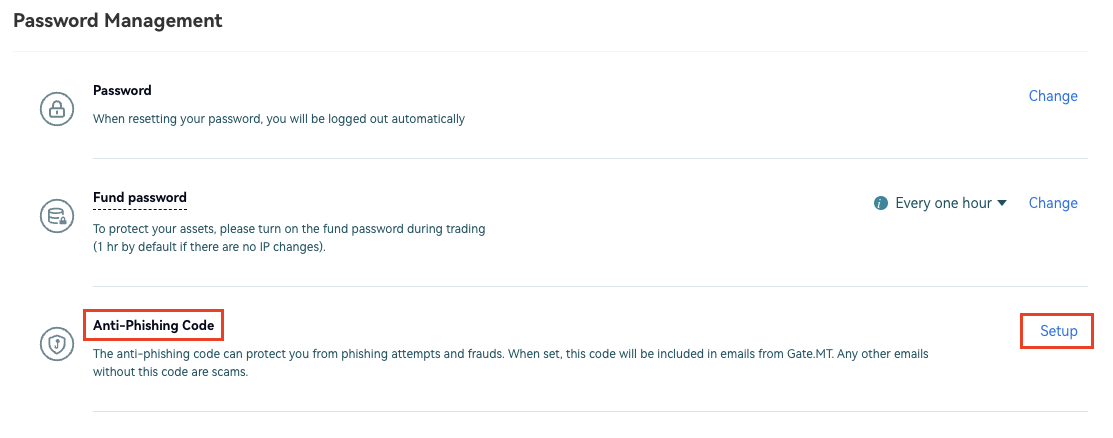
Accedi al tuo account. Sposta il cursore sull’icona del profilo in alto a destra e vai su "Verifica di sicurezza". Scorri verso il basso fino a "Gestione password" - "Codice Anti-Phishing" e clicca su "Imposta" a destra.
Inserisci un codice alfanumerico (da 4 a 20 caratteri). Non includere caratteri speciali nel codice. Inserisci la password dei fondi e clicca su ‘OK’.
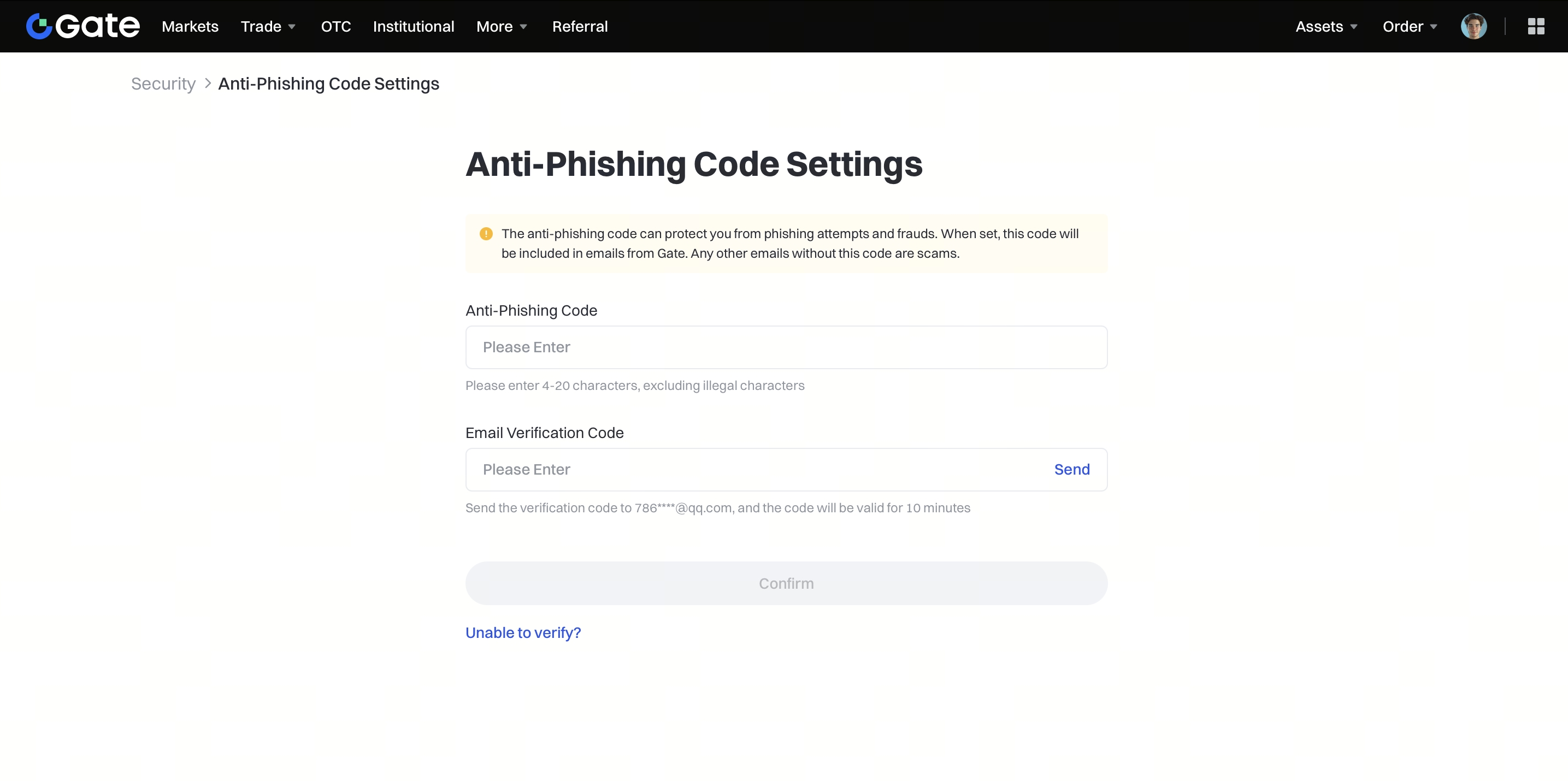
Hai ora creato il tuo codice Anti-Phishing. Questo codice apparirà in tutte le email inviate da Gate.
