Quando effettui un'operazione di trading, l'inserimento della password dei fondi è solitamente l’ultimo passaggio. Se dimentichi la password dei fondi, puoi reimpostarla seguendo le istruzioni riportate di seguito.
Come reimpostare la password dei fondi
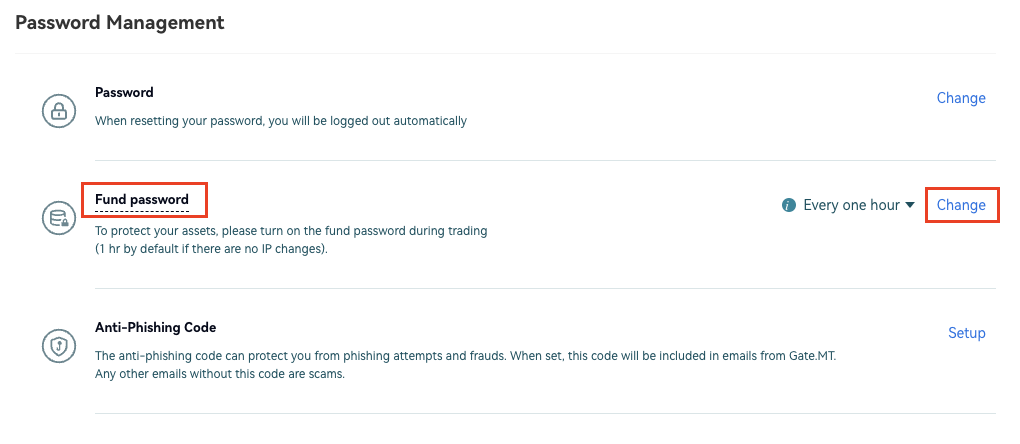
Accedi al tuo account. Sposta il cursore sull’icona del profilo in alto a destra e vai su "Verifica di sicurezza". Scorri verso il basso fino a "Gestione password" - "Password dei fondi" e clicca su "Modifica" sulla destra.
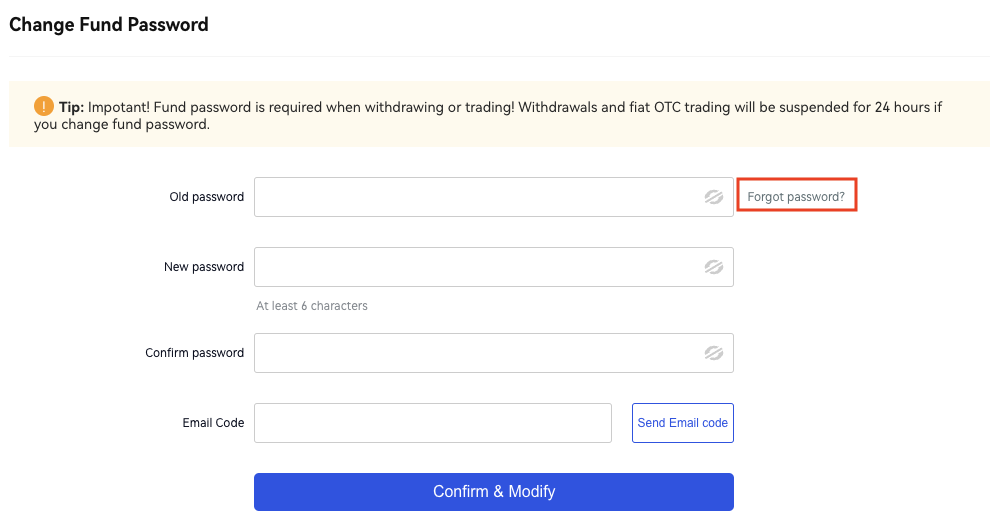
Inserisci le informazioni richieste e modificale secondo necessità; se hai dimenticato la vecchia password, clicca su "Password dimenticata" per reimpostare la password dei fondi.
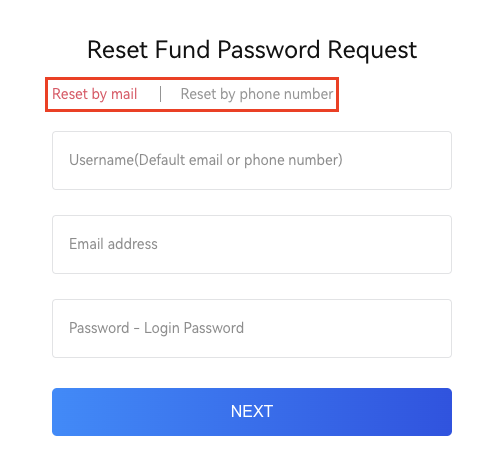
Puoi scegliere se "Reimpostare tramite email" o "Reimpostare tramite numero di telefono". Segui semplicemente le istruzioni e completa la procedura.
Come impostare la frequenza di reimpostazione della password dei fondi
Accedi al tuo account sul sito Gate.MT. Posiziona il cursore sull’icona del profilo in alto a destra e vai su "Verifica di sicurezza".
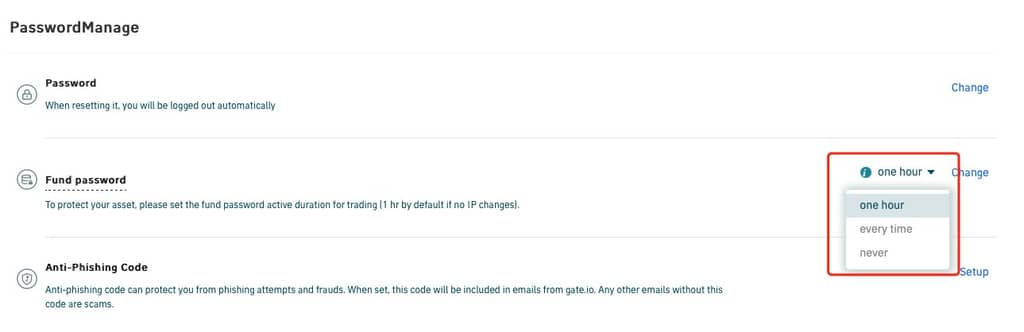
Scorri verso il basso fino a "Gestione password" - "Password dei fondi". Clicca sul piccolo simbolo del triangolo accanto a "Modifica" per impostare la frequenza di reimpostazione della password: ogni ora, ogni volta, mai.