
Come collegare il tuo numero di telefono al tuo account Gate:
-
- Accedi al tuo account e vai sull’icona del profilo in alto a destra, quindi su “Sicurezza”
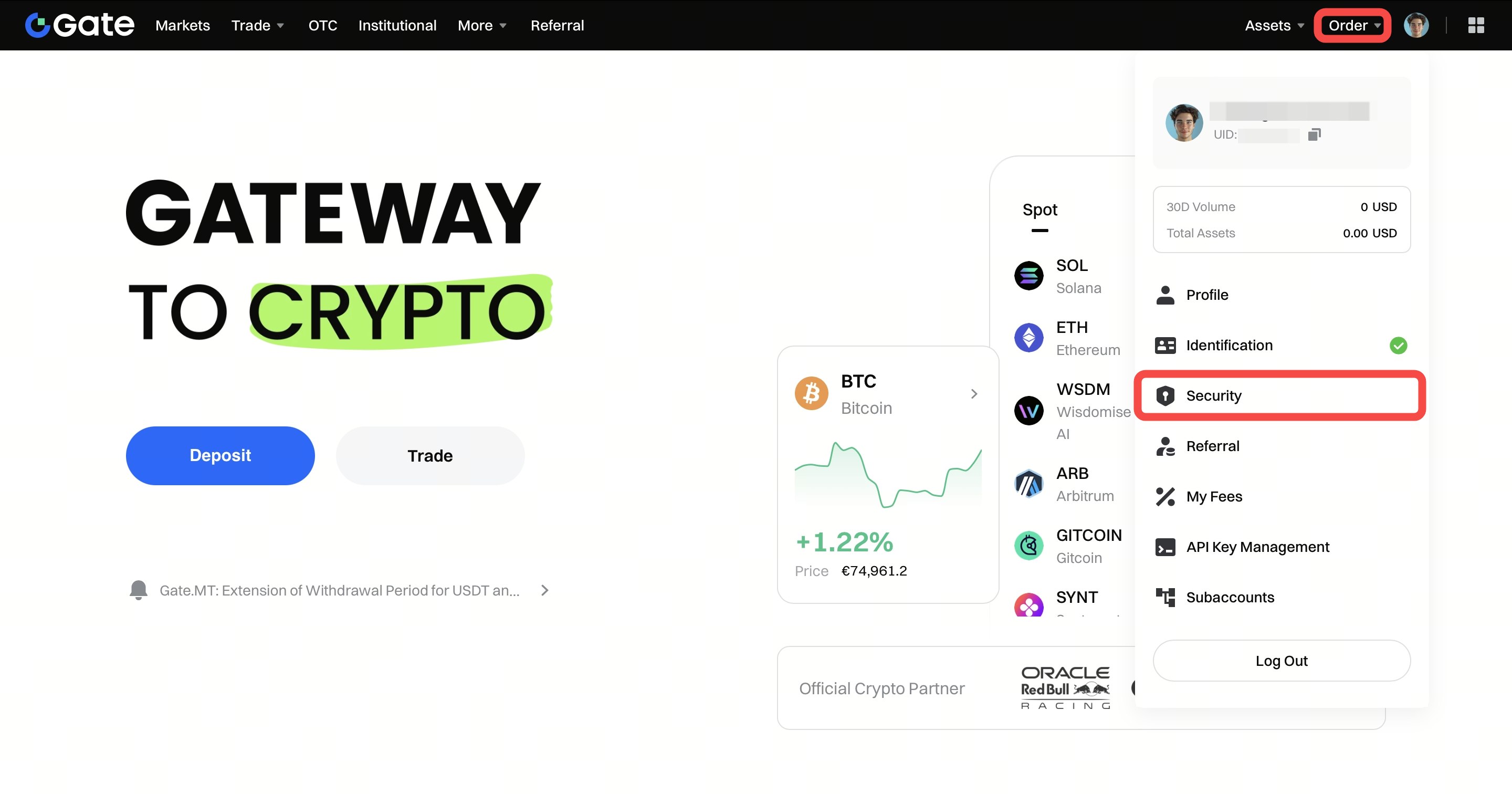
- Accedi al tuo account e vai sull’icona del profilo in alto a destra, quindi su “Sicurezza”
-
- Inserisci tutte le informazioni richieste e clicca su "Invia SMS". Dopo aver ricevuto il codice SMS, inseriscilo. Se il tuo indirizzo email è collegato, sarà richiesto anche un codice email. Quindi clicca su "Configura SMS" per confermare il collegamento del numero di telefono al tuo account.
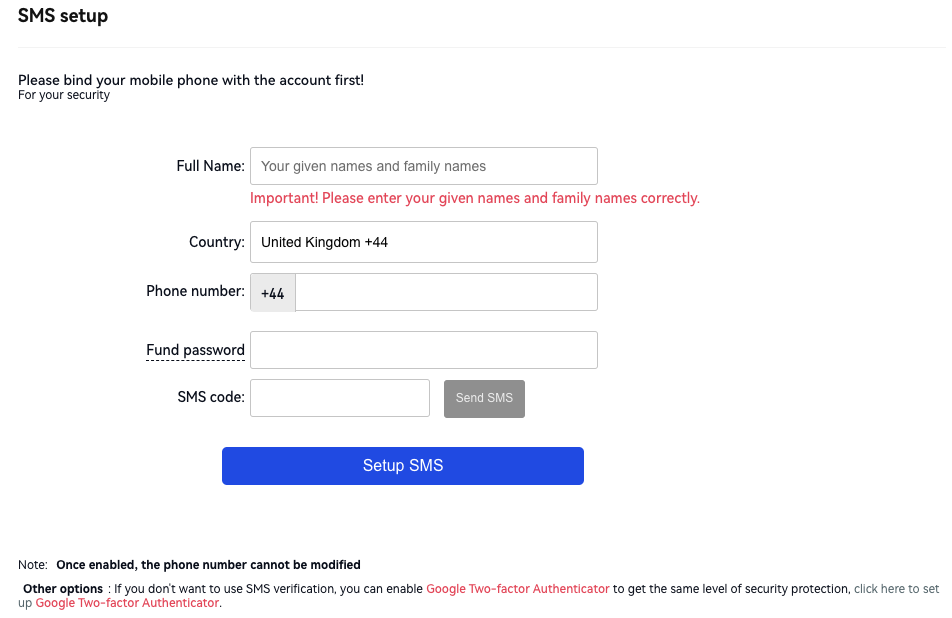
- Inserisci tutte le informazioni richieste e clicca su "Invia SMS". Dopo aver ricevuto il codice SMS, inseriscilo. Se il tuo indirizzo email è collegato, sarà richiesto anche un codice email. Quindi clicca su "Configura SMS" per confermare il collegamento del numero di telefono al tuo account.
