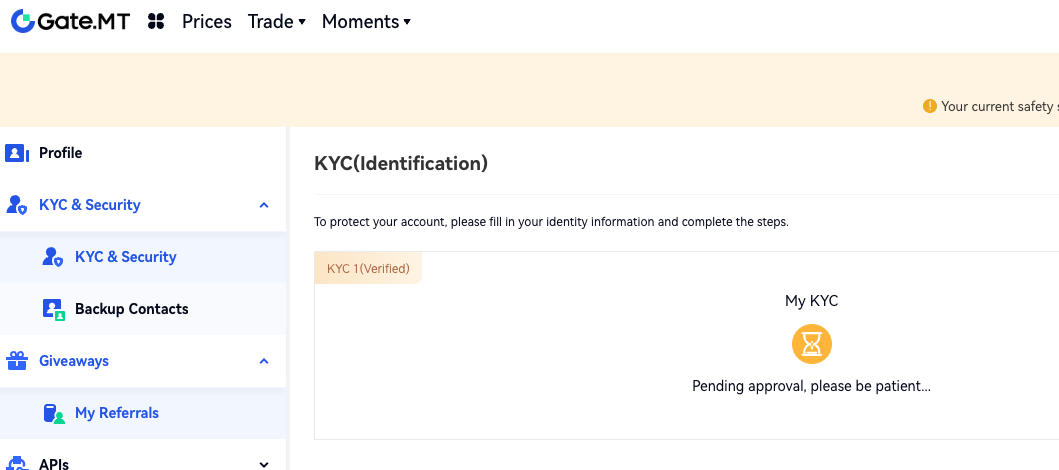
To ensure the safety of your assets, to guarantee favorable compliance for the development of cryptocurrency industry, and to reduce fraud, money laundering, blackmail, and other illegal activities, Gate.MT requires that all users pass KYC ID Verification. Only after completing KYC can users deposit and withdraw cryptocurrencies.
How to have your identity verified on Gate.MT website:
Log into your account. Move to the top-right profile icon and go to "KYC (Identification)" - "Individual" – "Verify Now".
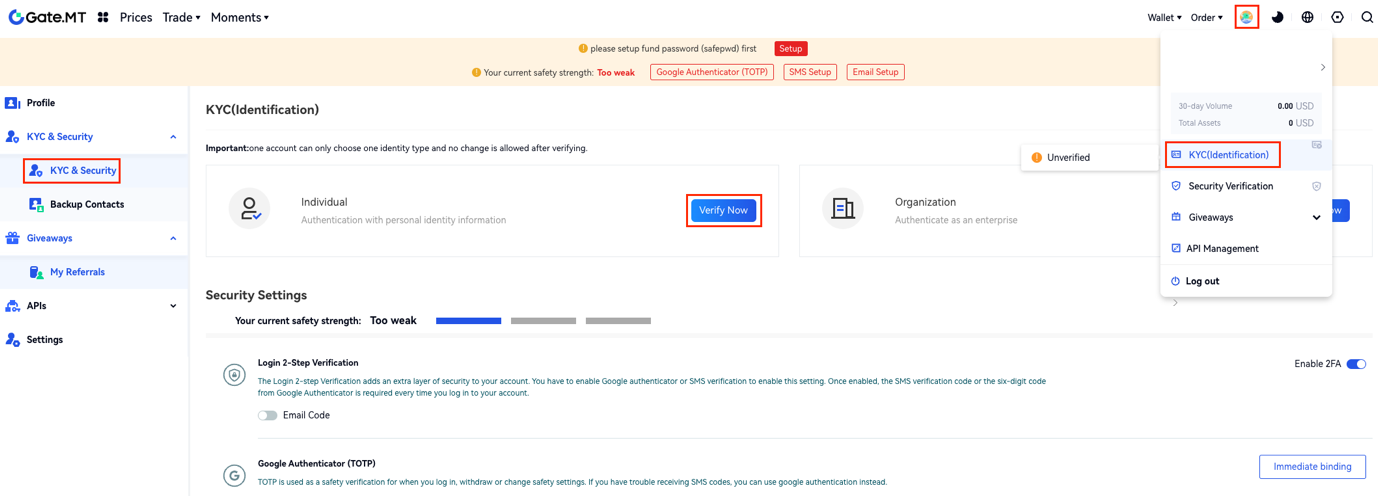
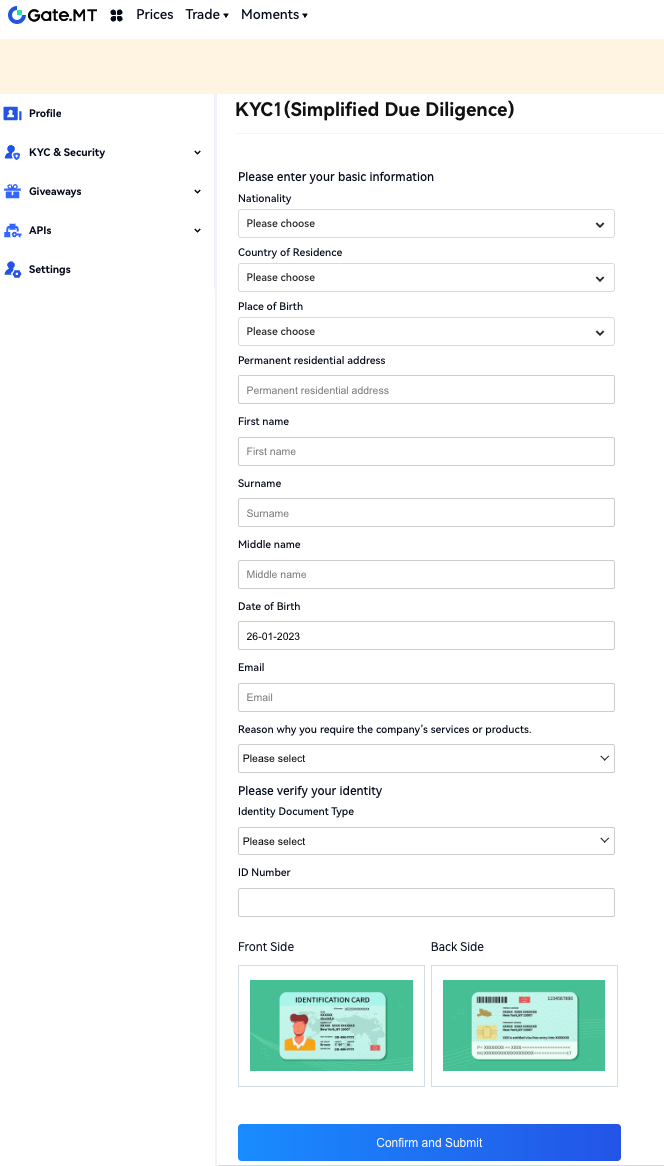
Step 1 (KYC1 Simplified Due Diligence):
Fill in all the required fields in the form below and verify your identity by uploading a photo (front and back) of a Government-issued document – ID or Passport. Click "Confirm and Submit".
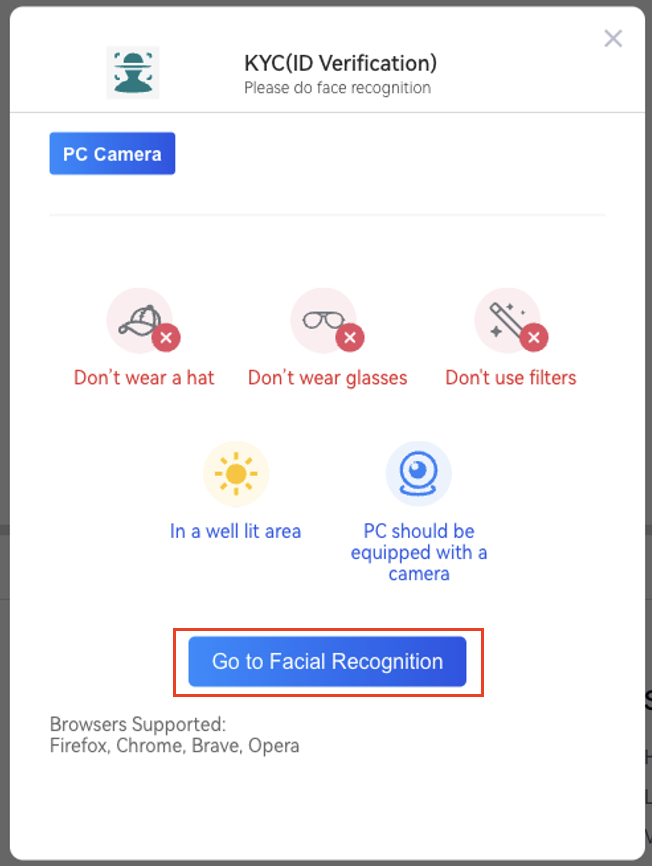
Having completed the above process, you will be redirected to the face verification page. Please read the notice carefully before clicking on the "Go to Facial Recognition" button.
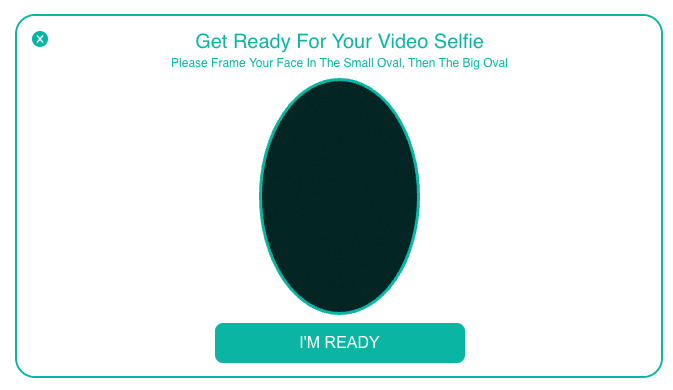
Please read the instructions to take a picture selfie. Click on the “I’M READY” button.
Step 2 (KYC2 Customer Due Diligence):
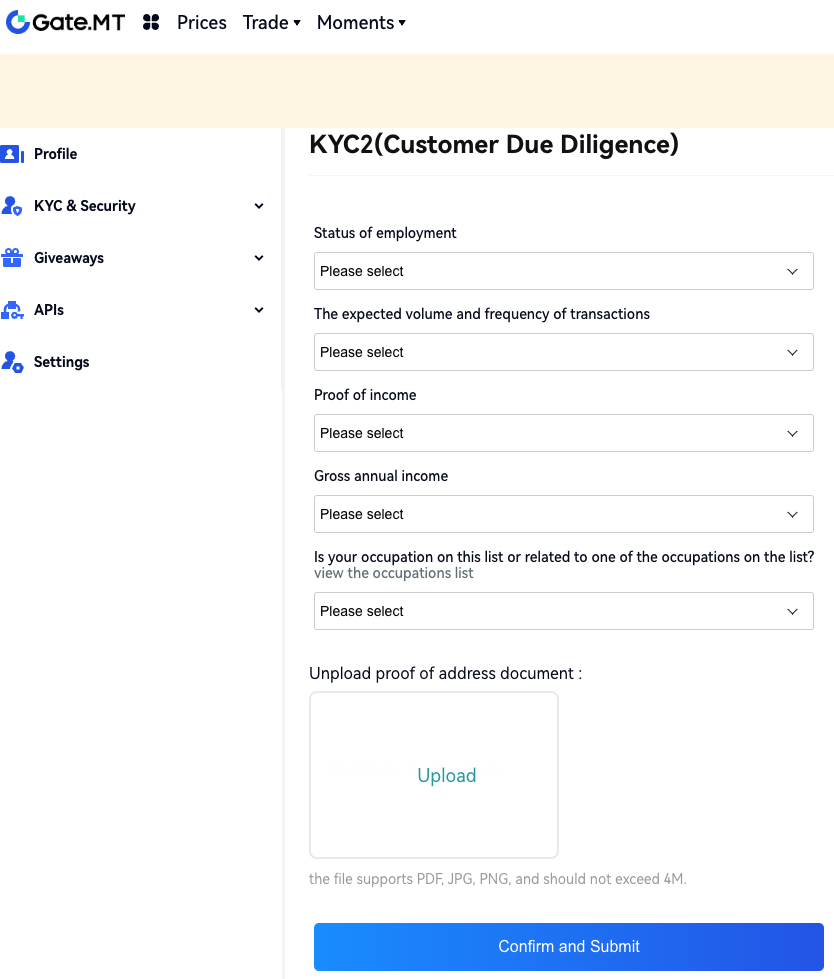
After completing KYC1 (Simplified Due Diligence), you can start the KYC2 verification process. Follow the instructions and upload images as proof of address. Then click "Confirm and Submit".
Step 3 (KYC2 Enhanced Due Diligence):
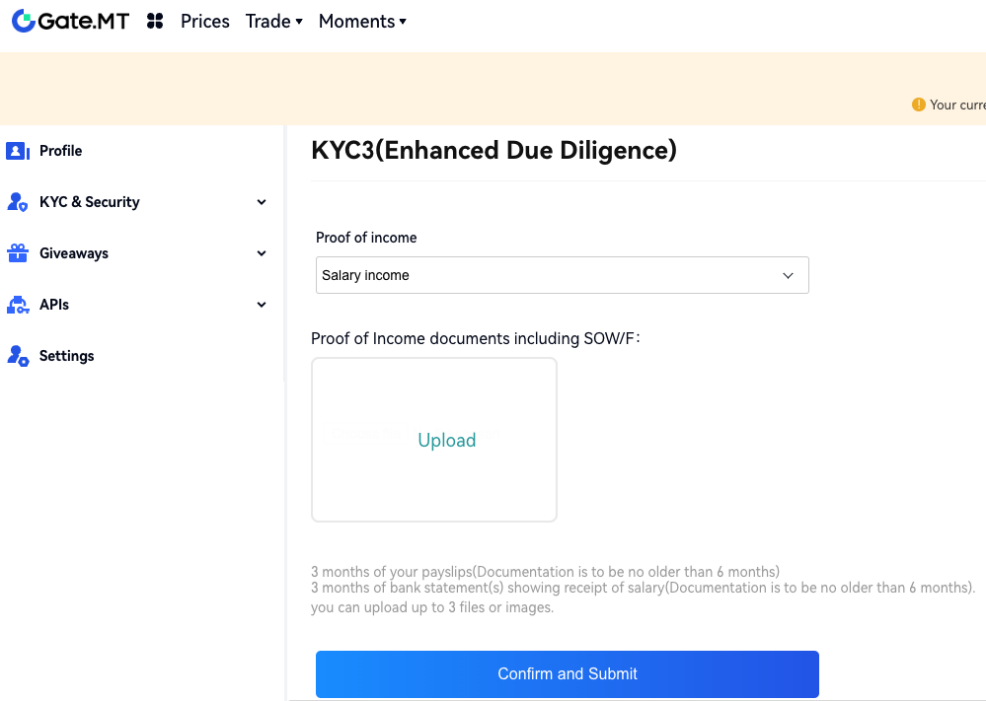
After completing KYC2 (Customer Due Diligence), you can start the KYC3 verification process. Click "Confirm and Submit".
If all the above steps have been completed successfully, the status of your account will now be in Pending approval.