
| How to check order history on Gate.MT
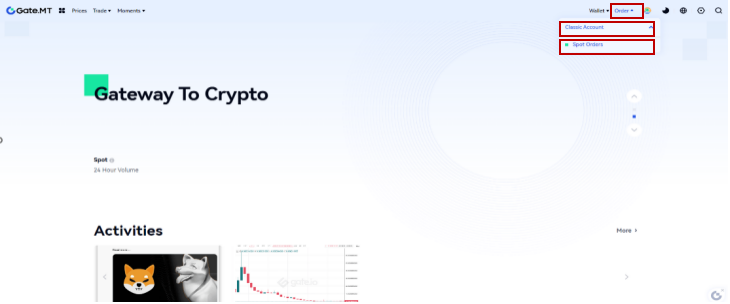
Step 1: Log in to your Gate.MT account. Click "Order" - "Classic Account" - "Spot Orders".
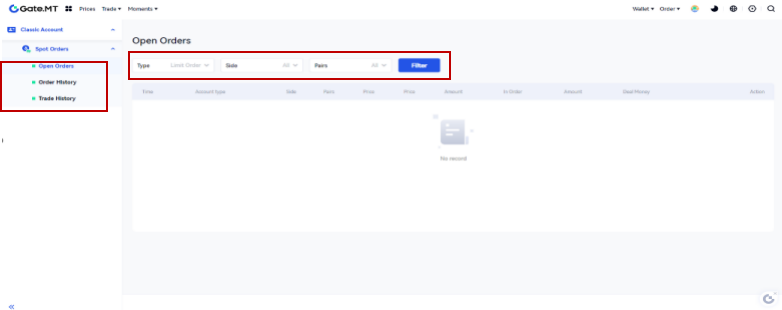
Step 2: Choose from "Open Orders", "Order History" and "Trade History" (filled orders). Then select the order type, pair, and timeframe. Click on "Filter" to apply filters and start searching.
| Note:
1.Orders have no time limit and are executed as soon as the prices match.
2.A limit order will only be filled when the market price matches the set price. If the market price does not match the set price, the order will remain pending. Users can cancel pending orders at any time, free of any handling fees.
3.Upon cancellation of an order, the funds will be returned to the user's account and can be confirmed in the balance and transaction history.
4.Note that, when the set buying price is higher than the market price, the limit order will be executed at the best available market price, similarly, when the set selling price is lower than the market price, the limit order will also be executed at the best available market price.
