
Welcome to this tutorial! We’ll guide you through buying cryptocurrency with a credit or debit card via Gate Connect in just a few simple steps.
Step 1: Before purchasing cryptocurrency, please make sure you have registered a Gate account and completed identity verification.
Click on the [Buy Crypto] button on the top bar, and select [Quick Buy] in the drop-down menu.
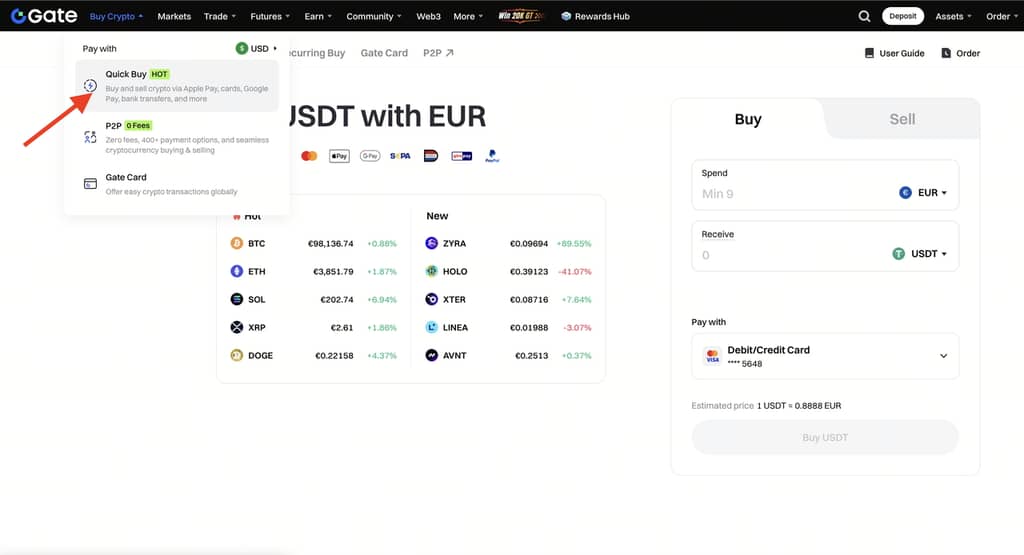
Step 2: Enter the amount you’d like to purchase and select both the fiat currency and cryptocurrency.
Under [Pay with], select the Debit/Credit Card option available via Gate Connect .
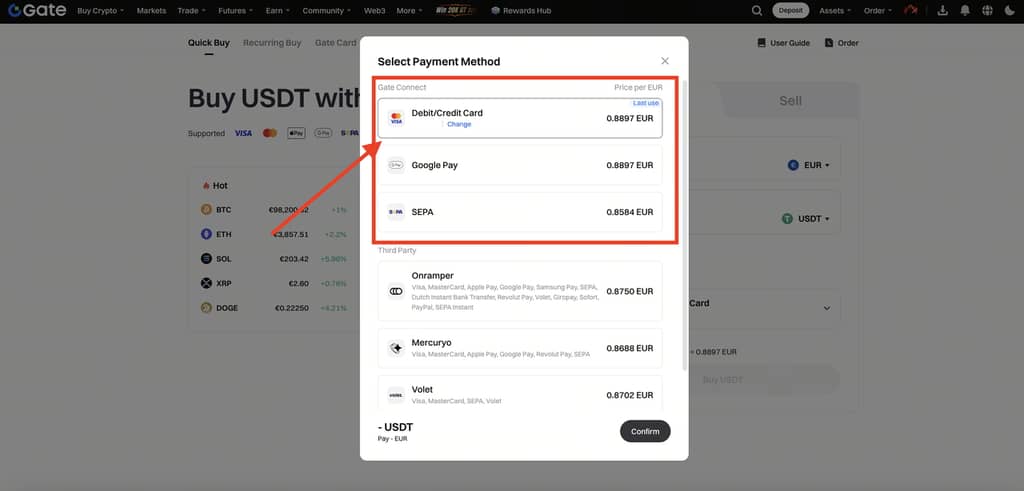
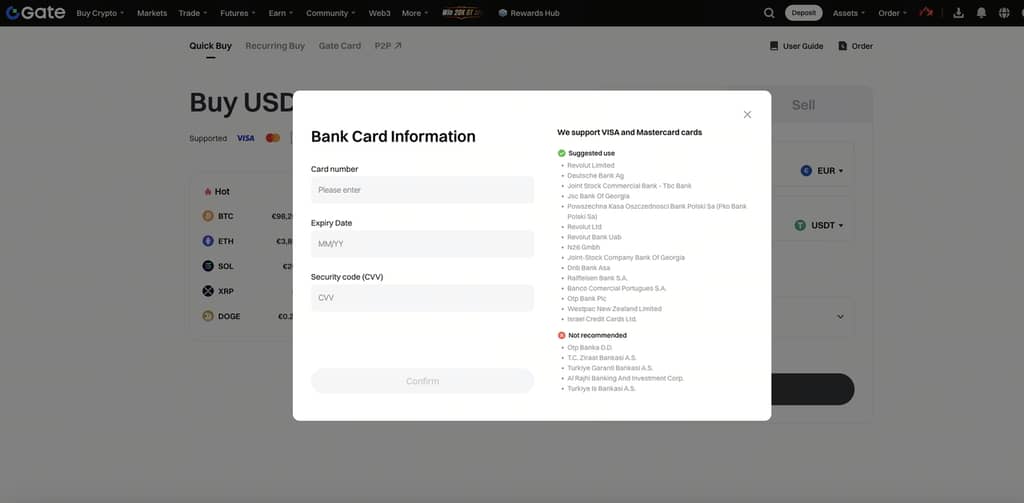
Step 3: After clicking [Confirm], the system will ask you to add a card if no card has been added already. Fill in the Card Number, Card Expiry Date, and the Security Code (CVV). When adding a new card, make sure you enter the details correctly.
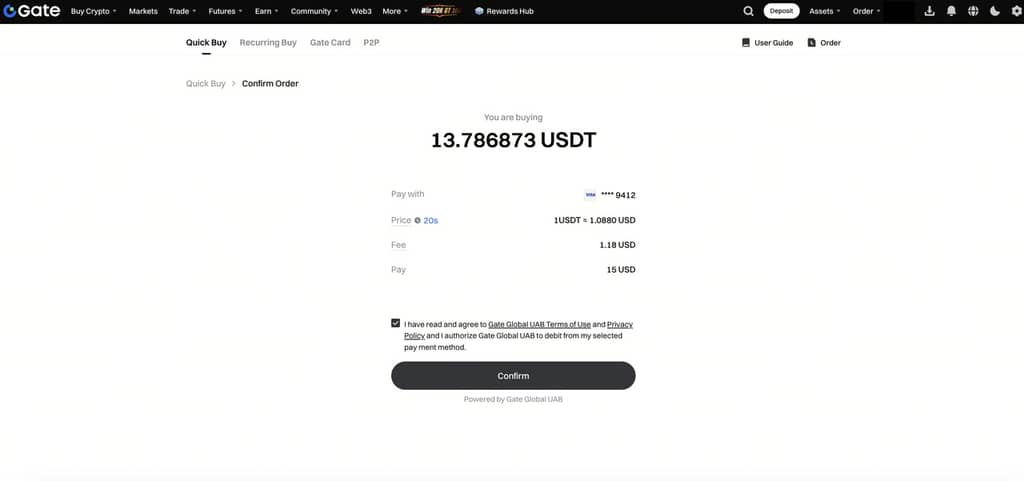
Step 4: After successfully adding your card, you will be given a summary of your transaction. If all is correct and you agree to the Terms of Use and Privacy Policy, click on [Confirm].
Step 5: As a security measure, you will once again be asked to enter your card's Security Code (CVV). Enter the 3-digit code and press [Confirm].
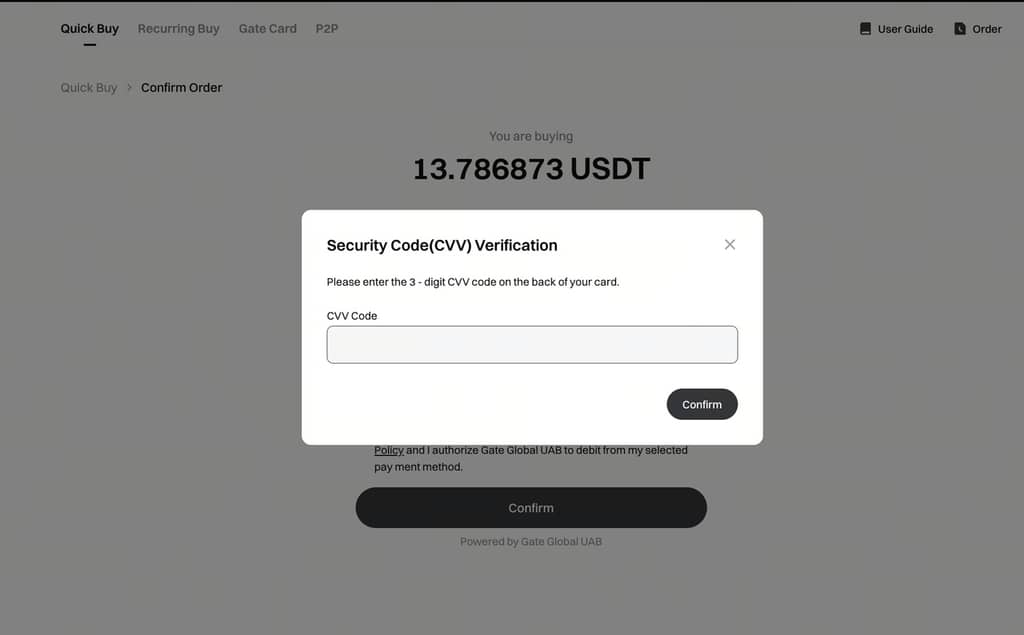
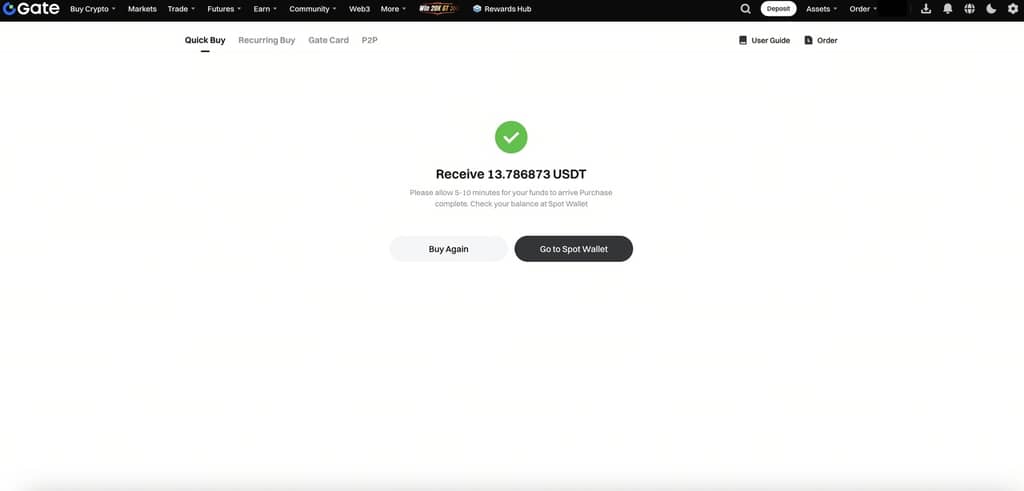
Step 6: If you enter the correct CVV your transaction will be successful, you will be asked to wait 5-10 minutes for your funds to arrive. You can monitor if you receive your funds by pressing on [Go to Spot Wallet]
Start buying cryptocurrency now with Gate Connect!
If you have any questions, feel free to contact Gate Support at:
support_eu@gate.com.
