
| Deposit & Withdrawal
-
· Gate introduced a "self-help acceleration" feature to enhance the user experience and address the issue of prolonged deposit times due to blockchain congestion or other factors.
-
· If you have made a deposit but it is taking longer than usual to complete or you cannot locate the deposit record, you can utilize the "self-help acceleration" feature to speed up the process.
-
· To check if the deposit has been successfully credited, please wait for 5-30 minutes after submitting the acceleration request.
-
· If the deposit still hasn't been credited, you can either wait an additional 60 minutes or e-mail our customer service team on support_eu@gate.com for assistance.
-
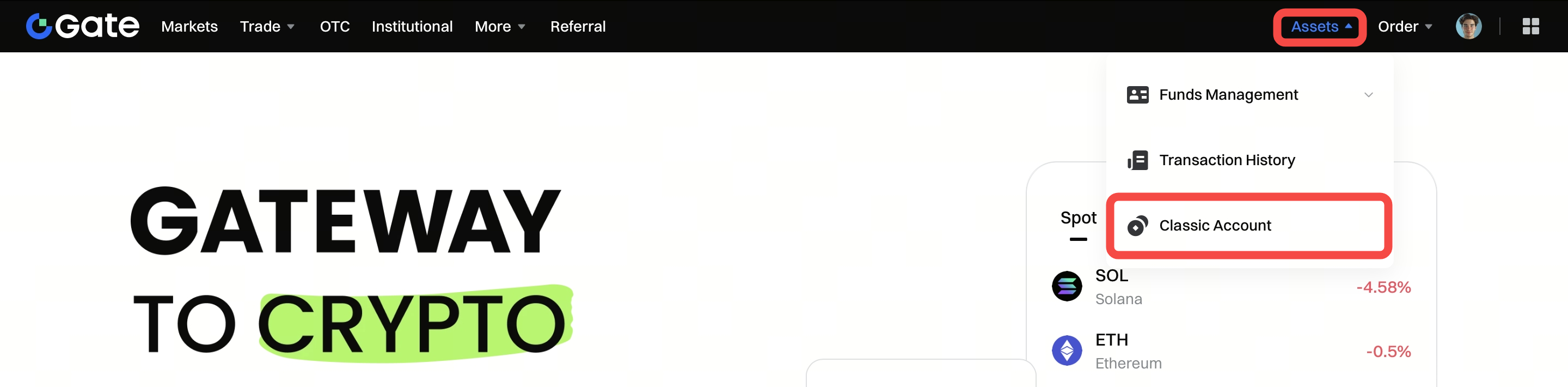
Step 1: Log into your Gate account. Click "Assets" - "Classic Account".
-
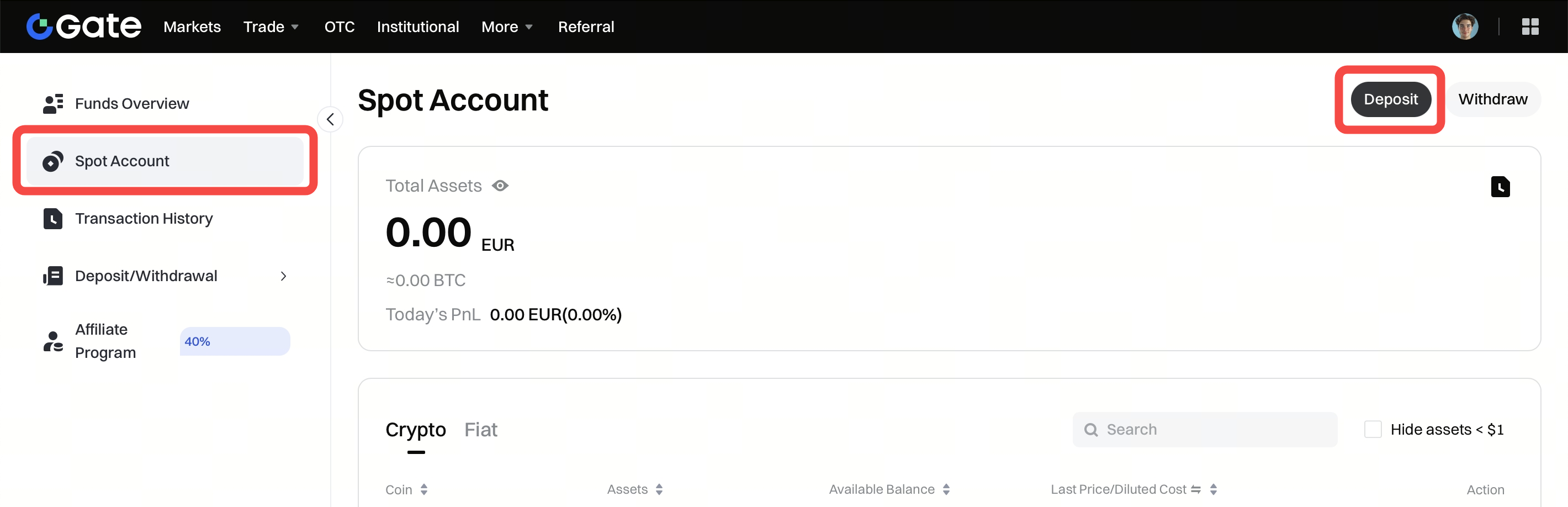
Step 2: Under the "Spot Account" tab, click "Deposit" in the upper-right corner.
Alternatively, search the coin in the search box, and then click the "Deposit" button in the row of the coin.
-
Step 3: Click "Deposit" in the "Onchain Deposit" box.

-
Step 4: Click "Self-help Acceleration".

-
Step 5: Select a corresponding network from the drop-down list, then click "Next".

